0. What is hawser?
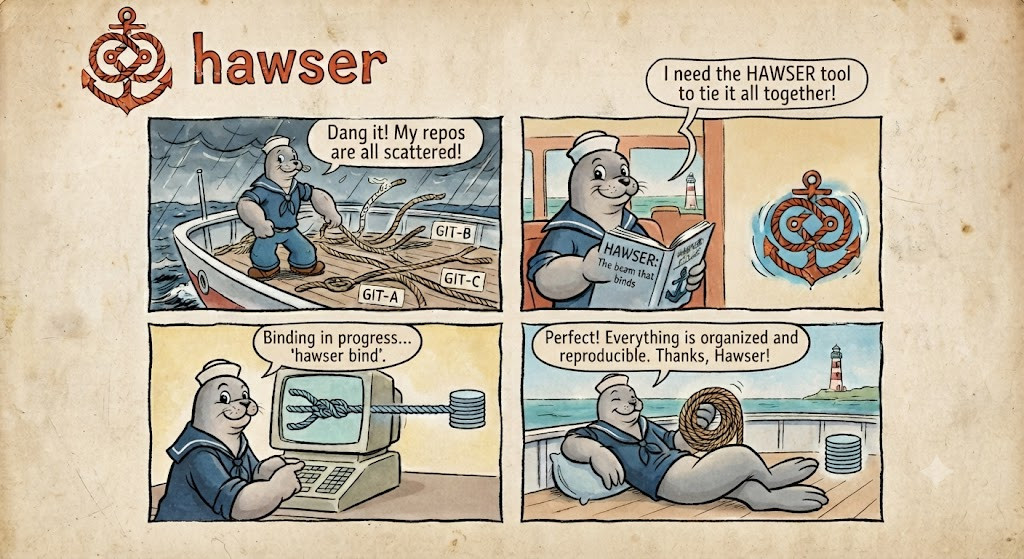
Welcome! If you’ve ever worked on a product that lives in more than one Git repository, this course is for you. By the end of it you’ll be composing repos, running work across a whole fleet, opening cross-repo pull requests, and driving it all from a keyboard cockpit — comfortably.
Let’s start with the why. Because once the problem clicks, every command in haw
suddenly makes sense.

Many repos, one coordinated whole — that’s the puzzle hawser solves.
🎯 In this chapter, you’ll learn to…
- Recognize the three taxes of a multi-repo product: version coordination, cross-repo PRs, and reproducibility.
- Explain hawser in one line — a
package.json+ lockfile, but for a fleet of Git repos. - Hold the whole mental model in your head: manifest → lockfile → stacks.
- Tell when hawser is the right tool for your world.
🧩 The problem: one product, many repos
Picture a real product. It’s rarely a single repository anymore. It’s a shared library, three or four services, an SDK, some infrastructure — each in its own Git repo, each with its own branches, its own CI, its own history.

One product, scattered across a shelf of separate repos.
That split is good engineering. But it comes with a tax:
- “Which versions go together?” Service A works with version 2.1 of the shared lib — but which commit is 2.1, exactly? And does your teammate have the same one?
- “One feature, five pull requests.” A single change touches four repos. You branch each one by hand, open four PRs, and pray you merge them in the right order.
- “It works on my machine.” Nobody can reproduce the exact set of commits that were live last March, because that set was never written down anywhere.

Managing ten repos and their versions by hand. This is fine. 🔥
Here’s the thing: a single repo already solved these problems years ago. Your
package.json (or Cargo.toml) declares what you depend on, and a lockfile
(package-lock.json, Cargo.lock) pins the exact resolved versions so everyone —
you, your teammate, the CI runner — rebuilds an identical tree.
The mental model in one line: hawser is a package.json + lockfile, but for a
fleet of Git repos instead of a fleet of npm packages.
⚓ What hawser does
hawser composes a software stack from many Git repos, pins it to a lockfile, and lets you drive every cross-repo build, PR, review, and CI run from one place.
It’s not a Git wrapper and it doesn’t reimplement Git. It’s the layer above Git — the
part your package.json and your project board and your PR dashboard were quietly doing
for a single repo, now done for many.
The command-line tool is called haw. It’s a single binary, written in Rust, with no
runtime to install.
🧠 The mental model: manifest → lockfile → stacks
Three concepts carry the whole system. Learn these now and everything else follows.
-
The manifest —
haw.toml. This is your intent. You declare which repos exist, where they live, and which revision you want. Think of it as thedependenciesblock. -
The lockfile —
haw.lock. This is the resolved reality. When you sync,hawpins every repo to an exact commit SHA and writes it here. You commit this file. Now a teammate — or CI, or an auditor — rebuilds the identical tree, byte for byte. -
Stacks. A stack is a named composition of repos. One manifest can define several stacks that share the same repos without copying them. (A stack in
hawis just “these repos, together, under this name.”)
haw.toml   (intent)  ─────►  haw sync  ─────►  haw.lock   (pinned SHAs, committed)
   │                                               │
   └── declares repos + stacks                     └── the reproducible baseline
On disk there are no submodules, no symlinks, and no detached HEADs — each repo is a
plain, complete Git clone. haw just keeps them in sync and coordinated.
🎯 When to reach for hawser
hawser is domain-agnostic — a repo is a repo, a build is whatever shell command you declare. It shines whenever a product is spread across repos:
| If your world looks like… | …hawser gives you |
|---|---|
| Backend microservices — a feature spanning N services + a shared proto/lib | one branch + linked PRs across exactly the repos it touches |
| ML / data platforms — model + pipeline + serving infra | one pinned, reproducible baseline of all three |
| Platform / infra — Terraform modules + Helm charts | a versioned, drift-checked deployed baseline |
| Mobile — an app + its in-house SDK | app and SDK changed and released in lockstep |
| Embedded / automotive — shared HAL/BSP reused across many ECUs | audit-grade, reproducible baselines + compliance evidence |
The loop — compose → pin → change → build/test → govern — is the same in every one. Only the repos and the declared build commands differ. See Domains for how each maps on.
🚀 What you’ll be able to do by the end of this course
- Write a
haw.toml, sync it, and read the lockfile with confidence. - Run builds, tests, commands, and searches across an entire fleet in parallel.
- Ship a feature across N repos as one changeset — branch, PR, land in order.
- Live in the TUI cockpit and merge, approve, and inspect without leaving the terminal.
- Extend
hawwith a plugin you wrote yourself. - Wire it into CI with reproducibility, signing, and audit evidence.
That’s a real, productive skill set — and we’ll build it one small step at a time.
And here’s where we’re going — the keyboard cockpit you’ll be living in by Chapter 4:
The haw cockpit: read the fleet, drill into any repo or PR, and act — without leaving the terminal.
🙌 Your turn
Before we touch a single command, do the thought experiment. Picture the last product you worked on that lived in more than one repo. Jot down:
- How many repos was it, really?
- The last time one feature forced you to open PRs in several of them at once — how did you keep track?
- Could you reproduce, today, the exact set of commits that were live three months ago? Hold those answers. By Chapter 3 you’ll have a one-command answer to each.
✅ Recap
- Splitting a product across many Git repos is normal, but it costs you version coordination, cross-repo PRs, and reproducibility.
- hawser is a manifest + lockfile for a fleet of repos — like
package.json+package-lock.json, but for whole repositories. - Three concepts: manifest (
haw.toml, intent) → lockfile (haw.lock, pinned reality) → stacks (named compositions of repos). - The CLI is
haw: one Rust binary, no runtime. - It fits any domain where a product spans repos.
👉 Next
Let’s get the tool onto your machine and open the cockpit for the first time → 1. Install and first run.