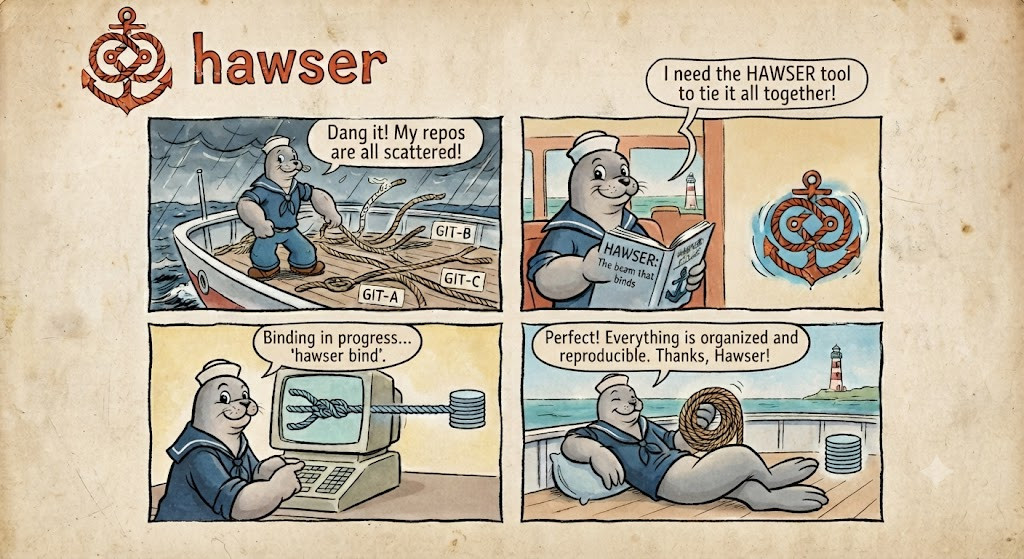
hawser
Pin a stack of Git repos to a lockfile — so a teammate, a CI runner, or an auditor checks out the identical tree, everywhere. One binary. In Rust.
haw composes many independent Git repos into one reproducible stack. A declarative
manifest (haw.toml) describes stacks and the repos they compose; a committed
lockfile (haw.lock) pins every repo to an exact revision — so any teammate or CI
machine rebuilds the byte-identical tree. No submodules, no detached HEADs, no Python
runtime — one static binary.
haw init haw.toml   # declare the repos
haw sync            # clone every repo, write haw.lock (exact SHAs)
haw verify          # CI gate: exit 3 if the tree drifts from the lock
This is the reference documentation for hawser 0.1.7. New to the project? Start with the Learn course for a guided, hands-on path; use the pages below as reference.
Beyond the core
Reproducible compose (above) is the foundation. Built on it, four more capabilities — one binary:
- Compose, at scale. Stacks and overlays compose repos into named variants. Shallow
(
--depth) and partial (--filter=blob:none) clone, plus a shared object store via gitalternates(--shared) — no symlinks, so it runs on Windows. - Orchestrate. Run
build,test, or any command across the whole fleet in parallel (-j N);haw grepfans out across every repo;haw verifyis a drift gate that exits 3 for CI. - Collaborate. One feature = one branch across N repos, with cross-linked PR/MRs on
GitHub, GitLab, and Bitbucket, an aggregated review + CI status, and
landto merge in dependency order. Plus a parallel collaborative merge (plan→resolve→cleanup). - Operate. A k9s-style TUI cockpit (bare
haw) — a live fleet grid you drill into for a repo’s diff, a PR’s checks, or a CI run’s live progress, then act from the keyboard. Fuzzy filter, marks + bulk actions, a problems-only view, drift highlights, a command bar, and six themes. - Govern. SBOM (CycloneDX + SPDX), SLSA/in-toto provenance, cosign/minisign
signatures, lifecycle hooks, a secret/hygiene gate, and
evidencebundles for qualification.
Extend it
haw <name> runs haw-<name> from your PATH — extend the CLI without forking. Plugins
are subprocesses speaking a JSON contract (haw.plugin/1 in, haw.plugin.report/1 out),
so they can be written in Rust, Python, Go, or shell. Scaffold, discover, and install
them:
haw plugins new my-check --lang python   # runnable skeleton
haw plugins list --remote                # discover community plugins from the index
haw plugins install aspice               # install a first-party or community plugin
Published JSON Schemas and thin bindings (Python, Go) make it trivial; see the curated AWESOME-HAW-PLUGINS list.
Distribute & install
haw ships as a single static binary. Install via crates.io, Homebrew, Scoop, AUR, Nix,
.deb/.rpm, Docker, or a signed prebuilt archive — every release carries a .sha256
checksum and a keyless cosign signature. Fleet artifacts publish to private registries
(Nexus, Artifactory, GitLab, Bitbucket) via haw publish.
cargo install hawser         # from crates.io (canonical)
brew install nastwinns/tap/hawser   # macOS / Linux (Homebrew)
curl -L … | tar xz           # prebuilt static musl binary
Security
haw runs code declared in the manifest and binaries on your PATH — treat both as
trusted inputs. The crate is #![forbid(unsafe_code)], HTTPS is rustls-only, actions are
SHA-pinned, releases are cosign-signed, and cargo audit/cargo deny gate every push.
Read the full trust model.
Try it in your browser
The landing page renders the live cockpit TUI in WebAssembly — no install required: https://nastwinns.github.io/hawser/
Where to go next
- Learn — the guided, hands-on course from zero to a governed fleet.
- Install — the full channel matrix + signature verification + air-gap.
- Distribution — mirror releases to Nexus/Artifactory/GitLab/Bitbucket.
- Domains — how the loop maps onto embedded, microservices, ML, infra, mobile.
- Architecture — crate layout, concurrency model, forge abstraction.
- CLI design & TUI keymap — the full verb lexicon and cockpit keymap.
- Extending — plugins, hooks, auth, and CI/CD integration.
- Plugins — writing and submitting
haw-<name>plugins. - Compliance — tool qualification, SBOM/CRA, signing, GDPR.
- Security — the trust model: what
hawexecutes, plugin trust, tokens.
Links
- Repository: https://github.com/Nastwinns/hawser
- Try the TUI in your browser: https://nastwinns.github.io/hawser/
- README: the project README has the install matrix, demos, and the manifest walkthrough.
Installing hawser
hawser ships as a single binary named haw. This page is the full install
matrix: every channel, how to verify the signed release, the air-gap workflow, and
building from source. For the short version, see the
README Install section.
The current release is v0.1.7, published with signed, reproducible archives for every supported platform.
Channel matrix
| Channel | Platform | Command / source | Prerequisites |
|---|---|---|---|
| crates.io | any (Rust) | cargo install hawser | Rust 1.90+ toolchain |
| Homebrew | macOS + Linux | brew install nastwinns/tap/hawser | Homebrew |
| Scoop | Windows | scoop bucket add nastwinns https://github.com/Nastwinns/scoop-bucket then scoop install hawser | Scoop |
| Static musl binary | Linux x86_64 | download haw-0.1.7-x86_64-unknown-linux-musl.tar.gz (see below) | none (zero-dependency) |
| Prebuilt archive | Linux gnu (x86_64/aarch64), Linux musl (x86_64), macOS (x86_64/aarch64), Windows (x86_64) | GitHub Release | none (optional: cosign, sha256sum to verify) |
| Private registries | any | Nexus / Artifactory / GitLab / Bitbucket mirror — see DISTRIBUTION.md | registry credentials |
| Docker | any (with Docker) | docker build -t haw . | Docker + the repo |
| From source | any (Rust) | cargo install --git … or cargo build --release | Rust 1.90+ toolchain |
All channels install the same haw binary. cargo install hawser is the canonical
Rust install.
Package managers
crates.io (Rust)
cargo install hawser
Builds from source against your local toolchain and drops haw into
~/.cargo/bin. Requires a Rust 1.90+ toolchain.
Homebrew (macOS + Linux)
brew install nastwinns/tap/hawser
The tap lives at Nastwinns/homebrew-tap.
Homebrew pulls the prebuilt archive for your platform, so no compiler is needed.
Scoop (Windows)
scoop bucket add nastwinns https://github.com/Nastwinns/scoop-bucket
scoop install hawser
AUR (Arch Linux)
A hawser-bin package (prebuilt from the GitHub Release) — see
packaging/aur/PKGBUILD:
yay -S hawser-bin # or: paru -S hawser-bin
Nix (flake)
Run without installing, or add to a profile — the flake builds haw from source
and wraps it with git:
nix run github:Nastwinns/hawser              # run once
nix profile install github:Nastwinns/hawser  # install
Debian / RPM
Each GitHub Release ships a .deb and .rpm for x86_64 Linux (gnu):
# Debian/Ubuntu
curl -sSLO https://github.com/Nastwinns/hawser/releases/latest/download/hawser_0.1.7-1_amd64.deb
sudo dpkg -i hawser_0.1.7-1_amd64.deb
# Fedora/RHEL
sudo rpm -i https://github.com/Nastwinns/hawser/releases/latest/download/hawser-0.1.7-1.x86_64.rpm
Static musl binary (Linux, zero-dependency, air-gap friendly)
The recommended universal Linux install. The musl build is fully static — no glibc, no runtime — so it runs identically on any Linux host, drops into minimal containers, and installs cleanly on air-gapped machines as a single file.
curl -sSL https://github.com/Nastwinns/hawser/releases/download/v0.1.7/haw-0.1.7-x86_64-unknown-linux-musl.tar.gz \
  | tar xz && sudo install haw /usr/local/bin/
For air-gapped hosts, download the archive (plus its .sha256, .sig, and .pem)
on a connected machine, verify it (below), copy all four files across, then install.
Prebuilt archives (signed)
Every platform ships an archive on the GitHub Release:
haw-0.1.7-x86_64-unknown-linux-gnu.tar.gzhaw-0.1.7-aarch64-unknown-linux-gnu.tar.gzhaw-0.1.7-x86_64-unknown-linux-musl.tar.gz(static)haw-0.1.7-x86_64-apple-darwin.tar.gzhaw-0.1.7-aarch64-apple-darwin.tar.gzhaw-0.1.7-x86_64-pc-windows-msvc.zip
Each archive is accompanied by:
<archive>.sha256— a SHA-256 checksum<archive>.sigand<archive>.pem— a cosign keyless signature and its certificate
The release is reproducible and signed. Verifying is optional but recommended, and it is the whole point on locked-down or air-gapped hosts.
Verify the checksum
sha256sum -c haw-0.1.7-x86_64-unknown-linux-musl.tar.gz.sha256
Expect … OK. (On macOS, shasum -a 256 -c is the equivalent.)
Verify the cosign signature
Keyless verification checks the signature against the Sigstore transparency log. You
need cosign installed:
cosign verify-blob \
  --certificate haw-0.1.7-x86_64-unknown-linux-musl.tar.gz.pem \
  --signature   haw-0.1.7-x86_64-unknown-linux-musl.tar.gz.sig \
  --certificate-identity-regexp 'https://github.com/Nastwinns/hawser' \
  --certificate-oidc-issuer https://token.actions.githubusercontent.com \
  haw-0.1.7-x86_64-unknown-linux-musl.tar.gz
Expect Verified OK. Once verified, unpack and install:
tar xzf haw-0.1.7-x86_64-unknown-linux-musl.tar.gz
sudo install haw /usr/local/bin/
Air-gap workflow
- On a connected machine, download the archive and its
.sha256,.sig, and.pemcompanions. - Verify the checksum and the cosign signature (above) — this establishes trust while you still have network access to the transparency log.
- Copy all four files to the air-gapped host.
- Verify the checksum again offline (
sha256sum -c …), unpack, and install.
The static musl binary has no runtime dependencies, so nothing else needs to cross the air gap.
Private registries (Nexus / Artifactory / GitLab / Bitbucket)
Organizations that mirror releases to an internal registry can pull the exact same
signed archives (plus .sha256, .sig, .pem, and the .deb/.rpm) from Nexus,
Artifactory, GitLab, or Bitbucket. Each tagged release publishes the GitHub Release
first, then mirrors the artifacts to whichever of these registries are configured.
See DISTRIBUTION.md for the exact upload paths, the secret matrix to enable each registry, and the per-registry download/install commands. Example (Nexus):
curl -u "$NEXUS_USER:$NEXUS_PASS" -O \
  "$NEXUS_URL/repository/raw-hosted/haw/0.1.7/haw-0.1.7-x86_64-unknown-linux-musl.tar.gz"
Verify the checksum and cosign signature exactly as for the GitHub Release (above).
Docker
An image builds directly from the repository Dockerfile:
docker build -t haw .
docker run --rm haw --version
Requires Docker and a checkout of the repo.
From source
Requires a Rust 1.90+ toolchain.
Install the latest main straight from Git:
cargo install --git https://github.com/Nastwinns/hawser hawser
Or clone and build a release binary:
git clone https://github.com/Nastwinns/hawser
cd hawser
cargo build --release
# binary at target/release/haw
Verify the install
Whichever channel you used:
haw --version
Back to the README.
0. What is hawser?
Welcome! If you’ve ever worked on a product that lives in more than one Git repository, this course is for you. By the end of it you’ll be composing repos, running work across a whole fleet, opening cross-repo pull requests, and driving it all from a keyboard cockpit — comfortably.
Let’s start with the why. Because once the problem clicks, every command in haw
suddenly makes sense.

Many repos, one coordinated whole — that’s the puzzle hawser solves.
🎯 In this chapter, you’ll learn to…
- Recognize the three taxes of a multi-repo product: version coordination, cross-repo PRs, and reproducibility.
- Explain hawser in one line — a
package.json+ lockfile, but for a fleet of Git repos. - Hold the whole mental model in your head: manifest → lockfile → stacks.
- Tell when hawser is the right tool for your world.
🧩 The problem: one product, many repos
Picture a real product. It’s rarely a single repository anymore. It’s a shared library, three or four services, an SDK, some infrastructure — each in its own Git repo, each with its own branches, its own CI, its own history.

One product, scattered across a shelf of separate repos.
That split is good engineering. But it comes with a tax:
- “Which versions go together?” Service A works with version 2.1 of the shared lib — but which commit is 2.1, exactly? And does your teammate have the same one?
- “One feature, five pull requests.” A single change touches four repos. You branch each one by hand, open four PRs, and pray you merge them in the right order.
- “It works on my machine.” Nobody can reproduce the exact set of commits that were live last March, because that set was never written down anywhere.

Managing ten repos and their versions by hand. This is fine. 🔥
Here’s the thing: a single repo already solved these problems years ago. Your
package.json (or Cargo.toml) declares what you depend on, and a lockfile
(package-lock.json, Cargo.lock) pins the exact resolved versions so everyone —
you, your teammate, the CI runner — rebuilds an identical tree.
The mental model in one line: hawser is a package.json + lockfile, but for a
fleet of Git repos instead of a fleet of npm packages.
⚓ What hawser does
hawser composes a software stack from many Git repos, pins it to a lockfile, and lets you drive every cross-repo build, PR, review, and CI run from one place.
It’s not a Git wrapper and it doesn’t reimplement Git. It’s the layer above Git — the
part your package.json and your project board and your PR dashboard were quietly doing
for a single repo, now done for many.
The command-line tool is called haw. It’s a single binary, written in Rust, with no
runtime to install.
🧠 The mental model: manifest → lockfile → stacks
Three concepts carry the whole system. Learn these now and everything else follows.
-
The manifest —
haw.toml. This is your intent. You declare which repos exist, where they live, and which revision you want. Think of it as thedependenciesblock. -
The lockfile —
haw.lock. This is the resolved reality. When you sync,hawpins every repo to an exact commit SHA and writes it here. You commit this file. Now a teammate — or CI, or an auditor — rebuilds the identical tree, byte for byte. -
Stacks. A stack is a named composition of repos. One manifest can define several stacks that share the same repos without copying them. (A stack in
hawis just “these repos, together, under this name.”)
haw.toml   (intent)  ─────►  haw sync  ─────►  haw.lock   (pinned SHAs, committed)
   │                                               │
   └── declares repos + stacks                     └── the reproducible baseline
On disk there are no submodules, no symlinks, and no detached HEADs — each repo is a
plain, complete Git clone. haw just keeps them in sync and coordinated.
🎯 When to reach for hawser
hawser is domain-agnostic — a repo is a repo, a build is whatever shell command you declare. It shines whenever a product is spread across repos:
| If your world looks like… | …hawser gives you |
|---|---|
| Backend microservices — a feature spanning N services + a shared proto/lib | one branch + linked PRs across exactly the repos it touches |
| ML / data platforms — model + pipeline + serving infra | one pinned, reproducible baseline of all three |
| Platform / infra — Terraform modules + Helm charts | a versioned, drift-checked deployed baseline |
| Mobile — an app + its in-house SDK | app and SDK changed and released in lockstep |
| Embedded / automotive — shared HAL/BSP reused across many ECUs | audit-grade, reproducible baselines + compliance evidence |
The loop — compose → pin → change → build/test → govern — is the same in every one. Only the repos and the declared build commands differ. See Domains for how each maps on.
🚀 What you’ll be able to do by the end of this course
- Write a
haw.toml, sync it, and read the lockfile with confidence. - Run builds, tests, commands, and searches across an entire fleet in parallel.
- Ship a feature across N repos as one changeset — branch, PR, land in order.
- Live in the TUI cockpit and merge, approve, and inspect without leaving the terminal.
- Extend
hawwith a plugin you wrote yourself. - Wire it into CI with reproducibility, signing, and audit evidence.
That’s a real, productive skill set — and we’ll build it one small step at a time.
And here’s where we’re going — the keyboard cockpit you’ll be living in by Chapter 4:
The haw cockpit: read the fleet, drill into any repo or PR, and act — without leaving the terminal.
🙌 Your turn
Before we touch a single command, do the thought experiment. Picture the last product you worked on that lived in more than one repo. Jot down:
- How many repos was it, really?
- The last time one feature forced you to open PRs in several of them at once — how did you keep track?
- Could you reproduce, today, the exact set of commits that were live three months ago? Hold those answers. By Chapter 3 you’ll have a one-command answer to each.
✅ Recap
- Splitting a product across many Git repos is normal, but it costs you version coordination, cross-repo PRs, and reproducibility.
- hawser is a manifest + lockfile for a fleet of repos — like
package.json+package-lock.json, but for whole repositories. - Three concepts: manifest (
haw.toml, intent) → lockfile (haw.lock, pinned reality) → stacks (named compositions of repos). - The CLI is
haw: one Rust binary, no runtime. - It fits any domain where a product spans repos.
👉 Next
Let’s get the tool onto your machine and open the cockpit for the first time → 1. Install and first run.
1. Install and first run
In this chapter you’ll get the haw binary onto your machine, confirm it works, turn on
tab completion — and then take your very first haw run, watching the keyboard cockpit
open. It’s short: we want you at a prompt fast, and we want you to see where the course
is heading.

A one-time setup, then you’re at the prompt for the rest of the course.
🎯 In this chapter, you’ll learn to…
- Install
hawthrough the channel that fits your machine — Cargo, Homebrew, Scoop, or the static musl binary. - Confirm the binary is on your
PATHand printshaw 0.1.7. - Turn on shell tab-completion so the shell fills in subcommands and flags as you learn.
- Take a first
hawrun and watch the cockpit open — a taste of where you’re headed.
The tool ships as a single binary named haw. There’s no runtime, no interpreter,
nothing to keep updated alongside it. The current release is v0.1.7.
📦 1. Install it
Pick the line that matches your setup — all of them install the same haw binary.
cargo install hawser                              # Rust / crates.io (canonical)
brew install nastwinns/tap/hawser                 # macOS + Linux (Homebrew)
On Windows, use Scoop:
scoop bucket add nastwinns https://github.com/Nastwinns/scoop-bucket
scoop install hawser
On a Linux server, container, or air-gapped host, the static musl binary is the easiest choice — it’s fully static (no glibc, no runtime), so one file just runs:
curl -sSL https://github.com/Nastwinns/hawser/releases/download/v0.1.7/haw-0.1.7-x86_64-unknown-linux-musl.tar.gz \
  | tar xz && sudo install haw /usr/local/bin/
Tip: cargo install hawser is the canonical Rust install. It builds from source
and drops haw into ~/.cargo/bin — make sure that directory is on your PATH.
For every other channel (.deb/.rpm, AUR, Nix, Docker), plus signature verification
and the full air-gap workflow, see Installing hawser.
✅ 2. Verify it works
Whatever channel you used, confirm the binary is on your PATH:
haw --version
You should see the version print:
haw 0.1.7
If you get “command not found”, the install directory isn’t on your PATH yet — for
cargo, that’s ~/.cargo/bin. Fix that and re-run.
Now peek at the full command surface — you don’t need to read it all, just get a feel:
haw --help
You’ll see the subcommands we’ll cover: sync, status, tree, run, build, test,
change, plugins, and more. Every one is a single guessable word.
A quick taste of haw at the command line — every subcommand is one guessable word.
⌨️ 3. Turn on shell completions
This is a small quality-of-life win that pays off all course long: press Tab and the
shell fills in subcommands and flags for you.
haw completions <shell> prints a completion script to stdout. Redirect it to the right
place for your shell:
haw completions zsh  > ~/.zfunc/_haw                 # zsh
haw completions bash > /etc/bash_completion.d/haw    # bash
haw completions fish > ~/.config/fish/completions/haw.fish   # fish
Tip: For zsh, make sure ~/.zfunc is on your $fpath (add
fpath=(~/.zfunc $fpath) before compinit in your ~/.zshrc), then restart your
shell. Now haw sy<Tab> completes to haw sync.
🚁 4. Your first run — open the cockpit
Here’s the reward. haw isn’t only a batch of subcommands: run it with no subcommand at
all and it opens a full-screen, keyboard-driven cockpit for your fleet.
haw
You don’t have a workspace yet, so there’s nothing real to show. Good news: there’s a built-in demo controller, populated with canned repos, PRs, and CI runs, so every view has something in it — no network, no setup:
haw dash --demo
A live fleet grid fills the terminal. Move with ↑/↓ (or k/j, Vim-style), press
Enter to drill into a repo, Esc to come back, ? for the help overlay, and q to
quit.
The cockpit you just opened: the fleet grid, drill-downs, and keyboard actions — all in the terminal.
Just a taste for now. Poke around, then quit with q. We’ll give the cockpit a proper
guided tour in Chapter 4 — first you need a real fleet to point
it at, which is what the next three chapters build.
✅ Recap
hawis a single binary — install it withcargo,brew,scoop, or the static musl archive.haw --versionshould printhaw 0.1.7;haw --helplists every command.haw completions <shell>gives you tab completion — set it up now, thank yourself later.- Bare
haw(orhaw dash --demo) opens the cockpit — your first glimpse of mission control, explored in depth in Chapter 4. - The full install matrix covers signed releases and air-gapped hosts.
🙌 Your turn
Two-minute checkpoint — prove your setup before moving on:
- Run
haw –versionand confirm you seehaw 0.1.7. If it says “command not found”, the install dir isn’t on yourPATHyet — fix that first. - Set up completions for your shell, restart it, then type
haw syand pressTab. It should complete tohaw sync. - Run
haw dash –demo, move around with↑/↓, pressEnterto drill into a repo andEscto back out, thenqto quit. You just met the cockpit.
👉 Next
Now let’s give haw something real to manage. First stop: the manifest — where you
declare your fleet → 2. The manifest.
2. The manifest
Everything haw does starts from one file: haw.toml, the manifest. It’s your
intent — which repos exist, where they live, which revision you want, and how they
compose into stacks. In this chapter you’ll write a real one, top to bottom, and build the
mental model. We won’t sync yet — that’s the next chapter. Here we get the declaration
right first.

A stack is just building blocks — repos snapped together under one name, declared in the manifest.
🎯 In this chapter, you’ll learn to…
- Declare a remote once and reuse it across repos.
- Add repos, each with a
rev(branch, tag, or SHA) and free-formgroups. - Compose repos into named stacks — shared, never copied.
- Reach for overlays when one repo needs per-variant overrides.
- Read a whole
haw.tomland know exactly what it will do.
🛠️ 1. Create a workspace
Make an empty directory and drop in a manifest. We’ll use small, real public repos from
GitHub’s octocat account — the same ones the shipped
examples/quickstart
uses — so that next chapter you can actually haw sync this over HTTPS with no
authentication.
mkdir my-first-stack && cd my-first-stack
Now create haw.toml with this content:
[remote.gh]
url = "https://github.com/octocat"
forge = "github"

[repo.hello-world]
remote = "gh"
repo = "Hello-World.git"
rev = "master"
groups = ["core"]

[repo.spoon-knife]
remote = "gh"
repo = "Spoon-Knife.git"
rev = "main"
groups = ["web"]

# `site` composes the two repos into one named stack.
[stack.site]
repos = ["hello-world", "spoon-knife"]
description = "A shared core repo plus the fork-demo front end."
Read that top to bottom, because it is the mental model. Let’s take it one block at a time.
🌐 2. The remote — name a base URL once
[remote.gh]
url = "https://github.com/octocat"
forge = "github"
A [remote.NAME] names a base URL once so you don’t repeat it on every repo. forge
tells haw which API to speak later (for PRs, CI, and so on) — github, gitlab, or
bitbucket. You can declare several remotes; a fleet can span forges, and later a
changeset can open a PR on one and an MR on another from a single command.
📦 3. The repos — one declaration each
[repo.hello-world]
remote = "gh"
repo = "Hello-World.git"
rev = "master"
groups = ["core"]
Each [repo.NAME] declares one repository:
remote+repo— which remote it lives on and its path there. Combined, they resolve tohttps://github.com/octocat/Hello-World.git.rev— the revision you want: a branch (master), a tag (v6.1.2), or an exact SHA.hawauto-detects which kind it is. This is your intent — a moving branch until the lockfile freezes it (next chapter).groups— free-form labels you’ll filter commands by later (e.g.haw status --group core). A repo can be in several groups.
rev is intent, not a pin. Writing rev = "master" means “track master.” Nothing is
frozen until you sync and a lockfile records the exact commit — that’s the whole
reproducibility story, and it’s the entire point of Chapter 3.
🧱 4. Stacks — compose repos under a name
[stack.site]
repos = ["hello-world", "spoon-knife"]
description = "A shared core repo plus the fork-demo front end."
A stack is a named composition of repos. It doesn’t copy anything — it just says “these repos, together, under this name.” One manifest can define several stacks that share the same repos:
[stack.site]
repos = ["hello-world", "spoon-knife"]

[stack.core-only]
repos = ["hello-world"]
hello-world appears in both stacks, but there’s only ever one clone of it on disk.
Stacks are how you carve a big fleet into the working sets you actually build and test
together — you’ll haw switch <stack> between them, and scope commands to one with
--stack.
🧬 5. Overlays — per-variant overrides (when you need them)
Most repos need nothing more than the fields above. But sometimes one repo should look slightly different in a particular composition — a different branch for a release variant, say. That’s an overlay: a named set of per-repo overrides applied at lock time.
[repo.app-mqtt]
remote = "gh"
repo = "app-mqtt.git"
rev = "main"

# Override app-mqtt's rev only when the `release` overlay is active.
[overlay.release.app-mqtt]
rev = "release/2.x"
With the release overlay active, app-mqtt locks to release/2.x instead of main;
everything else stays put. Reach for overlays only when a repo genuinely needs to vary by
variant — for the rest of this course we won’t need one. See
CLI design for the full overlay semantics.
Tip: You don’t have to hand-write every repo. haw repo add and haw stack add
edit the manifest for you, and haw import converts an existing west.yml or
Google-repo default.xml straight into a haw.toml.
🗺️ 6. The whole picture
Here’s the manifest as a shape — intent flowing down into stacks:
haw.toml
├─ [remote.gh]        base URL + forge, named once
├─ [repo.hello-world] remote + repo + rev + groups   ┐
├─ [repo.spoon-knife] remote + repo + rev + groups   ├─ the repos (your intent)
│                                                    ┘
└─ [stack.site]       repos = [hello-world, spoon-knife]   ← a named composition
That’s the complete mental model of the manifest: remotes name where, repos
declare what and which rev, groups slice them, stacks compose them, and
overlays tweak them per variant. Nothing here has touched the network or the disk yet —
it’s pure declaration.
You just declared a fleet. A remote, two repos, and a stack — that’s a real,
syncable haw.toml. It scales the same way to a hundred repos and a dozen stacks.
🙌 Your turn
Make the manifest your own — no sync required, this is all declaration:
- Add a third repo to
haw.toml— tryoctocat/git-consortium.giton theghremote — give it arevand put it in a new group. - Add it to the
sitestack’sreposlist, then add a second stack,core-only, that lists justhello-world. Notice the repo is shared, not copied. - Sketch on paper what you expect on disk after a sync: how many clones? (Hint: one per repo, no matter how many stacks reference it.)
✅ Recap
- The manifest (
haw.toml) is your intent — nothing is cloned or frozen until you sync. [remote.NAME]names a base URL + forge once; repos reference it.[repo.NAME]declares one repo with arev(branch/tag/SHA, auto-detected) and free-formgroups.[stack.NAME]composes repos under a name — shared, never copied; a repo can be in many stacks and groups.[overlay.…]applies per-variant overrides at lock time, for the rare repo that must vary.
👉 Next
You’ve declared the fleet. Now let’s make it real — clone it, freeze it to a lockfile, and
watch haw catch drift → 3. Sync and the lockfile.
3. Sync and the lockfile
This is where it clicks. You have a haw.toml from the last chapter. Now you’ll run haw sync to clone the fleet for real, read the lockfile that freezes it to exact commits,
prove it’s reproducible, and — deliberately — break something to watch haw catch drift.
Everything here clones over HTTPS with no authentication, so you can actually run every
command as you read. Keep the my-first-stack workspace from Chapter 2 open.
Sync clones the fleet; the lockfile freezes it to exact commits — the whole reproducibility trick.
🎯 In this chapter, you’ll learn to…
- Run
haw syncto clone the fleet and generatehaw.lock. - Read the fleet with
haw treeandhaw status, and understand every column. - Read the lockfile’s real fields —
rev(the resolved SHA),source-rev, andbranch. - Re-sync and confirm it’s idempotent — the lock, not the branch, is now the truth.
- Cause drift on purpose and catch it with
haw verify(exit 3), then restore.
The full compose loop you’re about to run: sync clones the fleet, then tree / status read it and the lock pins it.
🔄 1. Sync — clone everything and write the lock
One command materializes the tree:
haw sync
haw resolves each repo’s rev to an exact commit, clones it, and — because there’s no
lockfile yet — writes one. You’ll see progress per repo and a summary. Afterwards, look
around:
$ ls
haw.lock   haw.toml   hello-world/   spoon-knife/
There they are: two real, complete Git clones, plus a brand-new haw.lock. No
submodules, no symlinks — you could cd hello-world && git log and it’s just Git.
Tip: haw sync is idempotent. Run it again and, since the lock already pins
exact SHAs, haw just makes sure your tree matches — no surprises, safe to repeat in
scripts and CI.
🔍 2. Explore the fleet
Now the read commands. First, the shape of things:
haw tree
haw.toml
└─ site
   ├─ hello-world  master  (https://github.com/octocat/Hello-World.git)
   └─ spoon-knife  main  (https://github.com/octocat/Spoon-Knife.git)
That’s your stack → repo tree: the stack site, the two repos under it, each with its
declared rev and origin.
Now the health check:
haw status
REPO         BRANCH                   HEAD       DIRTY  DRIFT
hello-world  master                    7fd1a60b   -      -
spoon-knife  main                      d0dd1f61   -      -
Read the columns left to right: the repo, the branch it’s on, its short HEAD SHA, whether the working tree has uncommitted changes (DIRTY), and whether HEAD differs from the locked SHA (DRIFT). Right now everything is clean and in sync — the dashes mean “all good.”
Tip: On a terminal these are color-coded — cyan repo names, yellow revs, green for
clean, red for drift. Pipe the output anywhere and it falls back to plain text
automatically (it honors NO_COLOR), so it’s script-friendly by default.
🔒 3. Read the lockfile
Open haw.lock in your editor. Each repo is pinned to a full 40-character SHA in its
rev field — the exact commit, not the branch name — while source-rev records what you
asked for and branch records the branch that SHA came from:
# excerpt — your SHAs will differ
[[repo]]
name = "hello-world"
url = "https://github.com/octocat/Hello-World.git"
path = "hello-world"
rev = "7fd1a60b01f91b314f59955a4e4d4e80d8edf11d"   # the resolved commit — this is the pin
source-rev = "master"                               # what you declared in haw.toml
branch = "master"                                   # the branch that SHA was resolved from
groups = ["core"]
This is the whole reproducibility trick. Your manifest said “master” (a moving target),
but the lock froze the exact commit master pointed at when you synced — that’s the SHA
now in rev. source-rev remembers your intent (master) and branch remembers where it
came from, so haw can later re-resolve if you ask. Commit haw.lock alongside
haw.toml, and anyone who clones and runs haw sync gets precisely these commits —
not whatever master happens to be today.
Don’t hand-edit it. haw.lock is generated. You commit it, but you change intent in
haw.toml and let haw lock / haw sync regenerate the lock.
♻️ 4. Prove it’s reproducible — re-run sync
haw sync
Because the lock exists, haw syncs to the pinned SHAs, not to wherever the branches
have moved. Run haw status again and you’ll see the same clean fleet. That
idempotence is the point: the lock, not the branch, is the source of truth now.
🧭 5. See drift with your own eyes
Reproducibility is only useful if you can detect when the tree wanders off the baseline. Let’s cause that on purpose. Move one repo to a different commit by hand:
cd hello-world
git checkout HEAD~1     # step one commit back — now HEAD ≠ the locked SHA
cd ..
Ask haw what it thinks:
haw status
REPO         BRANCH                   HEAD       DIRTY  DRIFT
hello-world  (detached)                553c2077   -      YES
spoon-knife  main                      d0dd1f61   -      -
There it is — DRIFT: YES on hello-world. Checking out a specific commit also
detaches HEAD (hence (detached) in the BRANCH column), and its HEAD no longer matches
the locked SHA.
haw status flagged it, but for CI you want a command that fails on drift. That’s
verify:
haw verify
verify asserts the on-disk tree matches haw.lock and exits 3 when it doesn’t —
a clean, scriptable drift gate. Check the exit code:
haw verify; echo "exit code: $?"
  ✗ hello-world  drift (head != lock)
verify failed: 1 repo(s) diverge from haw.lock
exit code: 3
That exit 3 is what a CI pipeline keys on: “the tree drifted from the lock — stop the
build.” (When everything matches, verify prints verified: tree matches haw.lock (2 repos) and
exits 0.)

haw verify finding drift in CI right before release.
Now put it back. haw sync restores every repo to its locked SHA:
haw sync
haw verify; echo "exit code: $?"
verified: tree matches haw.lock (2 repos)
exit code: 0
Clean again. You just watched the full loop: declare → sync → pin → detect drift → restore.
You just did the core loop. Declare intent, pin it, detect drift, and restore the baseline — the same four moves scale from two octocat repos to a hundred-repo fleet.
🙌 Your turn
Prove the lockfile really is the source of truth:
- Open
haw.lockand find each repo’s pinned SHA in itsrevfield. Confirm it’s a 40-char commit, not a branch name, and thatsource-revstill shows what you declared. - Drift one repo on purpose (
cd hello-world && git checkout HEAD~1 && cd ..), runhaw verify; echo $?, and confirm you get exit code3. - Run
haw syncto restore, thenhaw verify; echo $?again — back to exit0. That round trip is the reproducibility guarantee.
✅ Recap
haw syncclones every repo and writeshaw.lock— real Git clones, no submodules/symlinks. It’s idempotent.haw treeshows the stack→repo shape;haw statusshows branch/HEAD/dirty/drift per repo.haw.lockpins each repo to an exact 40-char SHA inrev, withsource-rev(your declared intent) andbranchalongside — commit it for byte-identical rebuilds.- Drift = HEAD differs from the lock.
haw statusflags it;haw verifyexits 3 on drift (your CI gate).haw syncrestores the baseline.
👉 Next
You can compose and pin a fleet — now let’s live in it. Meet the cockpit that drives the whole thing from the keyboard → 4. The TUI cockpit.
4. The TUI cockpit
Everything you’ve done at the command line has a home: a live, keyboard-driven cockpit —
your mission control for the whole fleet. It’s in the spirit of k9s or htop: a
full-screen terminal UI where you see the fleet, drill into any repo or PR or CI run,
and act — merge, approve, checkout — without ever leaving the terminal.
You met it for a moment in Chapter 1. Now that you have a real fleet, let’s take the full guided tour. Open it and follow along.

Mission control for the whole fleet — read, drill, and act without leaving the terminal.
🎯 In this chapter, you’ll learn to…
- Open the cockpit with bare
haw(orhaw dash –demoto explore offline). - Read the live fleet grid — the same columns as
haw status, refreshing themselves. - Work the core loop: read → drill (
Enter) → act → back (Esc). - Act from the home row: sync, mark, run, filter, browse files, and jump to the PR / CI / governance views with the digits
1–7. - Open a view’s context actions menu with
a— merge, approve, checkout, request-PR, land — each confirm-gated. - Browse any repo’s files at any branch, tag, or SHA — local or straight from the forge, no checkout.
- Use the command bar (
:) that mirrors the CLI you already learned.
Your mission control: the fleet grid, drill-downs, PR/CI views, and keyboard actions — all in the terminal.
🚁 1. Open it
Run haw with no subcommand:
haw
Just want to explore without a real workspace or network? Use the built-in demo controller — it’s populated with canned repos, PRs, and CI runs, so every view has something to show:
haw dash --demo
Either way you land on the fleet grid — the cockpit’s home screen.
📋 2. Read the fleet grid
 haw ▸ ~/work/gateway ───────────────────────── stack: gateway   lock: ✓   repos: 3/3
──────────────────────────────────────────────────────────────────────────────────────
   REPO        BRANCH ▲      HEAD       DIRTY   DRIFT   ↑ / ↓    MERGE
   kernel      v6.1.2        a1b2c3d4     ·       ·      0 / 0     —
 ◉ hal         main          9f8e7d6c    yes      ·      2 / 0     —
▸⚠ app-mqtt    release/2.x   4d5e6f7a     ·      DRIFT   0 / 5     —
──────────────────────────────────────────────────────────────────────────────────────
 hal  ›  path hal/   branch main (ahead 2)   dirty   locked 9f8e7d6c   grp firmware
──────────────────────────────────────────────────────────────────────────────────────
 [s]ync [f]iles [x]shell [!]exec [/]filter [p]roblems [a]ctions [1-7]views [:]cmd [?]help
This is haw status, alive. Each row is a repo; the columns are the same ones you already
know — branch, HEAD, dirty, drift, ahead/behind. The ▸ is your cursor, ◉ marks a
selected repo, and ⚠ flags a problem (like the drift on app-mqtt). The grid
auto-refreshes about every 5 seconds while idle — never while you’re typing — and
F5 / Ctrl-R refresh on demand.
Move with ↑/↓ (or k/j), exactly like Vim.
🔬 3. Drill in — the core loop is read → drill → act
Put the cursor on a repo and press Enter. You drill into that repo’s Git detail:
branch, SHA, working-tree status, recent log, diffstat, remotes. Press Esc (or b) to
come back up a level.
That’s the rhythm of the whole cockpit: read the grid → drill into a thing → act on it → back out. You’re never more than a keystroke from detail or from action.
⌨️ 4. Act on the fleet from the home row
Single keys on the cursor row do things. The essentials:
| Key | Does |
|---|---|
s | sync — the marked repos if any, else the cursor repo, else the stack |
f | browse the repo’s files — local disk or straight from the forge |
x | drop into a shell in that repo (exits the cockpit) |
! | run one command (exec) in the repo, in its detail view |
/ | fuzzy filter the grid live — /knl narrows to kernel |
p | problems-only view — just the repos that need attention |
Space | mark / unmark the cursor repo (◉) |
r | run a command — across the marked repos if any, else the whole fleet |
g | goto — quit and print the cursor repo’s path (cd "$(haw dash)") |
Git-fetch, switch-stack, and lock moved to the command bar — :fetch, :stack
(picker) or :stack NAME, and :lock. One key you’ll use everywhere is a — the
actions menu. It opens a little popup listing exactly the actions the current view
supports, each with its own sub-key; pick one and any write action (merge, land, …)
still asks you y/n first. Views with no actions just say so.
Tip: Marks are the cockpit’s superpower. Press Space on a few repos, then s
(sync) or r (run) acts on just that set. It’s how you do a surgical fleet operation
without touching a manifest.
🌐 5. The network views — PRs, CI, and acting on them
View-switching is one keystroke: the digits 1–7 jump straight to a view from any
top-level list. The network ones load on demand (nothing hits the network until you ask):
| Key | View | : alias |
|---|---|---|
1 | fleet | :fleet |
2 | changesets | :changesets |
3 | PR/MRs — every open PR/MR across the fleet | :prs |
4 | CI runs — recent runs, live progress | :ci |
5 | tree | :tree |
6 | governance — plugins, SBOM, findings | :governance |
7 | plugins | :plugins |
Inside the PR/MR (3) or CI (4) views, Enter drills into detail — a PR’s reviewers and
checks, or a CI run’s jobs and live progress. Press d to read a PR’s diff, l for a CI
run’s logs, and f to browse a PR’s changed files. (A CI log that the forge has aged
out — GitHub returns 410 — renders honestly as “logs unavailable — expired or empty”
rather than an error.)
To act, press a for the actions menu. In the PR/MR view it offers:
| Sub-key | Does |
|---|---|
m | merge the PR/MR on its forge |
a | approve the PR/MR |
c | checkout the PR branch locally |
Every write is confirm-gated with a y/n so you never merge by fat-finger. o opens
the cursor row in your browser. So the full cross-forge flow from Chapter 5 — see PRs,
approve, merge — is right here, keyboard-only, all under a.
📂 6. Browsing files & branches — any ref, local or forge
Press f on any repo to open its file browser — a read-only view (it never
stages or commits, only reads). Three keys turn it into a proper code explorer:
| Key | Does |
|---|---|
T | toggle the flat one-directory list ⇄ a navigable tree (▸/▾ to expand/collapse, →/Enter expand, ← collapse) |
r | ref picker — pick a branch or tag from the list, or type any SHA; the view reloads as of that ref and the header shows @ <ref> |
e | edit the file under the cursor in your $EDITOR (local files only) |
R | toggle local disk ⇄ the forge |
The payoff: with r you can read a file as it exists on any branch of the remote —
across GitHub, GitLab, or Bitbucket — without checking anything out. Point at a
colleague’s feature/x branch, read the file straight from the forge API, and never touch
your working tree. e is the one exception to read-only: it hands the file to your editor
for a quick local fix, then reloads the listing.
💬 7. The command bar — one language for CLI and TUI
Press : to open the command bar (the command palette). Its verbs mirror the CLI you
already learned, and the status line echoes the exact command each one runs — so the
cockpit doubles as a way to discover the CLI:
:sync              sync the current stack
:grep TODO         fleet-wide grep
:switch platform   switch to another stack
:change land FEAT-42
:theme nord        change the skin live
Learn one, know both. :name also jumps the cursor to a repo by name.
🎨 8. Two more views, and themes
7(:plugins) — the Plugins view: every available plugin (manifest[plugins]keys unioned withhaw-*executables on yourPATH);Enterruns one and shows its output in a panel. You’ll build one that lands here in Chapter 8.:errors(:err) — the Errors view: a rolling log of this session’s failures, so a transient error never scrolls away before you can read it.
Themes. Seven built-in skins — classic, catppuccin (default), dracula, nord,
gruvbox, solarized, monochrome. classic is a neutral, standard-ANSI look that
reads on light and dark terminals alike. Type :theme with no argument to open an
interactive picker (j/k to move, Enter to apply); the chosen skin is applied live
and saved to your config. :theme nord still switches directly. Set one at startup
with HAW_THEME=nord haw, and NO_COLOR forces monochrome.
Make it yours — ~/.config/haw/config.toml. Optional and forgiving (a missing or
partial file just uses defaults). Set a startup theme, the e-key editor, a collapsed
header, and the idle-refresh cadence — plus remap a safe subset of action keys:
[ui]
theme = "classic"        # startup skin
editor = "nvim"          # the `e` key's editor ($VISUAL/$EDITOR still win)
compact_header = false   # start with the one-line header
refresh_secs = 5         # idle auto-refresh cadence (2–60)

[keys]                   # remap: sync, goto, run, shell, files, problems, watch
sync = "s"
The pickers write this file for you: :editor (no arg) lists the editors on your PATH,
and :compact toggles the collapsed header — each persists your choice. The frozen
globals (j, k, :, /, ?, q, b, space, g, w, digits) can’t be rebound;
an invalid remap is dropped with a startup note, and the header hints always show the
key that’s actually live.
Press ? any time for the help overlay, and q (or Ctrl-C) to quit.
Tip: Every heavy action runs on a background worker, so the UI never freezes while a sync, a fetch, or a forge call is in flight. Keep navigating.
🙌 Your turn
No workspace or network needed — the demo controller has everything to poke at:
- Launch
haw dash –demo. Move with↑/↓, then pressEnterto drill into a repo andEscto come back — feel the read → drill → act → back rhythm. - Press
Spaceto mark a couple of repos (watch the◉), then/to fuzzy-filter the grid. Press3for PRs and4for CI, thenato see the actions menu. Press?for the help overlay. - Press
fon a repo to browse its files, thenTfor the tree andrto read a file as of another branch or tag. Pressbto come back. - Press
:and type:theme nord. The skin changes live — and the status line echoes the exact command, so the cockpit is teaching you the CLI as you go.
✅ Recap
- Bare
haw(orhaw dash --demo) opens the cockpit — a livehaw statusyou can act on. - The loop is read → drill (
Enter) → act → back (Esc). - Fleet keys:
ssync,ffiles,xshell,!exec,/filter,pproblems,Spacemark,rrun,ggoto,aactions. - View jumps are the digits
1–7:1fleet,2changesets,3PRs,4CI,5tree,6governance,7plugins. In PRs/CI,a(actions) does merge/approve/checkout (confirm-gated),ddiff,llogs,fPR files. - File browser (
f):Ttoggles tree,rpicks a branch/tag/SHA (read any ref, local or forge, no checkout),eedits locally,Rtoggles local ⇄ forge. :is a command bar (palette) mirroring the CLI;:pluginsand:errorsreach those views; seven themes (incl.classic) via:theme/HAW_THEME, an interactive:theme/:editorpicker, and a~/.config/haw/config.tomlfor themes, editor, display options, and custom keybindings.
👉 Next
You’ve seen the whole cockpit read the fleet. Now the signature move it drives — shipping one feature across many repos as a single coordinated changeset → 5. Changesets across repos.
5. Changesets across repos
This is hawser’s signature feature — the one that pays for the whole tool. In this chapter you’ll take one feature that touches several repos and drive it as a single unit: one branch across all of them, cross-linked pull requests, and a merge that lands in the right order.

One feature, one review flow — even when the code is spread across repos and forges.
🎯 In this chapter, you’ll learn to…
- Understand what a changeset is: one feature = one branch across N repos.
- Start a changeset with
haw change start— the same branch in every repo, in one move. - Track the whole feature on one screen with
haw change status. - Open cross-linked PR/MRs with
haw change request— across GitHub, GitLab, and Bitbucket. - Merge in dependency order with
haw change land, somainnever breaks.
One feature, many repos: change start branches them all, status aggregates, request opens linked PRs.
😤 1. The pain this removes
Think back to the last time a feature spanned repos. You did this dance:
git checkout -b featurein repo A. And repo B. And repo C.- Push each. Open a PR in A. Then B. Then C.
- Chase reviews across three separate PR pages.
- Merge them — and remember that the shared library must merge before the services
that depend on it, or
mainbreaks.
Nothing tied those three PRs together. There was no single artifact that said “these are one feature.” A changeset is exactly that artifact: one feature = one branch across N repos, with linked PR/MRs and an ordered land.
Changesets need a real forge (GitHub, GitLab, or Bitbucket) and a token to open PRs.
The start and status steps are local and safe to try anywhere; request and land
talk to the forge. We’ll flag which is which.
🌱 2. Start the changeset
You name the feature and (optionally) the repos it touches:
haw change start FEAT-42 --repos api,billing,proto
changeset `FEAT-42` started across 3 repo(s):
  proto    -> change/FEAT-42
  billing  -> change/FEAT-42
  api      -> change/FEAT-42
In one move, haw created the same branch — change/FEAT-42 by default — in each of
the three repos. Now you make your changes and commit in each repo as normal Git. The
branch name ties them together.
A few useful options at start time:
--repos a,b,c— limit to the repos the feature touches (default: all repos).--branch <name>— use a custom branch name instead ofchange/<id>.--skip-branch— adopt whatever branch each repo is already on, instead of creating one.--label <l>— attach a label (repeatable) that gets forwarded to the PR/MRs later.
📊 3. Watch it come together — change status
At any point, get the whole feature on one screen:
haw change status FEAT-42
This aggregates, per repo: the branch, whether each repo is on it, whether it’s
dirty, its HEAD — and once PRs exist, the review state and CI status of each PR/MR.
Before any PRs are open it looks like this (run against the DEMO-1 changeset from the
“Your turn” below, so the repos are the two octocat clones):
changeset `DEMO-1`
REPO         BRANCH                   ON IT     DIRTY  HEAD       PR
hello-world  change/DEMO-1             yes       -      7fd1a60b   —
spoon-knife  change/DEMO-1             yes       -      d0dd1f61   —
(no PR/MRs yet — open them with `haw change request DEMO-1`)
Instead of three browser tabs, one dashboard. It’s the changeset equivalent of
haw status.
Tip: Add --format json to change status (it emits a stable haw.change-status/1
document) when you want to pipe the state into another tool or a script:
$ haw change status DEMO-1 --format json
{
  "id": "DEMO-1",
  "repos": [
    {
      "branch": "change/DEMO-1",
      "dirty": false,
      "head": "7fd1a60b01f91b314f59955a4e4d4e80d8edf11d",
      "missing": false,
      "name": "hello-world",
      "on_branch": true,
      "pr": null
    }
  ],
  "schema": "haw.change-status/1"
}
🔀 4. Open the pull requests — change request
When your branches are pushed and ready, one command opens cross-linked PR/MRs — one per repo — on whichever forge each repo lives on:
haw change request FEAT-42
Here’s the quietly powerful part: your repos don’t all have to be on the same forge.
haw speaks GitHub, GitLab, and Bitbucket, so a feature spanning a GitHub service
and a GitLab library gets a PR on GitHub and an MR on GitLab, cross-linked, from this
one command. Any labels you passed at start are forwarded here. Target a specific base
branch with --base <branch>.
This step needs a forge token in your environment — e.g. export GITHUB_TOKEN=$(gh auth token). haw reads tokens from env vars only, never stores them. Read-only steps
(start, status) need no token.
🛬 5. Land in dependency order — change land
Reviews are in, checks are green. Now merge — but in the right order. Remember proto
is a shared library that api and billing depend on. Merging a service before its
library lands is how you break main.
haw knows the order because your manifest declares it. Recall the deps key from the
microservices example:
[repo.gateway]
deps = ["proto"]     # proto must land before gateway
So land merges the PR/MRs in stable topological order — dependencies first — and
stops at the first failure rather than leaving a half-merged mess:
haw change land FEAT-42
landing changeset `FEAT-42` in dependency order:
  proto    ✓ merged
  billing  ✓ merged
  api      ✓ merged
changeset `FEAT-42` landed.
Forge step — needs a token. Like request, land talks to the forge and requires
a token (e.g. export GITHUB_TOKEN=$(gh auth token)) plus merge rights on each repo. The
output above is illustrative: against the public read-only octocat repos this course
uses, request/land can’t push or merge, so don’t expect these lines without your own
writable repos and a token.
proto merged first because everything depends on it; the services followed. One command,
correct order, no broken main.

One command. Five repos merged in the right order. We did it.
change land merges the linked PR/MRs in topological order — dependencies first — and stops at the first failure.
🖼️ 6. The value, in one picture
        one feature (FEAT-42)
                │
   ┌────────────┼────────────┐
 proto        billing        api          ← change start:  one branch across N repos
   │            │             │
 MR/PR        PR             PR            ← change request: cross-linked, any forge
   │            │             │
   └──── land in deps order ──┘            ← change land:  proto → billing → api
You never lost track of which PRs were “the feature,” you never merged in the wrong order, and you drove all of it from four commands. That’s the whole point of a changeset: a multi-repo feature that behaves like a single, coherent change.
Tip: Working across repos and want to hop into one? haw change goto FEAT-42 <repo>
prints its path so you can cd "$(haw change goto FEAT-42 api)". And haw change snapshot save <name> records every repo’s branch + HEAD so you can restore the exact
multi-repo state later.
🙌 Your turn
The local half of the flow needs no forge token, so try it in a workspace right now:
- Run
haw change start DEMO-1 –repos hello-world,spoon-knifeand confirm the samechange/DEMO-1branch appears in both repos (peek withhaw run ‘git branch –show-current’). - Run
haw change status DEMO-1and read the aggregated branch/dirty/HEAD — one dashboard instead of two tabs. - Now sketch it on paper: for a real feature spanning a shared lib and two services, in what order must they
land? (Lib first — that’s thedepskey doing its job.)
✅ Recap
- A changeset is one feature across N repos: a shared branch, linked PR/MRs, an ordered merge.
haw change start <id> --repos a,b,ccreates the same branch in each repo.haw change status <id>aggregates branch + review + CI across the whole feature.haw change request <id>opens cross-linked PR/MRs on GitHub, GitLab, and Bitbucket.haw change land <id>merges in dependency order (from each repo’sdeps), stopping on the first failure.start/statusare local;request/landneed a forge token in the environment.
👉 Next
You can ship a feature across the fleet. Now let’s build, test, and verify the whole thing — the daily workflow that keeps it green → 6. Build, test, and verify.
6. Build, test, and verify
You can compose a fleet, pin it, and ship changesets across it. Now let’s make it earn its
keep day to day. The promise of a multi-repo tool is simple: do something across every
repo at once, in parallel, without a hand-rolled for loop — and then gate the whole fleet
so CI stays green.
In this chapter you’ll run arbitrary commands across the fleet, wire up build and test,
search every repo in one shot, and use verify as the drift gate that ties it together.
Keep the my-first-stack workspace open.

One command in, the whole fleet processed in parallel — no hand-rolled for loop.
🎯 In this chapter, you’ll learn to…
- Fan any command across every repo with
haw run. - Declare
build =/test =per repo and drive the whole fleet withhaw build/haw test— live-streamed, per-repo color. - Search every repo at once with
haw grep. - Gate the fleet against the lock with
haw verify— the CI drift gate. - Control the blast radius with
-j(parallelism) and–group(scope).
haw run fans a command across every repo in parallel; verify gates the fleet against the lock.
⚙️ 1. Run any command across every repo — haw run
The workhorse. haw run takes a command positionally and runs it in every repo, in
parallel:
haw run 'git log -1 --oneline'
── hello-world ──
7fd1a60 Merge pull request #6 from Spaceghost/patch-1
── spoon-knife ──
d0dd1f6 Pointing to the guide for forking
ran in 2/2 repos
haw groups the output per repo so you always know which repo said what. Anything you’d
type in one repo works: git fetch, git status -s, a linter, a shell one-liner.
Tip: Quote the command. haw run 'git status -s' passes the whole string as one
command; without quotes your shell would try to interpret the flags itself.
🔨 2. Declare build and test — then run them fleet-wide
haw stays build-system-agnostic: each repo names the shell command that builds or tests
it, and haw fans those out. You declare them in the manifest with build = and
test =.
In the real world each repo brings its own toolchain. Here’s the shape, from the
shipped microservices
example:
[repo.proto]
build = "buf generate"
test  = "buf lint"

[repo.gateway]
build = "go build ./..."
test  = "go test ./..."

[repo.billing]
build = "cargo build --release"
test  = "cargo test"

[repo.accounts]
build = "npm ci && npm run build"
test  = "npm test"
Our octocat repos have nothing real to compile — and if you run haw build now, it
tells you so and exits non-zero:
$ haw build
error: no cloned repo declares a `build` command in the manifest
So let’s declare trivial commands to see the mechanism. Add a build = and test =
line to both repos in your my-first-stack/haw.toml:
[repo.hello-world]
remote = "gh"
repo = "Hello-World.git"
rev = "master"
groups = ["core"]
build = "echo built"
test  = "echo tested"

[repo.spoon-knife]
remote = "gh"
repo = "Spoon-Knife.git"
rev = "main"
groups = ["web"]
build = "echo built"
test  = "echo tested"
Now two commands drive the whole fleet:
haw build     # runs every repo's `build =`, in parallel
haw test      # runs every repo's `test =`, in parallel
$ haw build
── hello-world ──
built
── spoon-knife ──
built
build ran in 2/2 repos
Output is live-streamed as each repo runs and grouped under a per-repo header, so on a color terminal each repo’s stream carries its own color — you can read a fleet-wide build without losing track of which repo produced which line. Repos that don’t declare the command (or aren’t cloned) are simply skipped. And here’s the detail that makes this a CI building block:
CI building block: haw build and haw test exit non-zero if any repo fails.
That’s why the same command you run locally drops straight into a pipeline — the pipeline
stops when any repo’s build breaks.
🔎 3. Search the whole fleet — haw grep
Need to find every use of a symbol, a TODO, a deprecated API across all repos? haw grep fans git grep across every cloned repo at once:
haw grep guide
spoon-knife (1 hit(s))
  README.md:9:For some more information on how to fork a repository, [check out our guide, "Forking Projects""](http://guides.github.com/overviews/forking/). Thanks! :sparkling_heart:
1 hit(s) in 2 repo(s) for `guide`
Each repo with a match gets a header and its hits underneath, and a final line
totals the hits and repos searched — a repo with no match just doesn’t appear. It
searches tracked files via Git, so it’s fast and ignores your build artifacts for
free. Scope it to one stack with --stack <name> when the fleet is large.
🛡️ 4. Verify — the CI gate
Building and testing green is only half the story. Before any of it, CI must prove the tree
is the one you pinned — no drift from haw.lock. That’s haw verify, which you met in
Chapter 3:
haw verify; echo "exit code: $?"
verified: tree matches haw.lock (2 repos)
exit code: 0
verify asserts the on-disk tree matches the lock and exits 3 on drift — a clean,
scriptable gate. It’s the first real step of every pipeline: sync to the lock, verify
you’re on it, then build and test. Chapter 7 wires the full sync → verify → build → test job.
Tip: verify reads the tree and the lock only — no network, no builds. It’s cheap
enough to run as a git pre-commit hook (haw hooks install) so drift never even reaches
CI.
🎚️ 5. Control the blast radius: parallelism and groups
Two levers keep fleet-wide commands under control.
Parallelism — -j. By default haw runs up to min(cores, 8) repos at once. Cap it
when a task is heavy (or a CI runner is small):
haw test -j 4     # at most 4 repos building/testing at a time
haw run -j 1 'git fetch'   # fully serial
Groups — --group. Remember the groups = [...] labels from your manifest? They
exist precisely so you can act on a slice of the fleet. In my-first-stack, hello-world
is in group core and spoon-knife is in web:
haw status --group core
REPO         BRANCH                   HEAD       DIRTY  DRIFT
hello-world  master                    7fd1a60b   -      -
Only the core repo. The same --group filter works on sync, status, and run (and
build/test), and it’s repeatable — pass it twice to select two groups. An empty
filter means everything; a filter excludes ungrouped repos.
haw run --group core 'git log -1 --oneline' # only core repos
🗺️ 6. When to reach for each
A quick map so you pick the right verb without thinking:
| You want to… | Use | Why |
|---|---|---|
| run an ad-hoc command everywhere | haw run '<cmd>' | one-off, not part of the manifest |
| build the whole product | haw build | runs each repo’s declared build =, CI-ready exit code |
| test the whole product | haw test | runs each repo’s declared test =, fails on any failure |
| prove the tree matches the lock | haw verify | drift gate, exit 3 on drift |
| find text across all repos | haw grep <pat> | fleet-wide git grep, grouped output |
| limit to part of the fleet | add --group <g> | act on a labeled slice |
| tame a heavy or CI run | add -j <n> | cap concurrent repos |
The rule of thumb: run for one-off commands, build/test for the commands your repos
declare, verify to gate. The declared ones are the ones you’ll want identical locally
and in CI.
🙌 Your turn
Put the fleet through its paces in my-first-stack:
- Add the trivial
build =/test =lines above, then runhaw buildandhaw test— watch the per-repo streamed output and the2/2 repossummary. - Run
haw grep guideacross the fleet (a real hit inspoon-knife). Then narrow it:haw run –group core ‘git log -1 –oneline’— only thecorerepo should answer. - Run
haw verify; echo $?and confirm exit0on a clean tree. Force it fully serial withhaw run -j 1 ‘git status -s’and watch the repos process one at a time.
✅ Recap
haw run '<cmd>'runs any command in every repo in parallel, output grouped per repo.- Declare
build =/test =per repo;haw build/haw testfan them out, live-stream per-repo output, and exit non-zero on any failure — so they double as CI steps. haw grep <pattern>is a fleet-widegit grep.haw verifygates the tree againsthaw.lock(exit 3 on drift) — the first move of every pipeline.-j Ncaps parallelism;--group G(repeatable) scopes commands to labeled repos.
👉 Next
You can build, test, and gate the fleet locally. Now let’s make all of it production-grade — trust, CI, signing, and audit → 7. Going to production.
7. Going to production
You can compose a fleet, work across it, ship changesets, build and test it. This final chapter is about doing all of that for real — safely, in CI, with an audit trail — and about the one extensibility escape hatch that ties the governance features together: plugins. It’s the difference between a neat local tool and something you trust to gate releases.

From a neat local tool to something you trust to gate releases — let’s launch.
🎯 In this chapter, you’ll learn to…
- Internalize the trust model — the manifest is trusted code, tokens live only in the environment.
- Wire the four-move CI pipeline:
sync → verify → build → test. - Enforce reproducibility with
haw sync –lockedandhaw verify. - Extend
hawwith plugins — any unknownhaw <name>runshaw-<name>, no fork required. - Distribute artifacts with
haw publish, and produce SBOM, provenance, and signatures. - Bundle an audit trail with
haw evidenceand map it to compliance standards.
🛡️ 1. First, the trust model — because it matters
Before you run haw on anything you didn’t write, internalize one rule:

Treat a haw.toml like a Makefile: powerful, and only run one you trust.
The manifest is trusted code. A haw.toml’s build, test, run, and exec
commands are executed through your shell.
Running haw build, haw run, or haw sync on an untrusted checkout is equivalent to
running its Makefile. Treat haw.toml exactly like a Makefile or a package.json
scripts block: only run it on manifests you trust.
Two corollaries you already half-know:
- Plugins are trusted binaries.
haw <name>runshaw-<name>from yourPATHwith your full environment (including any tokens). Install only plugins you trust; keepPATHclean. - Tokens live in the environment only.
hawreads forge tokens from env vars at call time, and never stores or logs them. Git transport auth stays with your existing SSH keys / credential helper —hawdoesn’t touch it.
Read the full trust model before you wire haw into anything shared.
🧩 2. Extend it with plugins — no fork required
Before we wire the pipeline, meet the escape hatch that powers the governance features
below. haw follows the same pattern as git, cargo, and kubectl: any subcommand
haw doesn’t recognize is dispatched to a haw-<name> executable on your PATH.

A plugin is just a program that reads some JSON and prints some JSON — write one in any language.
haw jira sync # not built in → runs `haw-jira sync`
The plugin runs as a separate process (a broken plugin can never crash haw), haw
hands it the current fleet as JSON via HAW_JSON + stdin (haw.plugin/1), and the
plugin’s exit code becomes haw’s — so a plugin is a first-class CI gate. Discover, install,
and scaffold them:
haw plugins list                     # first-party + installed plugins
haw plugins list --remote            # the community index
haw plugins install aspice           # shells out to cargo install
haw plugins new mycheck --lang python   # runnable skeleton (rust|python|go|shell)
The scaffold is a complete, runnable plugin: it reads the context, handles --help and
--format json, emits a haw.plugin.report/1 document, and fails open outside a
workspace. Put it on PATH and it’s instantly a haw subcommand — no rebuild of haw.
Tip: haw’s own governance features — SBOM, signing, secret-gate — ship as plugins
on exactly this model, so nothing here is second-class. The full contract, JSON Schemas,
and language bindings are in Plugins.
The real power is lifecycle hooks: subscribe a plugin to a phase in [plugins] and it
fires automatically around fleet operations — which is exactly how the supply-chain
features below are wired.
🔧 3. The CI pipeline — always the same four moves
Here’s the payoff of everything you learned in Chapters 3 and 6. A haw pipeline is the
same shape everywhere:
sync → verify → build → test
syncthe tree to the SHAs pinned inhaw.lock,verifythat the tree matches the lock — the drift gate, exit 3 on drift,buildandtestthe whole fleet (each fails the job non-zero).
A GitHub Actions job, straight from the README:
jobs:
  fleet:
    runs-on: ubuntu-latest
    steps:
      - uses: actions/checkout@v4          # the manifest repo (haw.toml + haw.lock)
      - run: cargo install hawser          # or download the signed musl binary
      - run: haw sync --filter=blob:none   # partial clone → fast on large fleets
      - run: haw verify                    # exit 3 if the tree drifts from haw.lock
      - run: haw build
      - run: haw test
    env:
      GITHUB_TOKEN: ${{ secrets.GITHUB_TOKEN }}   # only if a step hits the forge API
GitLab CI is the identical four moves with variables: { GITLAB_TOKEN: $CI_JOB_TOKEN }.
Tip: On a big fleet, pair haw sync --filter=blob:none (partial clone — all history,
lazy blobs) with a cache of the shared object store. Clones stay fast without breaking
the pinned SHAs, because every commit is still reachable.
♻️ 4. Reproducibility, enforced
The whole pipeline rests on haw.lock. Two flags make it airtight in CI:
haw sync --locked        # fail unless haw.lock exists (no rev resolution)
haw verify               # assert tree == lock, exit 3 on drift
--locked refuses to invent a lock on the fly — CI must build from the committed
baseline, never resolve fresh. verify then proves the checkout matches it. Together they
guarantee the tree in CI is byte-for-byte the tree you committed.
📦 5. Distribution — publish what the fleet produced
Once the fleet builds, haw publish uploads its artifacts to a generic/raw artifact
registry — Nexus, Artifactory, GitLab, or Bitbucket:
haw publish dist/*.tar.gz --to nexus
haw publish dist/*.tar.gz --to nexus --dry-run   # print the plan, no creds, no network
--dry-run prints exactly what would upload (target, name, version, each file) without
touching the network or needing credentials — perfect for wiring the step up safely first.
Credentials come from the target’s env vars (e.g. NEXUS_URL, NEXUS_USER, NEXUS_PASS).
🔏 6. Signing, SBOM, and provenance — the supply chain
This is where haw earns its keep for serious releases. Every signed release ships with a
.sha256 checksum and a keyless cosign signature (.sig/.pem) you can verify
offline — even on an air-gapped host (see Installing hawser).
For your fleet, the supply-chain features ship as the governance plugins you met at the top of this chapter, subscribed to lifecycle phases:
[plugins]
compliance = ["post-build"]    # SBOM (CycloneDX + SPDX) after a build
artifact   = ["post-land"]     # SLSA/in-toto provenance + cosign/minisign signing
gate       = ["pre-request"]   # secret/hygiene gate blocks a bad PR before it opens
- SBOM — a bill of materials (CycloneDX + SPDX) of what went into the build.
- Provenance — SLSA/in-toto records of how it was built and by whom.
- Signing — cosign/minisign signatures so consumers can verify authenticity.
And when someone asks “what exactly shipped?”, haw evidence bundles the manifest, the
lock, the audit log, and status into one archive:
haw evidence --out haw-evidence.tar.gz
wrote evidence bundle haw-evidence.tar.gz
(Run bare, haw evidence writes ./haw-evidence.tar.gz by default; --out just picks the path.)
🏛️ 7. The compliance / automotive angle
If you work under a standard — ISO 26262, DO-178C, Automotive SPICE, CRA — the pieces above are your evidence, because they’re grounded in the pinned lock:
| Standard / artifact | How haw covers it |
|---|---|
| Automotive SPICE | haw-aspice emits repo → pinned SHA → process-area traceability |
| MISRA C | haw-misra runs cppcheck --addon=misra fleet-wide as a pre-request gate |
| ISO 26262 / DO-178C | haw evidence bundle + SBOM + provenance from the governance plugins |
| AUTOSAR ARXML | config repos pinned to exact SHAs in haw.lock, versioned with the code |
The reproducible lock is the foundation: it makes “the baseline that was live in March” an exact, re-buildable, auditable fact rather than a guess. See Domains and Compliance for the full mapping.
🪝 8. Integrity hooks — catch drift before it’s committed
One last guardrail. haw hooks install writes a pre-commit hook in every repo that runs
haw verify — so a commit that would drift the tree from the lock is caught locally,
before it ever reaches CI:
haw hooks install
  ✓ hello-world  pre-commit -> haw verify
  ✓ spoon-knife  pre-commit -> haw verify
installed the integrity pre-commit in 2 repo(s)
haw hooks list shows the lifecycle hooks the workspace defines (executables under
.haw/hooks) — separate from the per-repo integrity pre-commit above. On a fresh
workspace with none defined yet, it tells you where to add them:
haw hooks list
no lifecycle hooks — add executables under /path/to/my-first-stack/.haw/hooks
That’s the whole production loop. Pinned lock, drift gate, fleet build/test, signed artifacts, and an evidence bundle — the same primitives serve a hobby project or an ISO 26262 audit.
✅ Recap
- The manifest is trusted code — only run
hawonhaw.toml/ plugins you trust; tokens stay in the environment, never stored. - The CI pipeline is always
sync → verify → build → test;verifyexits 3 on drift. --locked+verifyenforce that CI builds the committed baseline, reproducibly.haw publish --to <nexus|artifactory|gitlab|bitbucket>distributes artifacts (--dry-runto preview).- Any unknown
haw <name>runs ahaw-<name>plugin fromPATH— no fork; governance plugins add SBOM, provenance, and signing on lifecycle phases;haw evidencebundles the audit trail; releases are cosign-signed. - The same primitives map straight onto ASPICE / ISO 26262 / DO-178C / CRA compliance.
🎉 You did it

The whole loop, checked off — compose, orchestrate, ship, extend, and govern.
You’ve gone from “what even is this?” to composing a fleet, pinning it to a lockfile, living in the cockpit, shipping cross-repo changesets, building and testing the whole thing, extending it with a plugin, and running it all in production with an audit trail. That’s the whole tool.
Where to next:
- Ready to build your own? 8. Build a plugin — and let Claude write your commits turns everything you learned into a real plugin that doubles as an MCP server for Claude.
- Keep the CLI design & keymap handy as a reference.
- Deepen the domain fit in Domains.
- Extend further with Plugins and Extending.
Now go compose something. Welcome aboard.
8. Build a plugin — and let Claude write your commits
You bring the workspace, Claude brings the prose — pair-programming your commits and PRs.
You’ve composed a fleet, pinned it, lived in the cockpit, shipped changesets, and gated it in CI. Now the fun part: you’re going to extend haw yourself. And by the end of this chapter you’ll have taught an AI assistant — Claude — to read your whole fleet and write your commits and pull-request text for you.
This chapter assumes nothing. If you’ve never written a haw plugin, don’t know what MCP is, and have never touched the plugin protocol, you’re in exactly the right place. We’ll define every term the first time it appears, walk every command, and show you the output you should expect at each step.
We’ll build one real plugin — haw-commit-ai — and grow it in two levels:
- Level 1 — the foundation (single repo). Learn the plugin mechanics and the MCP handshake on one repo at a time. Honest and simple. At this level Claude already sees a single repo’s diff on its own, so we’re mostly teaching it to speak haw’s protocol cleanly.
- Level 2 — the cross-repo power (changeset-wide). The payoff. Claude on its own cannot see a fleet-wide changeset that spans several repos. haw can. We hand Claude the combined cross-repo diff and let it write one coherent pull request that narrates every repo together. This is the thing neither Claude nor a single-repo tool like lazygit can do alone.
In this chapter, you’ll learn to…
- Understand what a haw plugin actually is, and how haw finds and runs it.
- Read the
haw.plugin/1context that haw hands every plugin, field by field. - Scaffold a working plugin with
haw plugins new. - Emit the two machine shapes haw understands: a
haw.plugin.report/1for–format jsonand ahaw.plugin.view/1panel for the cockpit’s Plugins view (7). - Understand what MCP is, and turn the same script into an MCP server so Claude can call small, safe tools.
- Level 2: hand Claude the combined cross-repo diff and let it draft a single fleet-wide PR — the cross-repo story no single-repo tool can tell.
Level 1 — the foundation (single repo)
This is the base you build everything on: one repo at a time, and every concept you need to understand the plugin protocol and the MCP handshake. It’s deliberately simple. Get comfortable here, then Level 2 unlocks the cross-repo power.
Think of Level 1 as the training wheels: useful, honest, and on purpose not yet magical. Stay through to Level 2 — that’s where it takes off.
1. What a haw plugin actually is
Let’s start from zero. A haw plugin is nothing more than an executable program named
haw-<name> that lives somewhere on your PATH. That’s the whole idea. There is no
plugin registry to sign up for, no dynamic library to load, no special API to link against.
haw follows the same convention as git, cargo, and kubectl: when you type a subcommand
it doesn’t recognize, it looks for a matching executable and runs it. Here’s the flow in
words:
- You type
haw commit-ai. - haw checks its built-in subcommands.
commit-aiisn’t one of them. - haw searches every directory on your
PATHfor an executable namedhaw-commit-ai. - It finds one, runs it as a separate process, and forwards your arguments to it.
- Whatever that program prints becomes the output; whatever exit code it returns becomes haw’s exit code.
So haw commit-ai is really just “run the program haw-commit-ai, and hand it some
context about my workspace.” This is called PATH dispatch, and it’s why you can ship
haw-jira, haw-sbom, or haw-whatever without ever touching haw’s source code. A broken
plugin can’t crash haw, because it runs in its own process.
You can see exactly which directories haw scans:
haw plugins path # prints the PATH directories haw searches for haw-* binaries
We’re going to build a plugin called haw-commit-ai. It has two faces, both from a
single script:
- As an ordinary plugin (
haw commit-ai) it drafts commit messages and PR text from your diffs. - As an MCP server it lets Claude read your workspace and diffs and write the real commit and PR text itself — safely.
We’ll do the plain plugin first, then add the MCP face.
2. The context haw hands every plugin: haw.plugin/1
When haw runs your plugin, it doesn’t just launch a blind program. It hands the plugin a
context: a JSON document that describes your workspace. This document has a schema name,
haw.plugin/1, and it is the contract between haw and every plugin.
Where does it come from? haw provides the same JSON in two places, so you can read whichever is convenient:
- the
HAW_JSONenvironment variable, and - the plugin’s standard input (stdin).
The content is identical in both. The environment variable is usually easier because reading it never blocks.
What’s inside? Here’s a real example of the context inside a workspace:
{
  "schema": "haw.plugin/1",
  "root": "/path/to/workspace",
  "stack": "gateway",
  "repos": [
    { "name": "kernel", "path": "/path/to/workspace/kernel", "rev": "v6.1.2", "groups": ["firmware"] },
    { "name": "hal",    "path": "/path/to/workspace/hal",    "rev": "main",   "groups": ["firmware"] }
  ]
}
Let’s read it field by field:
schema— always"haw.plugin/1". It tells you which contract version you’re looking at.root— the absolute path to the workspace root (the directory that holds your manifest). Everything the plugin writes should stay inside this.stack— the name of the active stack (the named selection of repos you’re working with). Here it’s"gateway".repos— the list of repositories in play. Each entry has:name— the repo’s short name (kernel,hal).path— its absolute on-disk location. This is the important one: to rungit difforgit commiton a repo, you shell out into thispath.rev— the pinned revision (a tag likev6.1.2or a branch likemain).groups— the groups the repo belongs to (["firmware"]).
Run outside a workspace, the context degrades to just {"schema": "haw.plugin/1"} — no
root, no repos. A well-behaved plugin checks whether root and repos are present and
does something sensible when they’re absent.
Here is how you read that context in Python, step by step. Read the environment variable first; if it’s empty, fall back to stdin; if there’s nothing at all, return the minimal context so the plugin never crashes:
import json, os, sys

def read_context() -> dict:
    raw = os.environ.get("HAW_JSON", "")       # 1. prefer the env var (never blocks)
    if not raw and not sys.stdin.isatty():     # 2. fall back to stdin if it's piped in
        raw = sys.stdin.read()
    if not raw:                                # 3. nothing at all → minimal context
        return {"schema": "haw.plugin/1"}
    try:
        ctx = json.loads(raw)                  # 4. parse the JSON
    except ValueError:
        return {"schema": "haw.plugin/1"}      # 5. malformed → degrade gracefully
    return ctx if isinstance(ctx, dict) else {"schema": "haw.plugin/1"}
Once you have ctx, everything else is ordinary shell work: ctx["repos"] gives you each
repo’s on-disk path, and git diff / git commit are just subprocess calls into that
path.
3. The three output shapes a plugin can print
A plugin can print three different kinds of output, depending on how it’s called. You don’t have to support all three, but a good one does:
- Plain text — the default. When someone runs
haw commit-aiin a terminal, print friendly human-readable text. - A machine report — when called with
--format json, print ahaw.plugin.report/1document:{schema, plugin, ok, summary, findings}. Tools and CI parse this instead of scraping human text. - A cockpit panel — when haw wants to render your plugin inside the TUI cockpit, it
sets the environment variable
HAW_RENDER=1and puts"intent": "render"in the context. Your plugin then prints ahaw.plugin.view/1document:{schema, title, lines[]}. haw draws those lines in the cockpit’s Plugins view (press7).
The three JSON schemas live in
schemas/ — they’re the source of
truth for every field.
4. Scaffold the plugin
You don’t have to write any of this from a blank file. haw generates a runnable skeleton that already implements the contract for you.
Prerequisite: you need Python 3 installed. Check it:
python3 --version # any recent Python 3.x is fine
Now scaffold:
haw plugins new commit-ai --lang python
created ./haw-commit-ai/haw-commit-ai   (executable, python3)
created ./haw-commit-ai/README.md
next:
  chmod is already set — drop it on PATH:
    PATH="$PWD/haw-commit-ai:$PATH" haw commit-ai
Two files land in a new ./haw-commit-ai/ directory:
haw-commit-ai— the plugin executable itself (a Python script with a#!/usr/bin/env python3shebang, already marked executable).README.md— notes for the plugin.
The scaffold already reads $HAW_JSON, handles --help and --format json, and emits a
haw.plugin.report/1. It’s a correct, working plugin as-is. In the next sections we’ll
replace its body with our MCP-capable version.
Why Python? Because the MCP SDK we’ll use for the Claude side is Python-first. The
plugin face stays zero-dependency (standard library only); only the --mcp face needs
one extra package, which we install later with pip install mcp.
5. The plugin faces: human text, JSON report, and cockpit panel
Let’s build the plugin. We’ll introduce it piece by piece so nothing is a mystery, then show you the full script.
First, a few small helpers. context_repos pulls the repo list out of the context safely,
and _run is a thin wrapper around running a shell command and capturing its output:
import json, os, subprocess, sys

def context_repos(ctx):
    r = ctx.get("repos")
    return [x for x in r if isinstance(x, dict)] if isinstance(r, list) else []

def _run(cmd, cwd=None):
    p = subprocess.run(cmd, cwd=cwd, capture_output=True, text=True, check=False)
    return p.returncode, p.stdout, p.stderr

def repo_diff_text(path):                        # staged + unstaged changes vs HEAD
    rc, out, _ = _run(["git", "-C", path, "diff", "HEAD"], cwd=path)
    return out
Next, changeset_repos figures out which repos to act on. It asks haw which repos the
current changeset touched; if that comes back empty, it falls back to any repo with dirty
(uncommitted) changes:
def changeset_repos(ctx):                        # touched repos, else dirty repos
    root, repos = ctx.get("root"), context_repos(ctx)
    if root:
        rc, out, _ = _run(["haw", "change", "status", "--format", "json"], cwd=root)
        if rc == 0 and out.strip():
            try: data = json.loads(out)
            except ValueError: data = {}
            names = {r.get("name") for r in data.get("repos", []) if isinstance(r, dict)}
            touched = [r for r in repos if r.get("name") in names]
            if touched: return touched
    dirty = []
    for r in repos:
        rc, out, _ = _run(["git", "-C", r["path"], "status", "--porcelain"], cwd=r["path"])
        if out.strip(): dirty.append(r)
    return dirty
Now the two machine outputs. emit_report prints the haw.plugin.report/1 document for
--format json, and emit_view prints the haw.plugin.view/1 panel for the cockpit:
def emit_report(ctx):
    repos = changeset_repos(ctx) or context_repos(ctx)
    findings = [{"level": "info", "message": f"{r['name']}: draft a commit"} for r in repos]
    print(json.dumps({"schema": "haw.plugin.report/1", "plugin": "commit-ai",
                       "ok": True, "summary": f"{len(repos)} repo(s)", "findings": findings}, indent=2))

def emit_view(ctx):
    repos = changeset_repos(ctx) or context_repos(ctx)
    lines = [f"{r['name']:<16} draft a commit" for r in repos] or ["nothing to commit"]
    print(json.dumps({"schema": "haw.plugin.view/1",
                      "title": "commit-ai — proposed commits", "lines": lines}))
That’s the entire plugin face — the part that needs no external packages at all. The MCP face comes next.
6. What MCP is, and why it matters here
Before we write the MCP face, let’s define MCP, because you can’t wire up what you don’t understand.
MCP (Model Context Protocol) is a standard way for an AI assistant to call tools you expose. In three sentences:
- It’s a simple protocol spoken over stdio (standard input/output) using JSON-RPC messages — your program reads requests on stdin and writes responses on stdout.
- Your program advertises a set of tools (named functions with typed arguments), and an AI assistant like Claude can call them and read the results.
- That’s it: MCP is the bridge that lets Claude do things in your world — read a diff, commit a repo — instead of only chatting about it.
Why it matters here: haw knows about your whole fleet — every repo, every path, every changeset. If we expose that knowledge as MCP tools, Claude can call them to read your diffs and write accurate commit messages and PR text. Claude stops guessing and starts working from the real diff.
The good news: you don’t implement the JSON-RPC wire protocol yourself. The official MCP SDK ships a helper called FastMCP that turns a plain Python function into a tool with one decorator. You write normal functions; FastMCP handles the protocol.
7. The MCP face: the tools Claude will call
Here’s the run_mcp() function. It imports FastMCP (failing gracefully if the package isn’t
installed), creates a server, and registers each tool with the @mcp.tool() decorator. The
docstring of each function is what Claude sees as the tool’s description, so we write them
clearly.
Two small guards are defined first: _repo_path looks up a repo’s on-disk path by name, and
_within_root ensures any write stays inside the workspace root:
def run_mcp():
    try:
        from mcp.server.fastmcp import FastMCP
    except ImportError:
        sys.stderr.write("haw-commit-ai --mcp needs the MCP SDK: pip install mcp\n")
        return 1
    mcp = FastMCP("haw-commit-ai")

    def _repo_path(ctx, repo):
        return next((r.get("path") for r in context_repos(ctx) if r.get("name") == repo), None)

    def _within_root(root, path):                 # path-guard: writes stay inside root
        if not root or not path: return False
        root_abs, path_abs = os.path.realpath(root), os.path.realpath(path)
        return path_abs == root_abs or path_abs.startswith(root_abs + os.sep)
Now the five Level 1 tools. Read the docstrings — that’s what Claude reads too:
    @mcp.tool()
    def haw_context() -> dict:
        """Workspace root, current stack, and repos (name, path, rev, groups)."""
        ctx = read_context()
        return {"root": ctx.get("root"), "stack": ctx.get("stack"), "repos": context_repos(ctx)}

    @mcp.tool()
    def repo_diff(repo: str) -> str:
        """The staged+unstaged git diff for a repo — see what changed."""
        path = _repo_path(read_context(), repo)
        return repo_diff_text(path) if path else f"no repo named {repo!r}"

    @mcp.tool()
    def changeset_repos_tool() -> list:
        """Repos touched by the current changeset, else the dirty repos."""
        return changeset_repos(read_context())

    @mcp.tool()
    def write_commit(repo: str, message: str) -> str:
        """git commit -m in a repo. Path-guarded to the workspace root."""
        ctx = read_context(); path = _repo_path(ctx, repo)
        if not _within_root(ctx.get("root"), path):
            return f"refused: {repo!r} is outside the workspace root."
        rc, out, err = _run(["git", "-C", path, "commit", "-m", message], cwd=path)
        return f"committed {repo}:\n{out}" if rc == 0 else f"commit failed:\n{err or out}"

    @mcp.tool()
    def draft_pr(repo: str, title: str, body: str, submit: bool = False) -> str:
        """Return PR text. Dry by default — never pushes unless submit=True."""
        text = f"# {title}\n\n{body}"
        if not submit:
            return text + "\n\n(dry run — pass submit=True to run `haw change request`)"
        ctx = read_context()
        rc, out, err = _run(["haw", "change", "request", "--title", title, "--body", body],
                            cwd=ctx.get("root"))
        return f"{text}\n\n[request: {'ok' if rc == 0 else 'failed'}]\n{out or err}"

    mcp.run()
    return 0
Here’s what each tool does and why it exists:
haw_context()— hands Claude the workspace shape: root, stack, and repos. This is how Claude learns your fleet exists.repo_diff(repo)— returns one repo’s diff so Claude reads exactly what changed before writing about it.changeset_repos_tool()— tells Claude which repos are in play right now.write_commit(repo, message)— actually commits, but only inside the workspace root (the path-guard refuses anything outside).draft_pr(repo, title, body)— returns PR text; dry by default, so it never pushes anything unless you explicitly passsubmit=True.
Finally, main() ties every face together — help, MCP, JSON report, cockpit render, and the
default human text:
def main():
    args = sys.argv[1:]
    if "-h" in args or "--help" in args:
        print("haw-commit-ai — draft commits/PRs; --mcp to serve Claude"); return 0
    if "--mcp" in args: return run_mcp()
    ctx = read_context()
    if "--format" in args and "json" in args: emit_report(ctx); return 0
    if os.environ.get("HAW_RENDER") == "1" or ctx.get("intent") == "render":
        emit_view(ctx); return 0
    repos = changeset_repos(ctx) or context_repos(ctx)
    print(f"haw-commit-ai — {len(repos)} repo(s). Run with --mcp to let Claude write.")
    return 0

if __name__ == "__main__":
    sys.exit(main())
The listing above is the Level 1 version. The shipped
examples/plugins/haw-commit-ai/haw-commit-ai
is the fully-commented version (with a real conventional-commit skeleton and a PR-body
template) and also carries the Level 2 cross-repo tools we add below. Both pass
python3 -m py_compile and run with zero dependencies in plugin mode.
8. Run the plugin — no MCP, no Claude yet
Let’s prove it works as a plain plugin first. Make the file executable and put its directory
on your PATH for the command:
chmod +x haw-commit-ai
PATH="$PWD:$PATH" haw commit-ai               # human draft
PATH="$PWD:$PATH" haw commit-ai --format json # a haw.plugin.report/1
The first command prints a friendly one-liner. The second prints a JSON report you can parse — something like:
{
  "schema": "haw.plugin.report/1",
  "plugin": "commit-ai",
  "ok": true,
  "summary": "2 repo(s)",
  "findings": [
    { "level": "info", "message": "kernel: draft a commit" },
    { "level": "info", "message": "hal: draft a commit" }
  ]
}
No recompile, no core change: drop haw-commit-ai on your PATH and haw dispatches to it like any built-in.
And because it also emits a haw.plugin.view/1, your plugin gets a home in the cockpit —
open haw dash, press 7, and there it is in the Plugins panel:
9. Wire the MCP server into Claude Code
Now the Claude side. First install the MCP SDK — this is the only dependency, and only the
--mcp face needs it:
pip install mcp
Register the server with Claude Code — one command. Use an absolute path to your plugin file:
claude mcp add haw-commit-ai -- python3 /abs/path/to/haw-commit-ai --mcp
Or, per project, drop it in a .mcp.json file at your project root:
{
  "mcpServers": {
    "haw-commit-ai": {
      "command": "python3",
      "args": ["/abs/path/to/haw-commit-ai", "--mcp"]
    }
  }
}
Verify Claude sees the server:
claude mcp list # haw-commit-ai should be listed
Inside a Claude session, /mcp shows the connected server and its tools. At Level 1 that’s
haw_context, repo_diff, changeset_repos_tool, write_commit, and draft_pr. Once you
add Level 2 below, changeset_diff and draft_changeset_pr join them.
10. Worked example — Claude writes your commit and PR text
Make a change across two repos in your workspace (say kernel and hal), stage them, then
ask Claude — from inside the workspace directory:
“Read the diffs for the repos touched by my current changeset and write a conventional-commit message for each. Then draft a single cross-repo PR body. Commit each repo with its message; leave the PR as a dry draft.”
Claude will:
- call
changeset_repos_tool()→ seeskernel,hal, - call
repo_diff("kernel")andrepo_diff("hal")→ reads exactly what changed, - write conventional-commit messages (e.g.
fix(kernel): guard against null irq handler), - call
write_commit("kernel", …)andwrite_commit("hal", …)— each path-guarded to your workspace, - call
draft_pr("kernel", "…", "…")→ returns a PR body dry (nothing pushed).
You review the drafts, and when you’re happy, run haw change request yourself (or let
Claude call draft_pr(..., submit=True)).
Being honest about Level 1. At this point, Claude Code already sees a single repo’s diff natively — you haven’t given it a superpower yet, you’ve just taught it to speak haw’s protocol cleanly. The real power arrives at Level 2: showing it an entire changeset, spread across several repos, in a single view.
So far we’ve mostly reinvented what Claude does for one repo for free. Keep the faith: the next level is the part it can’t do on its own.
“We built a whole plugin to do what Claude already did.” This is fine — Level 2 fixes it.
Your turn (Level 1)
- Scaffold your own:
haw plugins new commit-ai –lang python, then run the zero-dependency face withhaw commit-ai –format jsonand confirm you get ahaw.plugin.report/1document. - Drop the plugin on
PATH, openhaw dash, press7, and selectcommit-ai— yourhaw.plugin.view/1panel renders right in the cockpit. pip install mcp, register it withclaude mcp add …, and ask Claude to read one repo’s diff and propose a commit — without committing. Then let it callwrite_commit, and watch the path-guard in action by asking it to commit a path outside the workspace (it should refuse).
Level 2 — the cross-repo power (changeset-wide)
Here’s the pitch, sharp: Claude alone can’t see a fleet-wide changeset. It can read one
repo’s diff — but a haw changeset spans several repos at once (kernel, hal, app…), and
that combined story lives between the repos. A single-repo tool like lazygit can’t show it
either. haw knows the whole changeset, so haw can hand Claude the whole picture.
We add two tools to the same plugin — no new script, no new server. They turn
haw-commit-ai from “a nice commit helper” into “the thing that gives an LLM fleet-wide
vision.”
11. Why cross-repo is the unique value
Imagine you add one feature — say an irq_mask flag — and it has to land in three repos at
once: the kernel driver that owns the register, the hal layer that threads it through,
and the app that exposes it on the CLI. Each repo’s diff, read alone, is a fragment. The
meaning — “these three moves are one feature and must land together” — only exists when
you see all three diffs side by side.
- Claude, on its own, reads one repo at a time. It can’t see the fragments as one story.
- A single-repo tool sees one repo, full stop.
- haw knows the changeset, so it can concatenate every repo’s diff into one document and hand that to Claude. Now Claude writes one coherent PR that narrates the whole feature.
That combined view is the unique value. Everything in Level 2 exists to deliver it.
12. Two cross-repo tools
Drop these alongside the Level 1 tools (the shipped
examples/plugins/haw-commit-ai/haw-commit-ai
already has them). First, the helper that builds the combined diff — it concatenates every
repo’s diff under a clear === <repo> === header:
def changeset_diff_text(ctx):
    """The COMBINED git diff across every repo of the current changeset."""
    repos = changeset_repos(ctx) or context_repos(ctx)
    if not repos:
        return "no changeset and no dirty repos — nothing to diff."
    chunks = []
    for r in repos:                                  # clear per-repo headers
        diff = repo_diff_text(r["path"]) if r.get("path") else ""
        body = diff.rstrip() if diff.strip() else "(no changes)"
        chunks.append(f"=== {r.get('name','?')} ===\n{body}")
    return "\n\n".join(chunks)                        # the whole story, top to bottom
This is the killer function: one call, and Claude sees kernel, hal, and app’s
diffs concatenated under === <repo> === headers — the fleet-wide changeset as a single
readable document.
Next, the helper that builds a single cross-repo PR skeleton — a combined-summary slot plus one section per repo, which Claude then fills with prose:
def draft_changeset_pr_body(ctx, title):
    """ONE coherent cross-repo PR skeleton narrating every repo together."""
    repos = changeset_repos(ctx) or context_repos(ctx)
    lines = [f"# {title}", "", "## Combined summary", "",
             "<!-- one narrative covering all repos and why they move together -->", "",
             "## Per-repo changes", ""]
    for r in repos:
        files, changed = diff_stat(r.get("path", "")) if r.get("path") else (0, 0)
        stat = f" ({files} file(s), {changed} line(s))" if files or changed else ""
        lines += [f"### {r.get('name','?')}{stat}", "", "<!-- what changed here and why -->", ""]
    lines += ["## Testing", "", "- [ ] `haw build`", "- [ ] `haw test`", ""]
    return "\n".join(lines)
Both are wrapped as MCP tools with the FastMCP decorator, exactly like the Level 1 ones —
add them inside run_mcp():
    @mcp.tool()
    def changeset_diff() -> str:
        """The COMBINED git diff across ALL changeset repos, with =-headers per repo.
        The fleet-wide view a single-repo tool can't give you."""
        return changeset_diff_text(read_context())

    @mcp.tool()
    def draft_changeset_pr(title: str) -> str:
        """ONE coherent cross-repo PR skeleton narrating every repo together.
        Dry — assembles the scaffold; you fill the prose, then `haw change request`."""
        return draft_changeset_pr_body(read_context(), title)
draft_changeset_pr(title) returns one PR body: the plugin assembles the skeleton
(per-repo sections plus a combined-summary slot), and Claude fills the prose from the
diffs. Dry by default; feed the result to haw change request to open the linked PRs across
the fleet.
write_commit stays path-guarded. There’s no cross-repo “write everything” tool by
design — for a changeset you commit per repo (Claude calls write_commit for each, each
guarded to root), then run haw change request to open the linked PRs across the fleet.
Writes stay small, reviewable, and inside your workspace.
13. Worked example — one PR for a three-repo changeset
Touch two or three repos in a changeset — say kernel, hal, and app — stage them, then
ask Claude, from inside the workspace:
“Call
changeset_diff()to read my whole changeset, thendraft_changeset_pr()and write one PR that tells the combined story — a section per repo plus a combined summary.”
Claude will:
- call
changeset_diff()→ one document with=== kernel ===,=== hal ===,=== app ===, each repo’s diff underneath, - call
draft_changeset_pr("…")→ gets the skeleton with a section per repo, - fill the prose into a single coherent narrative.
Here’s an illustrative result (labelled as illustrative — your prose will match your actual diffs):
# feat: propagate the new irq-mask flag end to end

## Combined summary
A new `irq_mask` flag flows from the kernel driver up through the HAL and into
the app's config surface. The three repos move together so the feature lands atomically.

## Per-repo changes
### kernel
Add `irq_mask` to the driver's register write and guard the null-handler path.
### hal
Thread `irq_mask` through the HAL's `configure()` and expose it in the C header.
### app
Surface `--irq-mask` on the CLI and wire it to the HAL call.
This is what neither Claude nor a single-repo tool can do alone. A single-repo tool sees
three disconnected diffs; haw plus this plugin hand Claude the changeset, so it writes the
one story that spans them. When you’re happy, commit each repo (write_commit, per repo) and
run haw change request to open the linked PRs across the fleet.
One prompt. Three repos. One coherent PR narrative. That’s the payoff — go celebrate.
14. Safety notes — this is the important bit
Writing tools plus an LLM means guardrails matter. This is the section you don’t skim. The plugin bakes the guardrails in:
- Path-guarded writes.
write_commitanddraft_pr(submit=True)refuse any repo path that isn’t inside the workspaceroot— Claude can’t commit outside your fleet. - Dry by default.
draft_prreturns text only; it never pushes or force-pushes unless you explicitly passsubmit=True. - No secrets in the plugin. Forge authentication comes from your environment — haw’s
normal token resolution (
GITHUB_TOKEN, and so on). The plugin stores nothing. - Separate process, honest exit codes. The plugin runs out-of-process; a bug can’t crash haw, and a non-zero exit propagates so CI still gates.
Your turn (Level 2)
- Touch three repos in a changeset, then ask Claude to call
changeset_diff()anddraft_changeset_pr()and write one PR narrative covering all three (kernel / hal / app plus a combined summary). Compare it to what you’d get by asking Claude repo-by-repo — the cross-repo story only appears when it sees the whole changeset at once. - Extend the plugin: add a
repo_log(repo, n)tool so Claude can see recent history for better messages. Keep it read-only. - Add a per-repo line count to the combined diff output, so Claude knows which repo carries the bulk of the change before it starts writing.
Glossary
- plugin — an executable named
haw-<name>on yourPATH; haw runs it ashaw <name>. - PATH dispatch — the convention (shared with git/cargo/kubectl) where haw runs an
unknown subcommand by finding a matching executable on
PATH. haw.plugin/1— the JSON context haw hands every plugin (viaHAW_JSONor stdin), describingroot,stack, andrepos.haw.plugin.report/1— the machine report a plugin prints for--format json.haw.plugin.view/1— the cockpit panel a plugin prints when haw asks it to render (HAW_RENDER=1,"intent": "render").- MCP (Model Context Protocol) — a standard stdio JSON-RPC protocol that lets an AI assistant call tools you expose.
- stdio — a program’s standard input and output streams; MCP messages travel over them.
- tool — a named function (with typed arguments) your MCP server advertises for Claude to call.
- FastMCP — the helper in the official MCP SDK that turns a Python function into an MCP tool with a decorator.
What you learned
- A plugin is any executable named
haw-<name>onPATH; haw hands it thehaw.plugin/1context via$HAW_JSON/ stdin and propagates its exit code. - It can print a
haw.plugin.report/1(--format json) and ahaw.plugin.view/1panel (render intent,HAW_RENDER=1) for the cockpit’s Plugins view (7). - MCP is a standard stdio protocol that lets Claude call tools you expose; the same script
becomes an MCP server with
--mcp, using FastMCP. - Level 1 (single repo) teaches the protocol:
haw_context,repo_diff,changeset_repos_tool,write_commit,draft_pr— but Claude already sees one repo natively. - Level 2 (cross-repo) is the real power:
changeset_diffhands Claude the combined diff across the whole changeset, anddraft_changeset_prgets it to write one fleet-wide PR narrative — the cross-repo story neither Claude nor a single-repo tool can tell alone. - Guardrails: path-guard writes to inside
root(commit per repo, thenhaw change request), keep PR drafting dry by default, and never store secrets — auth stays in your environment.
Where to next
You can now extend haw in any language and give an LLM safe, context-rich tools. From here:
- Copy a starter plugin as a template —
haw-fleet-status,haw-docker,haw-web, andhaw-k8sunderexamples/plugins/cover common dev/devops/web chores in POSIX sh or Python stdlib. Prefer your editor? Try the Neovim integration. - Browse the Plugins reference — lifecycle phases, the community index, and the language bindings.
- Study more real manifests in the Examples index.
- Keep the CLI design and keymap handy.
That’s the whole tool — now go build your own beam. Welcome aboard.
Examples
Every example is a real, runnable haw.toml in the repo under
examples/. Clone it (or copy
the manifest), then haw sync and explore. The domain examples compose real public
upstream repos, so haw sync needs network; a few build steps use Docker (noted per
example).
Start with quickstart, then jump to whichever domain matches your fleet.
Learn-by-doing
| Example | What it shows |
|---|---|
| quickstart | Two octocat repos + a stack — the whole sync → status → lock → verify loop (the course walks it). |
| haw-hello | A tiny plugin — the haw <name> → haw-<name> contract in ~20 lines. |
| governance | [plugins] lifecycle hooks — SBOM / provenance / gate wired to phases. |
By domain
| Example | Domain | What it shows |
|---|---|---|
| microservices | Backend | 4 services + a shared proto/lib; a feature branched, PR’d, and landed together in dependency order. |
| ml-platform | ML / data | Model + data-pipeline + serving-infra pinned as one reproducible baseline, with stacks + an overlay. |
| automotive | Embedded / AUTOSAR | ARXML config + shared HAL + two ECU apps, cross-toolchain builds, [plugins] misra + aspice. |
| automotive-pinned | Embedded | A fully SHA-pinned automotive fleet — the reproducibility/audit baseline. |
| embedded-bsp | Embedded | A shared BSP/HAL reused across ECU stacks via overlays. |
| embedded-real | Embedded | Five real upstreams (CoreMark, cJSON, Monocypher, libcanard, Mbed-TLS) — all build with one haw build -j4 (validated). |
| rpi-pico | Embedded / firmware | Two real Raspberry Pi Pico (RP2040) firmwares (embassy blinky + rp-hal) cross-compiled to Cortex-M0+ with Rust’s built-in thumbv6m-none-eabi — no ARM toolchain — plus cJSON (ctest 19/19). Build+test validated; all three have active GitHub Actions CI. |
| devops-infra | DevOps / Infra | Three real upstreams — terraform-aws-vpc (init+validate), Prometheus helm-charts (helm lint), a Dockerfile app (docker build+hadolint) — build+test 3/3 (validated). |
| ml-ai | ML / AI | Real from-source LLM runtime — llama.cpp compiled to llama-cli + nanoGPT parse-check, build+test 2/2 (validated). |
| mobile | Mobile | App+SDK pinned in lockstep — OkHttp SDK builds+tests for real via a JDK-21 Docker image; the Now-in-Android app half is a pattern (needs Android SDK). |
Real build & emulation recipes
For copy-paste build/test wiring to real toolchains — Docker cross-compile
(Cortex-M4), FreeRTOS booted under QEMU, and patterns for EB tresos / Vector / Green
Hills / IAR / Tasking / Zephyr / Renode — see Integration recipes.
Integration recipes — wiring haw to your toolchain
haw never bundles or reimplements a compiler, a config generator, or an emulator. It
only shells out the per-repo build = / test = command you declare (with the repo
directory as the working directory, so $PWD inside the command is the repo path). That
is the entire integration surface: put your toolchain’s command in build =, and haw
drives the whole fleet — in parallel, pinned to haw.lock, with a CI-grade exit code.
So “integrating haw” is the same one move whether your compiler is gcc, a Docker image,
or a €50k licensed automotive suite. This page shows both:
- Recipes that were actually executed (open toolchains: Docker cross-compile, QEMU emulation, FreeRTOS) — with real captured output.
- Wiring patterns for proprietary/licensed tools (Vector, EB tresos, Green Hills, IAR, Tasking, Renode) — the exact shape, honestly marked not run here (we don’t have the licenses), so nothing is fabricated.
The one idea:
haw build/haw testrunbuild =/test =per repo and fail (non-zero) if any repo’s command fails. Nothing inhawis ARM-, Docker-, or QEMU-specific. Wrap any toolchain the same way.
Toolchain in a container (no host cross-toolchain needed)
You rarely install a cross-compiler on every developer’s machine. Put it in a Docker image
once and reference it from build =. The two images used below:
# haw-arm-gcc — bare-metal ARM cross-compiler
FROM ubuntu:22.04
RUN apt-get update && apt-get install -y --no-install-recommends \
    gcc-arm-none-eabi libnewlib-arm-none-eabi make ca-certificates \
 && rm -rf /var/lib/apt/lists/*
# haw-arm-emu — same, plus the QEMU emulator for on-CI firmware runs
FROM ubuntu:22.04
RUN apt-get update && apt-get install -y --no-install-recommends \
    gcc-arm-none-eabi libnewlib-arm-none-eabi make git ca-certificates qemu-system-arm \
 && rm -rf /var/lib/apt/lists/*
$ docker run --rm haw-arm-emu sh -c 'arm-none-eabi-gcc --version | head -1; qemu-system-arm --version | head -1'
arm-none-eabi-gcc (15:10.3-2021.07-4) 10.3.1 20210621 (release)
QEMU emulator version 6.2.0 (Debian 1:6.2+dfsg-2ubuntu6.31)
Recipe 1 — Docker cross-compile (bare-metal ARM Cortex-M) ✅ executed
littlefs (a real fail-safe filesystem for MCUs) compiled to a Cortex-M4 static
archive inside the toolchain image; the test = step asserts the produced object is
genuinely ARM.
[repo.littlefs]
url    = "https://github.com/littlefs-project/littlefs.git"
rev    = "master"
groups = ["firmware"]
build  = "docker run --rm -v \"$PWD\":/w -w /w haw-arm-gcc sh -c 'arm-none-eabi-gcc -mcpu=cortex-m4 -mthumb -Os -Wall -c lfs.c lfs_util.c && arm-none-eabi-ar rcs lfs-cortexm4.a lfs.o lfs_util.o && arm-none-eabi-size lfs-cortexm4.a'"
test   = "docker run --rm -v \"$PWD\":/w -w /w haw-arm-gcc sh -c 'arm-none-eabi-objdump -f lfs.o | grep -i \"architecture: arm\" && echo CONFIRMED_ARM_CORTEX_M_OBJECT'"

[stack.fw]
repos = ["littlefs"]
Real captured output (haw build then haw test, both exit 0):
$ haw build
── littlefs ──
   text    data     bss     dec     hex  filename
  21880       0       0   21880    5578  lfs.o (ex lfs-cortexm4.a)
    120       0       0     120      78  lfs_util.o (ex lfs-cortexm4.a)
build ran in 1/1 repos

$ haw test
── littlefs ──
architecture: armv7e-m, flags 0x00000011:
CONFIRMED_ARM_CORTEX_M_OBJECT
test ran in 1/1 repos
armv7e-m is the Cortex-M4 ISA — a genuine bare-metal ARM object, produced by
arm-none-eabi-gcc inside Docker, orchestrated by haw, with a native-machine haw.
Recipe 2 — QEMU emulated run (FreeRTOS on Cortex-M3) ✅ executed
The official FreeRTOS QEMU demo built with the FreeRTOS-Kernel, then booted on
qemu-system-arm -M mps2-an385 -cpu cortex-m3. The scheduler runs the blinky demo (a
task + a software timer feeding a queue) and prints over the semihosted UART; test =
greps for a live marker, so a genuinely running RTOS exits 0 and a dead image exits 1.
[repo.freertos]
url    = "https://github.com/FreeRTOS/FreeRTOS.git"
rev    = "main"
groups = ["rtos"]
build  = "docker run --rm -v \"$PWD\":/w -w /w haw-arm-emu make -C FreeRTOS/Demo/CORTEX_MPS2_QEMU_IAR_GCC/build/gcc"
test   = "docker run --rm -v \"$PWD\":/w -w /w haw-arm-emu sh -c 'timeout 8 qemu-system-arm -machine mps2-an385 -cpu cortex-m3 -kernel FreeRTOS/Demo/CORTEX_MPS2_QEMU_IAR_GCC/build/gcc/output/RTOSDemo.out -monitor none -nographic -serial stdio -semihosting-config enable=on,target=native 2>&1 | head -40 | grep -q \"Message received from task\" && echo QEMU_FREERTOS_RUN_CONFIRMED'"

[stack.rtos]
repos = ["freertos"]
Real captured output:
$ haw build        # relinks output/RTOSDemo.out
   text    data     bss     dec     hex  filename
  23902     232  121589  145723   2393b  ./output/RTOSDemo.out
build ran in 1/1 repos

$ haw test         # FreeRTOS scheduler actually executing under QEMU
── freertos ──
Message received from task
Message received from task
... (37 total, plus 3 "Message received from software timer") ...
QEMU_FREERTOS_RUN_CONFIRMED
test ran in 1/1 repos
Negative control verified: point the grep at a marker that never appears and the QEMU step
exits 1 — so haw test genuinely fails if the RTOS doesn’t boot, rather than always passing.
Submodules are fault-tolerant.
haw sync --recurse-submodulesinitializes each submodule independently and skips broken/unreachable ones with a warning instead of aborting — important for big upstream repos likeFreeRTOS/FreeRTOSthat declare a large forest of heavy submodules (wolfSSL, several AWS IoT SDKs, …). The kernel your target needs (FreeRTOS/Source) is initialized; a submodule that 404s just printshaw: skipped submodule '<path>': …and the sync still succeeds. (ext/fd/filetransports stay hard-disabled in submodule fetches — the RCE guard is preserved.)
Swap QEMU for Renode with one line — test = "renode --console -e 'include @sim.resc; start; sleep 5; quit'" then grep the UART log the same way.
More validated embedded fleets ✅ executed
Beyond the single-repo cross-compile/QEMU recipes above, the
examples/embedded-real/ manifest composes five
real public embedded/safety-critical upstreams into one fleet and builds them
all with a single haw build -j4. Every command in that manifest was actually
run and seen to succeed on a clang/cmake/make host:
| Repo | Domain | Result |
|---|---|---|
| CoreMark | benchmark | builds and runs the benchmark |
| cJSON | data | builds + ctest 19/19 |
| Monocypher | crypto | builds libmonocypher.a |
| libcanard | protocol | C11 compile-check passes |
| Mbed-TLS | security | builds libmbedcrypto/tls/x509.a (needs submodules) |
Real captured output (haw test over the fleet, exit 0):
── coremark ──
CoreMark 1.0 : 26021.337497 / Apple LLVM 17.0.0 (clang-1700.0.13.5) -O2 -DPERFORMANCE_RUN=1   / Heap
COREMARK_RAN
── cjson ──
100% tests passed out of 19
── monocypher ──
MONOCYPHER_LIB_OK
test ran in 3/3 repos
Mbed-TLS declares its framework/ and tf-psa-crypto/ as git submodules;
haw sync --recurse-submodules initializes them (fault-tolerant — a broken
submodule is skipped with a warning, not fatal). The same cJSON checkout also
cross-compiles to a bare-metal Cortex-M4 object via haw-arm-emu
(architecture: armv7e-m), so one fleet spans a host build and a cross build.
Full per-repo table, prerequisites, and the cross recipe are in the
example README.
Patterns for licensed / proprietary toolchains ⚠️ not run here
These are the exact wiring shapes for commercial automotive/safety tools. We can’t run
them (licensed) — the flags follow each vendor’s batch/CLI interface; adjust to your project
per the vendor docs. The point: it’s the same build = shell-out.
The AUTOSAR mental model per ECU repo: config (ARXML) → vendor generator → generated
BSW/RTE C → vendor compiler → ELF, all pinned in haw.lock.
# EB tresos (Elektrobit) — generate BSW from config, then compile
[repo.ecu-comfort]
url    = "git@gitlab.company.com:ecu/comfort-bsw.git"
rev    = "release/2.4"
groups = ["ecu", "autosar"]
build  = "$TRESOS_BASE/bin/tresos_cmd.sh -p ComfortEcu generate && make -C output"
test   = "make -C output test"     # VectorCAST / Tessy / your MCAL harness

[plugins]
misra  = ["pre-request"]   # gate generated + hand code on MISRA C
aspice = ["post-land"]     # emit ASPICE traceability as the change lands
# Vector MICROSAR / DaVinci Configurator Pro
build = "DVConfiguratorCmd -d PowertrainEcu.dpa --generateAll && make"

# Compilers (drop-in — one string each; a fleet can mix them)
build = "gbuild -top default.gpj"                 # Green Hills MULTI (ccarm)
build = "iarbuild MyProject.ewp -build Release"   # IAR Embedded Workbench (iccarm)
build = "amk -f project.mk"                        # TASKING (cctc / carm)
build = "make CC=dcc"                              # Wind River Diab

# Zephyr RTOS — west drives the board build + QEMU/renode run itself
build = "west build -b qemu_cortex_m3 samples/hello_world"
test  = "west build -t run"        # or: twister
Because each is just a string, one haw.toml can compose a GHS ECU next to an IAR ECU
next to a gcc gateway, and haw build -j8 builds them all in parallel with correct
per-repo pass/fail and a non-zero exit if any breaks — your CI gate. (haw can also import
a Zephyr west.yml / Google repo manifest: haw import --from west.yml.)
Why this matters for regulated work
- Reproducible. Every config/BSW/RTE repo is pinned to an exact SHA in
haw.lock— the generated code is auditable and byte-identical rebuild-to-rebuild (the argument for ASPICE / ISO 26262 / DO-178C). - Orchestrated.
hawruns generate → compile → emulate across the whole ECU fleet in parallel, with a CI exit code, using your licensed tools unchanged. - Governed. Plugins on lifecycle phases produce the qualification work products —
misra(pre-request gate),aspice/ SBOM / provenance / signing (post-build/post-land),haw evidencebundles. See Plugins, Domains, Compliance.
You don’t adapt your toolchain to haw. You put its command in build =, and haw drives
the fleet.
Domains
haw composes, orchestrates, and ships change across many Git repos — in any
domain. Nothing in the manifest, the lockfile, the changeset flow, the fleet-wide
build/test, or the governance hooks is specific to one industry. A repo is a repo; a
build is whatever shell command you declare; a PR is a PR.
This page shows how the same loop —
compose (manifest) → pin (lock) → change (changeset) → build/test → govern (hooks + evidence)
— maps onto five different worlds. Embedded/automotive is one proof point among several,
not haw’s identity.
Each section names the pain, then the mapping. Illustrative manifests live under
examples/.
Backend microservices
The pain. A single user-facing feature spans four services and a shared protobuf/lib
repo. You branch each by hand, open four PRs, and try to remember to land them in the
right order without breaking main. There is no single artifact that says “these five
SHAs are the feature.”
How haw maps:
- Manifest / lock. Declare the services plus the shared
protorepo; commithaw.lockso CI and every teammate resolve the identical set of SHAs. - Changeset.
haw change start FEAT-42 --repos api,billing,protocreates one branch across exactly the repos the feature touches;haw change requestopens the linked PRs,haw change statusaggregates review + CI, andhaw change landmerges them indepsorder (proto before its consumers). - Build / test. Each service declares its own
build/test(cargo,go test,npm test,./gradlew);haw build -j Nfans them out in parallel and exits nonzero if any fails — drop it straight into a pipeline. - Govern. A
pre-requestgate can enforce policy (secret scan, license check) before any PR opens.
ML / data platforms
The pain. A model repo, the data-pipeline repo that feeds it, and the serving-infra repo that deploys it drift apart. Reproducing “the model that was live in March” means guessing which commit of the pipeline produced it.
How haw maps:
- Manifest / lock. Pin the model, pipeline, and serving repos together to exact SHAs. The committed lockfile is the reproducible baseline — a clone months later resolves the same three trees.
- Stacks / overlays. A
trainingstack and aservingstack can share the pipeline repo without duplication; an overlay followsmainfor the model while everything else stays pinned. - Build / test. Declare
test = "pytest"on the pipeline,build = "dvc repro"or a training command on the model, and an infra plan/apply on serving —hawshells out, it never bundles a toolchain. - Govern. SBOM + provenance hooks record exactly which model, data, and infra SHAs shipped together — the audit trail for an ML release.
Platform / infra
The pain. Terraform root modules, reusable submodules, and Helm charts live in separate repos. A change to a shared module needs coordinated bumps across every consumer, and “what was deployed” is spread across N repos at N revisions.
How haw maps:
- Manifest / lock. Compose the module and chart repos into one pinned fleet; the lock is the deployed-baseline record.
- Changeset. Bump a shared module and its consumers on one branch across repos, PR them together, and land in dependency order.
- Build / test. Declare
test = "terraform validate"/"helm lint"and abuild/plan command per repo;haw testruns the whole fleet’s checks in parallel. - Govern.
haw verify(exit 3 on drift) is a CI gate that fails if the checked-out tree no longer matches the pinned infra baseline.
See examples/microservices/ for the changeset pattern —
the same shape applies to Terraform/Helm repos.
Mobile
The pain. An app repo depends on an in-house SDK repo. A feature needs a change in both, released in lockstep, but the two repos have independent branches, PRs, and CI.
How haw maps:
- Manifest / lock. Pin the app and SDK repos together; the lock guarantees the app builds against the exact SDK commit under test.
- Changeset. One branch across app + SDK, cross-linked PRs, landed SDK-first via
deps. - Build / test. Declare the Gradle/Xcode/
fastlanecommands per repo;haw builddrives both. - Govern. Signing + SBOM hooks capture what shipped in a release.
Embedded & automotive
The pain. A shared HAL/BSP/MCAL is reused across many ECUs; AUTOSAR configuration lives in ARXML repos that must stay pinned beside the code; and the whole thing has to be reproducible and auditable for functional-safety qualification.
How haw maps:
-
Manifest / lock. Pin BSW/MCAL to exact tags/SHAs and pin the AUTOSAR ARXML config repos in the lock alongside them — the baseline is the audit evidence, byte-for-byte reproducible years later.
-
Stacks / overlays. Multiple ECUs (gateway, body, …) share one BSW+MCAL foundation as separate stacks, no duplication; overlays swap a variant’s revisions without rewriting the repo list.
-
Changeset. A cross-ECU fix branches across the affected repos and lands in
depsorder (base software before the ECU apps that depend on it). -
Build / test — toolchain-agnostic.
hawshells out to the declaredbuild/testcommand per repo and bundles no compiler. That means it drives whatever the repo declares:- Vector MICROSAR / DaVinci configuration + generation steps,
- Elektrobit (EB) tresos generators,
- Green Hills (MULTI /
ccrh, …), IAR (iccarm), Tasking, Wind River Diab, andarm-none-eabi-gcccompilers.
Each is named in that repo’s
build =/test =;hawnever bundles or requires any of them. -
Govern — standards mapping. The governance hooks map directly onto the standards work:
Standard / artifact How hawcovers itAutomotive SPICE (ASPICE) haw-aspiceemits repo → pinned SHA → process-area traceabilityMISRA C haw-misrarunscppcheck --addon=misraacross the fleet as apre-requestgateISO 26262 / DO-178C haw evidencebundles (manifest + lock + audit + status) plus SBOM + provenance from the governance pluginsAUTOSAR ARXML config repos pinned to exact SHAs in haw.lock, versioned with the code they configure
See examples/automotive/ and
examples/automotive-pinned/.
The common thread
Across all five, the moving parts are identical — only the repos and the declared
build/test commands change:
| Loop stage | Backend | ML / data | Infra | Mobile | Embedded / automotive |
|---|---|---|---|---|---|
| Compose | services + shared proto | model + pipeline + serving | modules + charts | app + SDK | BSW/MCAL + ARXML + ECU apps |
| Pin | reproducible feature set | reproducible model baseline | deployed baseline | app↔SDK lockstep | audit baseline |
| Change | feature across services | model + pipeline together | module + consumers | app + SDK | cross-ECU fix |
| Build/test | cargo/go/npm | pytest/dvc | terraform/helm | Gradle/Xcode | Vector/EB/GHS/IAR/gcc |
| Govern | policy gate | SBOM/provenance | drift verify | signing | ASPICE/MISRA/26262/DO-178C |
One binary, one loop, every domain.
Distributing hawser to private registries
Every tagged release publishes a signed GitHub Release
first. After that succeeds, the distribute job in
.github/workflows/release.yml mirrors the same
artifacts to any of four private registries — Nexus, Artifactory, GitLab,
and Bitbucket — for organizations that install from an internal mirror rather than
from GitHub.
Each registry is opt-in: a target is only attempted when its secrets are configured.
A repo with no secrets set still releases successfully — the distribute job logs a
clear skipping <target>: secret not set and the whole job is continue-on-error, so a
registry outage can never fail the release.
What gets uploaded
For every configured registry, the job uploads the full artifact set for the release:
haw-<version>-<target>.tar.gz/.zip— the platform archiveshaw-<version>-<target>.<ext>.sha256— SHA-256 checksumshaw-<version>-<target>.<ext>.sigand.pem— cosign keyless signature + certificatehawser_<version>-1_amd64.debandhawser-<version>-1.x86_64.rpm— Linux packages
These are the identical files attached to the GitHub Release, so checksums and cosign signatures verify the same way regardless of which mirror you pulled from (see INSTALL.md → Verify).
Secret matrix
Configure these as GitHub Actions repository (or organization) secrets. Only the registries whose required secrets are present will be published to.
| Registry | Secret | Required? | Default | Purpose |
|---|---|---|---|---|
| Nexus | NEXUS_URL | required | — | Base URL, e.g. https://nexus.example.com |
NEXUS_USER | required | — | Username | |
NEXUS_PASS | required | — | Password / token | |
NEXUS_REPO | optional | raw-hosted | Raw hosted repo name | |
| Artifactory | ARTIFACTORY_URL | required | — | Base URL, e.g. https://artifactory.example.com/artifactory |
ARTIFACTORY_TOKEN | required | — | Bearer / identity token | |
ARTIFACTORY_REPO | optional | generic-local | Generic repo key | |
| GitLab | GITLAB_TOKEN | required | — | Personal/project access token (api scope) |
GITLAB_PROJECT_ID | required | — | Numeric project ID | |
GITLAB_URL | optional | https://gitlab.com | Self-managed instance base URL | |
| Bitbucket | BITBUCKET_USER | required | — | Username |
BITBUCKET_TOKEN | required | — | App password / access token | |
BITBUCKET_WORKSPACE | required | — | Workspace slug | |
BITBUCKET_REPO | required | — | Repository slug |
A registry is skipped (logged, not failed) unless all its required secrets are set.
Per-registry layout and install
Throughout, <version> is the tag without the leading v (e.g. 0.1.7).
Nexus (raw hosted repository)
Each file is PUT to a raw hosted repo under a versioned path:
<NEXUS_URL>/repository/<NEXUS_REPO>/haw/<version>/<file>
Upload (what CI runs, per file):
curl -u "$NEXUS_USER:$NEXUS_PASS" \
  --upload-file haw-0.1.7-x86_64-unknown-linux-musl.tar.gz \
  "$NEXUS_URL/repository/raw-hosted/haw/0.1.7/haw-0.1.7-x86_64-unknown-linux-musl.tar.gz"
Consume:
curl -u "$NEXUS_USER:$NEXUS_PASS" -O \
  "$NEXUS_URL/repository/raw-hosted/haw/0.1.7/haw-0.1.7-x86_64-unknown-linux-musl.tar.gz"
tar xzf haw-0.1.7-x86_64-unknown-linux-musl.tar.gz && sudo install haw /usr/local/bin/
Artifactory (generic repository)
Each file is PUT (Bearer auth) to a generic repo under a versioned path:
<ARTIFACTORY_URL>/<ARTIFACTORY_REPO>/haw/<version>/<file>
Upload (per file):
curl -H "Authorization: Bearer $ARTIFACTORY_TOKEN" \
  --upload-file haw-0.1.7-x86_64-unknown-linux-musl.tar.gz \
  "$ARTIFACTORY_URL/generic-local/haw/0.1.7/haw-0.1.7-x86_64-unknown-linux-musl.tar.gz"
Consume:
curl -H "Authorization: Bearer $ARTIFACTORY_TOKEN" -O \
  "$ARTIFACTORY_URL/generic-local/haw/0.1.7/haw-0.1.7-x86_64-unknown-linux-musl.tar.gz"
GitLab (generic package registry + Release)
Two things happen. First, each file is PUT to the project’s generic package
registry:
<GITLAB_URL>/api/v4/projects/<GITLAB_PROJECT_ID>/packages/generic/haw/<version>/<file>
Then a GitLab Release is created for the tag, with assets.links[] pointing at each
uploaded package file (an existing release for the tag is tolerated, not an error).
Upload (per file):
curl --header "PRIVATE-TOKEN: $GITLAB_TOKEN" \
  --upload-file haw-0.1.7-x86_64-unknown-linux-musl.tar.gz \
  "https://gitlab.com/api/v4/projects/$GITLAB_PROJECT_ID/packages/generic/haw/0.1.7/haw-0.1.7-x86_64-unknown-linux-musl.tar.gz"
Consume:
curl --header "PRIVATE-TOKEN: $GITLAB_TOKEN" -O \
  "https://gitlab.com/api/v4/projects/$GITLAB_PROJECT_ID/packages/generic/haw/0.1.7/haw-0.1.7-x86_64-unknown-linux-musl.tar.gz"
Or open the project’s Deploy → Releases page and download from the release assets.
Bitbucket (repository Downloads)
Each file is POSTed (multipart) to the repository’s Downloads area:
https://api.bitbucket.org/2.0/repositories/<BITBUCKET_WORKSPACE>/<BITBUCKET_REPO>/downloads
Upload (per file):
curl -u "$BITBUCKET_USER:$BITBUCKET_TOKEN" \
  -X POST \
  "https://api.bitbucket.org/2.0/repositories/$BITBUCKET_WORKSPACE/$BITBUCKET_REPO/downloads" \
  -F files=@haw-0.1.7-x86_64-unknown-linux-musl.tar.gz
Consume (files land under the repo’s Downloads tab; filenames are flat, not versioned):
curl -u "$BITBUCKET_USER:$BITBUCKET_TOKEN" -O -L \
  "https://bitbucket.org/$BITBUCKET_WORKSPACE/$BITBUCKET_REPO/downloads/haw-0.1.7-x86_64-unknown-linux-musl.tar.gz"
Bitbucket Downloads is a flat namespace (no per-version folders), so the
<version>is carried in the filename itself.
haw publish — upload artifacts from the CLI
The CI distribute job mirrors release archives, but you can push any artifacts
(build outputs, an evidence bundle, an SBOM) to the same four registries yourself with
haw publish. It uses the identical upload paths and auth as CI, reading credentials from
the same environment variables.
haw publish <files…> --to <nexus|artifactory|gitlab|bitbucket>
            [--name <NAME>] [--version <VER>] [--url <URL>]
            [--dry-run] [--insecure] [--format json]
| Flag | Meaning |
|---|---|
<files…> | Files or globs to upload. Defaults to haw-evidence.tar.gz if present and no files are given. |
--to | Target registry: nexus, artifactory, gitlab, or bitbucket (required). |
--name | Package name. Default: the current stack, else the workspace directory name. |
--version | Package version. Default: the short HEAD SHA, else unversioned. |
--url | Override the target’s base URL (else taken from the target’s env var). |
--dry-run | Print exactly what would upload (method, URL, auth slot) and exit — no network, no credentials needed. |
--insecure | Allow a non-HTTPS (http://) registry. By default http:// registries are rejected; without this flag haw publish refuses to send credentials in cleartext. |
--format json | Emit a JSON summary {target, name, version, uploads:[…]}. |
Credentials come from the environment, per target (same variables as the CI secret matrix above):
| Target | Env vars |
|---|---|
| Nexus | NEXUS_URL, NEXUS_USER, NEXUS_PASS, optional NEXUS_REPO (default raw-hosted) |
| Artifactory | ARTIFACTORY_URL, ARTIFACTORY_TOKEN, optional ARTIFACTORY_REPO (default generic-local) |
| GitLab | GITLAB_TOKEN, GITLAB_PROJECT_ID, optional GITLAB_URL (default https://gitlab.com) |
| Bitbucket | BITBUCKET_USER, BITBUCKET_TOKEN, BITBUCKET_WORKSPACE, BITBUCKET_REPO |
haw publish ./out/*.bin --to nexus                 # upload build outputs to Nexus raw-hosted
haw publish --to gitlab                             # upload haw-evidence.tar.gz to GitLab packages
haw publish sbom.json haw-evidence.tar.gz --to artifactory   # several files at once
haw publish app.bin --to bitbucket                  # POST to the Bitbucket repo Downloads
haw publish app.bin --to nexus --dry-run            # print the plan (method/URL/auth), no network
haw publish app.bin --to nexus --format json        # machine-readable upload summary
Verifying after download
Regardless of the mirror, verify exactly as with the GitHub Release — download the
matching .sha256, .sig, and .pem alongside the archive:
sha256sum -c haw-0.1.7-x86_64-unknown-linux-musl.tar.gz.sha256
cosign verify-blob \
  --certificate haw-0.1.7-x86_64-unknown-linux-musl.tar.gz.pem \
  --signature   haw-0.1.7-x86_64-unknown-linux-musl.tar.gz.sig \
  --certificate-identity-regexp 'https://github.com/Nastwinns/hawser' \
  --certificate-oidc-issuer https://token.actions.githubusercontent.com \
  haw-0.1.7-x86_64-unknown-linux-musl.tar.gz
See INSTALL.md for the full verification and air-gap workflow.
Back to INSTALL.md.
hawser Architecture
hawser is a multi-repo workspace manager. It pins a fleet of git repositories
to exact commits, drives their PR/MR lifecycle across GitHub and GitLab, and
presents the whole fleet through a keyboard-first ratatui cockpit (the haw
binary). This document describes how the code is actually organized — the crate
boundaries, the concurrency model, and the invariants that keep it testable.
The design goal that shapes everything below: domain logic never does I/O it
can’t fake. Git side effects cross the GitBackend trait, forge calls cross
the Forge trait, and the TUI’s side effects cross the Controller trait. Each
seam has a production impl and a test fake, so the bulk of the code is unit-tested
without a network or a real git.
1. Overview
The workspace (Cargo.toml, resolver = "3", edition 2024, unsafe_code = "forbid"
workspace-wide) is a set of small crates. haw-core holds the domain model and
depends on nothing but serialization crates. Everything else fans out from it.
The binary hawser (shipping as haw) is the only crate that wires the pieces
together and the only place anyhow is allowed.
                    +----------------------+
                    | haw-tui              |   depends ONLY on
                    | (ratatui cockpit)    |   ratatui + nucleo + haw-core types
                    +----------+-----------+   — no git, no network.
                               | Controller trait (side-effect seam)
                               v
+---------+   +----------+   +----------+   +-----------+   +-----------+
| hawser  |-->| haw-core |   | haw-git  |   | haw-forge |   | haw-merge |
| (bin)   |   | (domain) |<--| ShellGit |   | Forge     |   | slice/seal|
+----+----+   +----------+   +----------+   +-----------+   +-----------+
     |            ^   ^            (impl of        (octocrab /
     |            |   |         GitBackend)         reqwest)
     +---> haw-git, haw-forge, haw-merge, haw-tui  (binary wires them all)

haw-plugin ....... SDK for out-of-process `haw-<name>` plugin binaries
haw-artifact ..... plugin: SLSA/in-toto provenance + signing
haw-compliance ... plugin: CycloneDX 1.5 + SPDX 2.3 SBOM
haw-git-gate ..... plugin: secret/hygiene gate (gitleaks or heuristic)
xtask ............ release/packaging automation (`cargo xtask dist`)
haw-core has zero dependency on haw-git, haw-forge, or haw-tui: it
declares the GitBackend trait (haw-core/src/git/mod.rs) and lets callers
inject an implementation. haw-git depends on haw-core and implements that
trait; the arrow points from the impl to the trait.
2. Crate responsibilities
| Crate | Responsibility | Key public types |
|---|---|---|
haw-core | Domain model, no I/O opinions. Manifest → lock → workspace state, resolution, snapshots, audit log, plugin dispatch. | manifest::Manifest, lock::Lockfile / LockedRepo, workspace::Workspace / RepoStatus / SyncPlan / RepoTask, resolver::ResolvedRepo, git::GitBackend (trait) |
haw-git | Production GitBackend: shells out to the user’s git. Bounded fan-out helper. | ShellGit, parallel::fan_out |
haw-forge | PR/MR + CI orchestration behind the Forge trait; forge-agnostic changeset lifecycle. | Forge (trait), github::GitHub, gitlab::GitLab, ForgeFactory / Tokens, ForgeError, OpenPr / CiRun / PrStatus |
haw-merge | Optional mergetopus-style collaborative merge: slice a conflict-heavy merge by top-level path, resolve piecewise, seal into one commit on an integration branch. | MergeBackend (trait), git::GitMerge |
haw-tui | The haw cockpit. Renders and dispatches; knows nothing about git or the network. | Controller (trait), run, Snapshot, FleetPr / FleetCiRun, Exit |
haw-plugin | SDK for authoring out-of-process haw-<name> plugin binaries (haw.plugin/1 context in/haw.plugin.report/1 out). | run, Report |
hawser | The haw binary. Clap CLI, wires core+git+forge+merge+tui, owns anyhow and the actionable error surface. | CliController, DemoController, main |
xtask | Release/packaging: build a release binary, archive under dist/, print SHA-256 for the Homebrew formula / Scoop manifest. | main |
3. The Controller boundary
haw-tui’s dependencies are ratatui, nucleo-matcher, and haw-core (for the
plain data types it renders). It has no dependency on haw-git, haw-forge,
or tokio. Every side effect the cockpit needs — refreshing status, fetching
PRs, merging, checking out a branch, reading a file tree — is a method on
Controller (haw-tui/src/lib.rs:351):
#![allow(unused)]
fn main() {
pub trait Controller: Send {
    fn snapshot(&mut self) -> io::Result<Snapshot>;
    fn fleet_prs(&mut self) -> io::Result<Vec<FleetPr>>;
    fn pr_merge(&mut self, repo: &str, number: u64) -> io::Result<String>;
    fn pr_checkout(&mut self, repo: &str, number: u64) -> io::Result<String>;
    fn repo_tree(&mut self, repo: &str, subpath: &str, remote: bool) -> io::Result<Vec<FileEntry>>;
    fn file_content(&mut self, repo: &str, path: &str, remote: bool) -> io::Result<String>;
    // ~25 verbs total; all return io::Result and all are Send.
}
}
This is a deliberate dependency inversion. The TUI is the top of the graph and depends only on an abstraction; the binary supplies the concrete implementation:
CliController(hawser/src/main.rs:2295) is the production impl. Each method opens aWorkspace, builds aShellGitbackend and/or aForgeclient, and runs the same code paths the CLI subcommands use (e.g.sync_filteredreusesWorkspace::plan_sync+fan_out).DemoController(hawser/src/main.rs:3052) returns canned in-memory data and reaches no workspace, git, or network.haw dash --demorenders every view deterministically for GIF recordings and, crucially, for tests.
Because the seam is a trait object (Box<dyn Controller> passed to
haw_tui::run), the 59 unit tests in haw-tui construct App fixtures and
assert on rendered spans and on the Jobs dispatched to the worker channel —
no terminal, no git, no sockets. The cockpit’s logic is exercised headlessly.
4. Concurrency model
The cockpit is single-threaded for rendering and drives all blocking work on one dedicated worker thread. There is no async in the UI at all.
Why not full async. The forge clients and git shell-outs are inherently
blocking; making the whole UI async would buy nothing but a runtime and colored
functions. Instead the render loop stays synchronous and offloads blocking work
to a thread, communicating over two std::sync::mpsc channels.
The worker. haw_tui::run (haw-tui/src/lib.rs:886) creates a Job channel
and an Outcome channel, then spawn_worker (:914) moves the Box<dyn Controller> onto a std::thread::spawn. The worker is a serial loop:
while let Ok(job) = jobs.recv(), matching each Job to a Controller call and
sending back an Outcome. Serialization is a feature: entering a view while a
job is in flight still enqueues the read; the worker runs it after the current
one (comments at :1005, :1144), so navigation is never refused.
The channel enums (:426, :463):
#![allow(unused)]
fn main() {
enum Job {
    Refresh, ChangesetPrs(String), FleetPrs, FleetCi, Governance,
    RepoDetail(String), PrDetail(String, u64), CiDetail(String, u64),
    PrDiff(String, u64), CiLogs(String, u64),
    RepoTree(String, String, bool), FileContent(String, String, bool, String),
    Action(&'static str, ActionKind),   // side-effecting verbs (sync, land, merge, ...)
}

enum Outcome {
    Snapshot(Box<io::Result<Snapshot>>), FleetPrs(Box<io::Result<Vec<FleetPr>>>),
    Detail(String, Box<io::Result<String>>),   // shared drill-in (repo git / PR / CI)
    Tree(Box<io::Result<Vec<FileEntry>>>),
    Action(&'static str, io::Result<String>),
    // ...
}
}
Results are boxed to keep the enum small despite carrying large payloads
(snapshots, diffs). The &'static str label on Action flows through unchanged
so the outcome handler knows what completed.
Staying responsive. The event loop (event_loop, :1345) never blocks on
the worker. Each iteration: drain outcomes.try_recv() (non-blocking) and apply
results, opportunistically auto-refresh when idle (5s cadence, suppressed during
input/overlays/in-flight work, :1525), draw one frame, then
event::poll(Duration::from_millis(120)) for input. app.busy: Option<&'static str> gates a spinner and prevents double-dispatch; it is cleared when the
matching Outcome arrives. Network views (Prs/Ci/Governance) are strictly
on-demand — the idle auto-refresh only touches the local status snapshot.
Separately, cross-repo CLI work (sync, run) uses haw_git::parallel::fan_out
(haw-git/src/parallel.rs): bounded fan-out across repos with plain
std::thread::scope and a shared atomic index, jobs.clamp(1, items.len())
workers. No tokio there either.
The octocrab runtime.enter() gotcha
Forge is a synchronous trait, but octocrab is async. github::GitHub owns a
private tokio::runtime::Builder::new_current_thread().enable_all().build()
runtime (haw-forge/src/github.rs:16) and calls runtime.block_on(...) for each
request — a synchronous facade over an async client, one worker thread, no shared
global runtime.
The subtle bug this guards against: building the octocrab client is not itself an
await, but internally it spawns a tower::buffer worker task, and that spawn
panics with “no reactor running” if there is no live Tokio reactor in the
current thread’s context. block_on establishes that context only for the future
it drives — not for the synchronous builder.build() call. The fix is the guard
in client (github.rs:32):
#![allow(unused)]
fn main() {
// octocrab's client spawns a tower::buffer worker on build, which needs a
// live Tokio reactor; enter the runtime so the spawn doesn't panic.
let _guard = self.runtime.enter();
builder.build()...
}
runtime.enter() returns an EnterGuard that installs the reactor for the
current scope, so the tower::buffer spawn finds a reactor. A dedicated
regression test builds the client with an empty token and no network to keep this
from silently breaking again (github.rs:626,
client_builds_inside_runtime_without_panic).
5. The Forge abstraction
Forge (haw-forge/src/lib.rs:130) is one trait with two production impls:
github::GitHub—octocrab(REST v3) over the private current-thread runtime described above. Supports github.com and Enterprise (/api/v3base).gitlab::GitLab—reqwest::blocking::Clientagainst REST v4. No runtime needed; MRs map onto the forge-neutral PR vocabulary.
ForgeFactory::client_for (impl Tokens, :273) picks the impl from the
manifest’s explicit forge = key if present, else by URL host substring
(detect, :347), reads tokens from the conventional env vars (falling back to
a logged-in gh auth token, :261), and returns a Box<dyn Forge>.
Cheap-list vs detail-drill. The trait splits deliberately into cheap fleet
scans and expensive drill-ins so the fleet views load fast and detail is fetched
only on Enter:
list_open_prs/list_ci_runs— one bounded call per repo, capped atOPEN_PRS_LIMIT = 25/CI_RUNS_LIMIT = 15to keep request counts bounded on busy repos. Returns forge-neutralOpenPr/CiRunrows.pr_detail/ci_run_detail/pr_diff/ci_logs/file_blob— the drill-in fetches, each returning plain text capped byDIFF_LINE_CAP = 600,LOG_LINE_CAP = 800,FILE_LINE_CAP = 600viacap_lines(which appends a “truncated, N more line(s)” note).
Media-type handling. octocrab decodes JSON, but diffs, raw blobs, and logs
are plain text. GitHub::get_text (github.rs:77) sidesteps octocrab with a
small blocking reqwest GET carrying a custom Accept header and following
redirects, returning Ok(None) on 404:
- unified diffs:
Accept: application/vnd.github.v3.diff(the pulls endpoint returns the diff verbatim); - raw file contents:
application/vnd.github.raw; - Actions job logs: served via a 302 redirect to a signed URL (expired logs surface as a clear message, not an error).
The plain-text-report contract (no ANSI; the caller styles it) is what lets the same detail strings render identically in the CLI and in the TUI’s scrollable detail view.
6. Reproducibility model
The core contract is a three-stage pipeline: manifest → lock → state.
haw.toml(manifest) —manifest::Manifest(model.rs:16): remotes, repos, stacks, overlays. Human-authored intent. A repo’srevis a branch/tag/sha reference.haw.lock(lockfile) —lock::Lockfile(lock/mod.rs:34),LOCK_VERSION = 1,#[serde(deny_unknown_fields)]. Machine-generated. EachLockedRepopinsrev(the exact resolved SHA),source_rev(the manifest ref it was resolved from), andbranch(repos are never left detached). The lock covers all repos in the manifest, not just one stack — so switching stacks never rewrites the lock; overlays only take effect on regeneration.- Workspace state — the
.haw/directory: current stack, snapshots, audit log.Workspace(workspace/mod.rs:54) reads the manifest + lock and plans sync (plan_sync→SyncPlanofRepoTasks targeting each locked SHA).
The lock is the proof/audit artifact. It is deterministic and LF-only — a
golden test (hawser/tests/golden.rs::lockfile_is_deterministic_and_lf_only)
asserts identical bytes across two runs on the same inputs, no CRLF, trailing
newline. That determinism is what makes the lock committable and diffable as a
build-provenance record; haw-compliance and haw-artifact consume the pinned
revs directly to emit SBOMs and SLSA provenance.
Drift. RepoStatus (workspace/mod.rs:99) carries head (the repo’s actual
HEAD), locked_rev (what haw.lock says), and drift: bool — true when HEAD
differs from the locked rev. Workspace::status computes it per repo;
haw status/haw verify and the cockpit’s fleet grid surface it. pin
(:257) does the inverse: rewrite the lock from current HEADs (no network),
turning the working state into the new pinned truth.
7. Error handling
Two-layer strategy, split cleanly at the binary boundary:
- Libraries use typed errors via
thiserror:ForgeError(haw-forge/src/lib.rs:116—MissingToken,UnknownForge,Api, …),LockError,WorkspaceError/SyncError,GitError,ManifestError,MergeError. Callers can match on the variant. TheControllertrait narrows these toio::Resultat the TUI seam (io::Error::other), because the cockpit only ever renders the message. - The binary uses
anyhow.hawseris the only crate that depends onanyhow;run()returnsanyhow::Resultand adds.context(...)at call sites.main(main.rs:609) prints the top-levelerror:, walkserr.chain().skip(1)for causes, and — the actionable part — runshint_for(:632) over the lowercased error text to attach a one-line fix: no manifest →haw init; missing token → setHAW_GITHUB_TOKEN/gh auth login; “drift”/“lock” →haw sync; “not a git repo” →haw syncto clone.
Workspace lints (Cargo.toml) set clippy::unwrap_used and
clippy::expect_used to warn across the workspace; test modules opt back in
with #![cfg_attr(test, allow(...))].
8. Testing
~173 tests, layered to match the seams:
- Pure/unit in each crate:
haw-core(manifest edit, lock round-trips, change lifecycle, resolver, snapshots),haw-forge(repo_coordsfor every URL shape,detect,cap_lines,progress_bar). haw-tui(59 tests) driveAppstate fixtures (e.g.fleet_app()) and assert two things: renderedSpancontents/colors from the puredraw_*helpers, and the exactJobdispatched onto the worker channel after a keypress (rx.try_recv()→Ok(Job::FleetPrs)etc.). No terminal, no network — theControllerseam and the channel make the whole cockpit headlessly testable.FakeForge/FakeGit(haw-forge/tests/orchestrate.rs): the changeset orchestration (request/status/land) runs against in-memory fakes injected viaFakeFactory, so cross-repo lifecycle logic is verified with no HTTP.- Golden end-to-end (
hawser/tests/golden.rs): builds real git repos in tempdirs, runs the actualhawbinary, and asserts normalized stdout against golden strings —tree,status+ the dirty-repo exit-code-3 CI contract,sync, the stablehaw.status/1JSON schema, and lockfile determinism. These run on the CI matrix, so passing means the shipped binary behaves.
The Forge/GitBackend/Controller triad is the reason this coverage is
cheap: every expensive dependency has a fake, and the one place they’re wired to
real I/O — hawser — is covered by the golden binary tests.
CLI design — lexicon & options
Goal: a lexicon a new user understands without a glossary, and options that fix what
repo/west users always missed.
Lexicon (canonical since v0.1)
| Term | Meaning | Replaces / rejected |
|---|---|---|
| repo | one Git repository in the workspace ([repo.NAME]) | project (repo-tool jargon) |
| stack | a named composition of repos ([stack.NAME], repos = [...]) | |
| overlay | named per-repo overrides applied at lock time | profile, variant |
| changeset | one feature across N repos (branch + PR/MRs) | topic, issue |
| group | free-form label on a repo, used to filter commands | kept from repo tool, now actually wired |
| rev | what you ask for: branch, tag, or SHA — kind auto-detected | revision, refspec |
| lock / pin | resolved SHA in haw.lock | freeze (planned rename: haw pin / haw unpin) |
| drift | HEAD differs from the locked SHA | — |
Old spellings (brick, product, bricks, --product, --bricks) parse forever as
aliases; serialization and docs use the new words only.
Verbs (commands)
Rule: one guessable verb per action, git-adjacent, no jargon. Old names kept as hidden aliases so nothing breaks.
| Verb | Does | Alias (accepted) |
|---|---|---|
haw init <path> | bootstrap a workspace from a manifest | — |
haw sync | materialize the tree to haw.lock (writes lock if absent) | — |
haw tree | print the stack → repo tree | graph |
haw status | fleet status: branch, head, dirty, drift per repo | st |
haw run '<cmd>' | run a command in every repo, in parallel (positional) | forall (with -c) |
haw lock | resolve every repo’s rev → SHA into haw.lock | — |
haw pin | pin haw.lock to current checkouts (no network) | freeze |
haw unpin | restore haw.lock to manifest revs | unfreeze |
haw switch <stack> | record a stack as current and sync it | — |
haw repo add|remove|list | edit the repos of the manifest | brick |
haw stack add|remove|list | edit the stacks of the manifest | product |
haw change start|status|list | cross-repo feature (changeset) workflow | — |
haw grep <pat> | fan-out grep across every repo | — |
haw verify | drift gate — exit 3 if the tree diverges from haw.lock | — |
haw build | run each repo’s manifest build command across the fleet | — |
haw test | run each repo’s manifest test command across the fleet | — |
haw hooks install | install lifecycle hooks from .haw/hooks/ | — |
haw evidence | bundle SBOM / provenance / signatures into haw-evidence.tar.gz | — |
haw publish <files> --to <registry> | upload artifacts to a private registry (see DISTRIBUTION.md) | — |
haw import --from <west.yml|default.xml> | convert a west / Google-repo manifest to haw.toml | — |
haw merge plan|resolve|status|cleanup|abort | parallel collaborative merge (per-slice) | — |
haw completions <shell> | print a shell completion script to stdout | — |
haw plugins new|list|install | scaffold, discover, and install haw-<name> plugins | — |
haw (no args) / haw dash | open the TUI cockpit | tui |
haw run takes the command positionally (haw run 'git fetch'); -c/--command still works
via the forall alias. Running haw with no subcommand opens the dashboard (like htop,
k9s).
Rev handling (user-friendly by default)
- One field:
rev = "main" | "v6.1.2" | "<40-hex sha>". Notype =key; the kind is detected (refs/heads> peeled tag > tag > full SHA). - Display: SHAs are shown 8 chars everywhere;
haw.lockstores the full 40. - Never detached: branch revs check out on a same-name branch, tags/SHAs on
haw/<rev>.
Groups (implemented)
groups = ["firmware", "ci"]on a repo.haw sync --group firmware,haw status --group ci,haw forall --group firmware -c ...(repeatable; empty filter = everything; a filter excludes ungrouped repos).- Groups are recorded in
haw.lockso filtering works offline.
Options grid
| Option | Commands | Note |
|---|---|---|
--stack <S> | sync, tree | alias --product; default: last switch, else the only stack |
--overlay <O> | lock, sync*, tree | repeatable, later wins; *sync only when generating the lock |
--group <G> | sync, status, run | repeatable |
--repos a,b | change start | alias --bricks |
--slug <S> | repo add | repo path under --remote (alias --repo); with --remote, not --url |
-j, --jobs <N> | sync, switch, run | default min(cores, 8) |
--recurse-submodules | sync | clone/update each repo’s git submodules, pinned to the superproject |
--skip-branch | change start | adopt current branches (RepoFleet) |
--branch <B> | change start | default change/<id> |
TUI keymap
k9s/lazygit-style, keyboard-first. Three mechanisms carry everything:
- digits
1–7switch views (from any top-level list view), aopens the current view’s context actions (a lazygit-style menu),:is the command bar for the rest — its verbs mirror the CLI (learn one, know both).
Data loads on a background worker — the UI never blocks. The fleet grid auto-refreshes
every ~5s while idle (never while you’re typing, in an overlay, a confirm, or a job is in
flight); F5 / ctrl-r refresh on demand.
Global (frozen — these keys mean the same thing in every view)
| Key | Action |
|---|---|
↑/↓ or k/j | move cursor (in a drill-in: scroll one line) |
enter | drill in (stack → fleet → repo/PR/CI detail) · confirm a y/n prompt |
esc / b / ⌫ | clear an active filter, else go back one level |
q | quit · ctrl-c force-quit |
/ | fuzzy filter the grid (live, case-insensitive: /knl → kernel) |
: | command bar (mirrors the CLI verbs, see below) |
? | help overlay |
F5 / ctrl-r | refresh now |
ctrl-d / ctrl-u | half-page down / up · PageUp / PageDown full page |
g | goto — quit and print the cursor repo’s path (cd "$(haw dash)") |
w | toggle watch — auto-refresh the fleet & the open PR/CI view |
space | mark / unmark the cursor repo (Fleet & Changeset only; shown as ◉) |
View jumps (1–7) — from any list view
| Key | View | : alias |
|---|---|---|
1 | fleet | :fleet |
2 | changesets | :changesets |
3 | PR/MRs | :prs |
4 | CI runs | :ci |
5 | tree | :tree |
6 | governance | :governance |
7 | plugins | :plugins |
Digits are inert in the scroll/detail views (repo/PR/CI detail, files, grep) — jump from a
list. Sorting (</>/.) applies to the Fleet, PR/MR, and CI tables.
Fleet view
| Key | Action |
|---|---|
s | sync — the marked repos if any, else the cursor repo, else the stack |
space | mark / unmark the cursor repo (shown as ◉) |
r | run a command — across the marked repos if any, else the whole fleet |
p | problems-only filter (⚠ dirty / drift / behind / missing) |
x | drop into a shell in the cursor repo (exits the cockpit) |
f | browse the cursor repo’s files (local disk or forge) |
! | run one shell command in the cursor repo (in its detail view) |
enter | drill into the cursor repo’s git detail (branch, SHA, status, log, diffstat, remotes) |
Switch-stack, lock, and git-fetch moved to the command bar: :stack (picker) / :stack NAME,
:lock, :fetch. Pinning the lock is p in the Stacks view (or :pin).
Marks persist across the Fleet and Changeset views; with marks set, both s (sync)
and r/:run act on just the marked set.
Fleet PR/MR view (3) and CI view (4)
| Key | Action |
|---|---|
enter | drill in — PR/MR: reviewers, checks, body, url · CI run: jobs, steps, conclusion |
a | actions menu — PR/MR: m merge · a approve · c checkout (each asks y/n) |
d | read the PR/MR’s diff (scrollable) |
l | read the CI run/pipeline’s logs (scrollable) |
f | browse the PR/MR’s changed files (PR-files view) |
o | open the cursor row in your browser |
< > . | sort the table |
b / esc | back |
a (actions) and d are also available from within a PR/MR drill-in. Refetch is now just
F5 / ctrl-r.
Files view (f from a repo)
A read-only browser: view or pick a file at any ref, on local disk or the forge (GitHub /
GitLab / Bitbucket). It never stages/commits — it only reads. Two modes share the same
repo / ref / scope context and toggle with T: a flat one-directory list (default) and a
navigable expandable tree.
| Key | Action |
|---|---|
enter | open a directory, or view a file’s content (scrollable) |
T | toggle to the tree view (and back) |
r | ref picker — read files AS OF a chosen branch / tag / SHA |
e | edit the file under the cursor in $EDITOR (local files only) |
R | toggle between the local-disk tree and the forge view |
b / esc | up a directory, then back to the fleet |
x | drop into a shell in the repo |
Tree view (T from Files)
| Key | Action |
|---|---|
enter / → | expand the directory (or open the file) under the cursor |
← | collapse the directory (or jump to and collapse its parent) |
r | ref picker (same as Files) |
T | back to the flat list |
R | toggle local ⇄ forge |
b / esc | back to the fleet |
The tree fetches every file path of the repo at the active ref once, then expands/collapses
client-side. Collapsed dirs show ▸, expanded ▾; files are indented under their parents.
Ref picker (r in either mode)
r opens a popup listing the repo’s branches then tags (j/k + enter to pick), plus an
input row to type an arbitrary ref or commit SHA. Selecting a ref reloads the current view AS
OF that ref (the flat list re-roots at the repo root; the tree re-fetches its paths). The panel
title shows the active ref honestly: @ main, @ v1.0.0, @ a1b2c3d, or @ HEAD (local) /
@ default (remote) when none is pinned. Local refs come from git for-each-ref / git ls-tree / git show <ref>:<path>; forge refs and trees come from each forge’s REST API.
e suspends the cockpit, hands the current TTY to $VISUAL/$EDITOR (falling back to
nvim/vim/vi) on the file’s absolute path, then resumes and reloads the listing. It is
declined on the forge view (R) and on directories; if the repo isn’t on disk it prompts to
sync.
Errors view, Plugins view, Governance view
Reach them from a list view (Errors via :errors/:err, Plugins via 7/:plugins,
Governance via 6/:governance). In Governance, o opens the cursor plugin’s artifact
(SBOM / provenance / …). Refetch is F5 / ctrl-r; b / esc go back.
Changeset view
| Key | Action |
|---|---|
n | new changeset |
space | select / deselect a repo |
a | actions menu — r request cross-linked PR/MRs (selected, or all if none) · l land in dependency order (each asks y/n) |
g | goto the cursor repo |
Actions menu (a)
a opens a bordered actions popup listing the current view’s context actions, each
with its sub-key. Pressing a listed sub-key fires that action — write actions keep their
y/n confirm gate. esc (or any unlisted key) cancels. Views with no actions report so.
Command bar (:)
Verbs mirror the CLI, and the status line echoes the exact command each one runs, so the TUI doubles as a way to discover the CLI.
| Command | Action |
|---|---|
:stack | open the switch-stack picker (alias :stacks) |
:stack NAME / :switch NAME | switch to a stack |
:lock | commit the lock (resolve revs → SHA) |
:fetch | git fetch the cursor repo |
:errors / :err | errors view — failures collected across the fleet |
:fleet / :changesets / :tree | view jumps (same as 1 / 2 / 5) |
:prs / :ci | fleet-wide PR/MR / CI views (same as 3 / 4) |
:governance / :plugins | governance / plugins view (same as 6 / 7) |
:sync | sync the current stack |
:run CMD | run a command (across marked repos in the Fleet, else the fleet) |
:build / :test / :verify | fleet build / test / drift-verify |
:pin / :lock | pin HEADs / commit the lock |
:change [ID | start ID | land ID | request ID] | changeset workflow |
:merge [cleanup <repo> | abort <repo>] | list / seal / abort in-progress merges |
:grep <pat> | fan-out grep across every repo |
:sh CMD | run a shell command in the cursor repo |
:problems | toggle the problems-only filter (⚠ dirty/drift/behind/missing) |
:watch | toggle watch auto-refresh (same as w) |
:<repo> | jump the fleet cursor to a repo whose name matches |
:theme [NAME] | switch skin live (no arg opens the theme picker; a chosen theme persists) |
:editor [CMD] | set the e-key editor (no arg opens a picker of editors on PATH; persists) |
:compact | toggle the collapsed one-line header (persists) |
:help | help overlay |
Themes / skins
Seven built-in skins: classic, catppuccin (default), dracula, nord,
gruvbox, solarized, monochrome. classic is a neutral 16-color-ANSI look
that reads on both light and dark terminals. :theme with no argument opens an
interactive picker (highlighting the active skin); pressing enter applies the
skin live and persists it to [ui].theme in the config. :theme <name>
still switches (and persists) directly.
User config — ~/.config/haw/config.toml
Optional. A missing file, a partial table, or an unknown key all fall back to
sane defaults (the cockpit never errors on absence). HAW_CONFIG overrides the
path.
[ui]
theme = "classic"        # startup theme (a built-in name)
editor = "nvim"          # editor for the `e` key
compact_header = false   # start with the header collapsed
refresh_secs = 5         # idle auto-refresh cadence (clamped 2–60)

[keys]                   # remap a SAFE subset of action keys (single chars)
sync = "s"               # remappable: sync, goto, run, shell, files, problems, watch
goto = "g"
Precedence:
- Theme:
NO_COLOR(non-empty) →monochrome; elseHAW_THEME(env) if it names a built-in; else[ui].theme; else the defaultcatppuccin. - Editor:
$VISUAL→$EDITOR(env always wins) →[ui].editor→ the first ofnvim/vim/vionPATH→vi.
Custom keybindings ([keys])
Each entry maps an action name to a single key char. Only a safe subset is
remappable — sync, goto, run, shell, files, problems, watch. The
frozen globals (j, k, :, /, ?, q, b, space, g, w, and the
digit view-jumps 1–7) can never be the target of a remap; a remap that
targets a global, duplicates another remap, collides with a default action key,
or isn’t a single char is dropped with a startup warning. When a remap is
active, the header hints show the active key so they stay honest. The
original default key keeps working too (a remap adds, never removes).
Shipped since this design was written
haw pin/haw unpin(aliasesfreeze/unfreeze).--label <L>onchange start, forwarded to PR/MRs atchange request.forge = "github" | "gitlab"key on[remote.X]for hosts the URL heuristic misses.deps = [...]on a repo —change landmerges in stable topological order.haw verify,haw sync --locked,--format jsonon status/tree, exit 3 on drift.haw build/haw test(per-repo commands in the manifest), lifecycle hooks in.haw/hooks/,haw hooks install,haw evidence,haw-<name>plugins.- Lexicon nuance:
--slugonrepo addaccepts--repoas alias;haw runtakes the command positionally (forall -cstill works). - TUI
g(goto) quits and prints the repo path —cd "$(haw dash)"— instead of spawning a nested shell. - TUI: live idle auto-refresh (~5s), fuzzy
/filter (nucleo), column sorting (</>/.), marks + bulks/r, drill-ins for repos/PRs/CI runs, theaactions menu (merge / approve / checkout in PR/MR; request-PR / land in Changeset), fleet-wide governance (6) view, the file browser (f) with a navigable tree (T), ref picker (r), and local edit (e), and seven themes includingclassic(HAW_THEME,NO_COLOR, live:themewith an interactive picker). - TUI config file
~/.config/haw/config.toml:[ui]startup theme / editor /compact_header/refresh_secs, plus[keys]custom keybindings for a safe subset of action keys. Interactive:theme/:editorpickers persist a choice;:compacttoggles the collapsed header.
Planned (not yet implemented)
- Tag conveniences:
haw lock --as-of <tag>;haw statusmarkingrevkind (branch/tag/sha). haw auth login— OAuth device flow + OS keychain (see ARCHITECTURE DR-14).- TUI: mouse support.
hawser — Extensions, Plugins, Auth & CI/CD
How hawser stays open at the edges: it orchestrates git, forges, and build tools — it never reimplements them. Everything task-specific (build systems, forges, custom steps) plugs in from outside through stable, boring interfaces. Pairs with ARCHITECTURE.md (internals) and COMPLIANCE.md (evidence).
Design rules, in order:
- Git-native. If it’s already a text file git understands (lock, alternates, gitdir), use that. Never a hidden database.
- Orchestrate, don’t reimplement. haw decides what and when; the user’s tools do how. haw knows nothing about CMake, Bazel, Yocto, Jenkins — it shells out.
- Unix pipes. Human view in the TUI; machine view in
--format jsonon stdout. Anything haw shows, a script can consume. - Fail open. An unknown forge, a missing token, an absent plugin degrades one feature —
it never blocks
sync/tree/status.
1. Extension mechanisms
Four layers, cheapest first. Reach for the lowest one that solves the problem.
1.1 run — run any command across repos
The universal escape hatch. Parallel command execution across every repo (group-filterable).
haw run 'git fetch --tags'
haw run --group firmware 'cmake --build build'
No plugin needed for the 80% case: “do X in every repo”.
1.2 Hooks — run scripts at lifecycle points
Git-style hooks fired around haw operations. Scripts live in .haw/hooks/ (or are declared
in the manifest) and receive context via env + stdin JSON.
| Hook | Fires |
|---|---|
pre-sync / post-sync | before/after a haw sync |
pre-lock / post-lock | around lockfile (re)generation |
post-switch | after haw switch <stack> |
post-change-start | after a changeset branch is created |
Example — install a git hook that rejects a commit when haw.lock is stale (the “git-way”
integrity guarantee):
haw hooks install # writes a pre-commit that runs `haw verify --lock`
1.3 Per-repo commands in the manifest
Declare how a repo is built/tested so haw can drive it without hard-coding any build tool.
[repo.app-mqtt]
remote = "github"
repo   = "app-mqtt.git"
rev    = "release/2.x"
build  = "cmake --build build --preset release"   # haw just shells out
test   = "ctest --test-dir build"
haw stays build-system-agnostic: CMake, Bazel, Meson, Cargo, Make — all just strings.
1.4 Subcommand plugins — haw-<name> on PATH
The git / cargo / kubectl pattern. haw foo … that isn’t a built-in execs haw-foo from
PATH, forwarding args and the workspace context (via env + HAW_JSON on stdin). The
community ships haw-jira, haw-bazel, haw-sbom-scan without touching core.
- Discovery: any executable named
haw-*onPATH. - Contract: haw passes workspace root, current stack, and resolved repos as JSON on stdin; the plugin prints results as JSON on stdout; haw renders or pipes them.
- Isolation: plugins are separate processes — a broken plugin can’t crash haw.
Core stays small. haw maintains the composition + orchestration engine; integrations (every forge quirk, every build tool, every tracker) live in plugins and hooks.
1.5 Machine interface — --format json
Every read command (status, tree, change status, verify, evidence) offers
--format json with a stable, versioned schema, plus stable exit codes. This is what CI,
dashboards, and plugins consume. The TUI is for humans; JSON is for machines.
2. Authentication (works on any repo)
The adoption unlock: transport auth is free; forge auth is opt-in. haw never invents its own credential store.
2.1 Transport (clone / fetch / push) — zero config
haw shells out to the user’s git, so it inherits existing git auth automatically:
- SSH keys via
ssh-agent(the enterprise/embedded default). - HTTPS via
git credentialhelpers (Git Credential Manager,osxkeychain,cache).
Works with any host — GitHub, GitLab, Gitea, Bitbucket, self-hosted, plain SSH — with no
integration. If git clone works, haw sync works. This is exactly how repo and west
authenticate: they don’t.
2.2 Forge API (open/read PR-MR, CI status) — token, only when used
Only the PR/MR features need API credentials, resolved in this order:
- Env:
GITHUB_TOKEN/GH_TOKEN,GITLAB_TOKEN,HAW_FORGE_TOKEN. - Reuse an existing CLI’s stored token:
gh auth token,glab auth. git credentialfor HTTPS tokens.- OAuth device flow (
haw auth login) — prints a code to enter in a browser, no localhost redirect, works headless/over SSH; token stored in the OS keychain. This is thegh/docker login/aws ssomodel.
- Self-hosted: configurable API base URL per forge (GitHub Enterprise, GitLab self-managed). Mandatory for the target market.
- Air-gapped: token via env/file only; no browser flow, no egress (see COMPLIANCE §6).
- Never persist a token in
haw.toml,haw.lock, logs, or workspace state (COMPLIANCE §5.6). Redact credential-shaped strings.
2.3 Forge detection
haw maps each repo’s remote URL → forge (GitHub/GitLab/…) via the Forge trait. Unknown
host → transport still works; only PR/MR features disable for that repo. Fail open.
3. CI/CD integration
haw is designed to be driven by pipelines, not just humans.
3.1 Reproducible checkout
haw sync --locked      # materialize the exact haw.lock tree; fail if lock is missing/stale
haw verify             # assert on-disk tree == lock (drift gate); non-zero on drift
--locked is the CI contract: no rev resolution, no network nondeterminism — the committed
lock is law. Deterministic on Linux/macOS/Windows (COMPLIANCE §8).
3.2 Gates via JSON + exit codes
haw status --format json | jq -e '.repos[] | select(.dirty or .drift)' && exit 1 || true
Stable exit codes: 0 ok, distinct non-zero for drift / verify failure / signature failure.
3.3 Tokens in CI
Inject forge tokens as CI secrets (GITHUB_TOKEN in Actions, masked vars in GitLab). No
interactive login in pipelines. Transport uses the runner’s SSH key or a deploy token.
3.4 Object-sharing cache (fast CI)
haw sync --locked --shared # git alternates against a warm mirror cache; text file, no symlinks
Cache the mirror between runs to avoid re-cloning large repo trees.
3.5 Evidence in the release pipeline
haw evidence --out haw-evidence.tar.zst # baseline + SBOM + provenance + tool config record
Attach to the release for the certification data package (COMPLIANCE §3, §4).
3.6 GitHub Actions (sketch)
- uses: actions/checkout@v4
- run: cargo install hawser
- run: haw sync --locked --shared
  env: { GITHUB_TOKEN: ${{ secrets.GITHUB_TOKEN }} }
- run: haw verify
- run: haw run --group firmware 'cmake --build build --preset release'
3.7 GitLab CI (sketch)
build:
  script:
    - haw sync --locked
    - haw verify
    - haw run 'make'
  variables: { GITLAB_TOKEN: $CI_JOB_TOKEN }
4. Where this lands in the plan
Additions to the phased plan in ARCHITECTURE.md §6; each item is scoped
to keep core small and push integrations to the edges. Status as of 2026-07-15: everything
below is shipped except the OAuth device-flow login (deferred — ARCHITECTURE DR-14) and
the full haw evidence SBOM/provenance payload (today’s bundle: manifest, lock, audit
log, status JSON, tool record).
| Capability | Layer | Phase |
|---|---|---|
run parallel across repos (alias forall) | core | 3 |
--format json + stable schemas/exit codes | core | 1→3 |
| Forge transport (git-native, zero config) | haw-git | 1 |
| Forge API tokens (env / gh-glab reuse) | haw-forge | 1 (GH), 3 (GL) |
| OAuth device-flow login + keychain | haw-forge | deferred (DR-14) |
| Self-hosted forge base URL | haw-forge | 3 |
Lifecycle hooks (pre/post-sync, …) | core + haw hooks | 4 |
haw hooks install (stale-lock pre-commit) | core | 4 |
Per-repo build/test commands in manifest | manifest model | 4 |
Subcommand plugins (haw-<name> on PATH) | hawser dispatch | 5 |
| Plugin stdin/stdout JSON contract | core | 5 |
haw verify drift gate (CI) | core | 1→2 |
haw evidence bundle | core | 3 |
--shared object-sharing cache | haw-git | 2 |
Guiding constraint: the core never grows a hard dependency on a specific build tool,
tracker, or CI system. Those arrive as hooks, per-repo commands, or haw-* plugins.
Plugins
haw follows the git / cargo / kubectl pattern: any subcommand haw doesn’t recognize
is dispatched to an executable on your PATH. Ship haw-jira, haw-bazel,
haw-sbom-scan without touching core.
A plugin is:
- an executable named
haw-<name>somewhere onPATH, - run as a separate process — a broken or hanging plugin can’t crash haw,
- handed the workspace context as JSON so it can act on the current fleet.
Dispatch contract
When you run haw <name> <args...> and <name> is not a built-in command, haw:
- Resolves the binary name
haw-<name>and spawns it viaPATHlookup. - Forwards
<args...>verbatim as the plugin’s argv (haw does not parse them). - Passes the workspace context as a
haw.plugin/1JSON document two ways:- in the
HAW_JSONenvironment variable, and - written to the plugin’s stdin. (Both carry the identical document — read whichever is convenient.)
- in the
- Leaves the plugin’s stdout and stderr connected to the terminal (or the pipe haw was invoked with) — the plugin prints directly.
- Waits for the plugin and propagates its exit code as haw’s own exit code
(clamped to 0–255; a killed-by-signal plugin surfaces as
1).
If no built-in matches and no haw-<name> is found on PATH, haw fails with:
error: no built-in `<name>` and no `haw-<name>` on PATH: No such file or directory (os error 2)
and exits non-zero. Dispatch fails open: an unknown word is an error, never a crash.
The haw.plugin/1 context
The JSON document haw provides (via HAW_JSON and stdin). Inside a workspace it is
fully populated:
{
  "schema": "haw.plugin/1",
  "root": "/path/to/workspace",
  "stack": "gateway",
  "repos": [
    { "name": "kernel", "path": "/path/to/workspace/kernel", "rev": "v6.1.2", "groups": ["firmware"] },
    { "name": "hal",    "path": "/path/to/workspace/hal",    "rev": "main",   "groups": ["firmware"] }
  ]
}
| Field | Meaning |
|---|---|
schema | Always "haw.plugin/1". Check this before trusting the rest. |
root | Absolute workspace root (the directory tree containing haw.toml). |
stack | Current stack name, or null if none is selected. |
repos[] | Resolved repos: name, absolute path, rev, and groups. |
Run outside a workspace, haw still dispatches the plugin but the context degrades to the schema marker only:
{ "schema": "haw.plugin/1" }
A well-behaved plugin checks for root/repos and does something sensible when they
are absent (print help, operate on cwd, or exit cleanly).
TUI panels — rendering your own cockpit surface
The cockpit (haw dash) has a first-class Plugins view (press 7, or :plugins)
that lists every available plugin — the manifest [plugins] keys unioned with the
haw-* executables discovered on PATH. Selecting one with Enter runs the plugin in
a render intent and shows its output in the scrollable detail panel titled
plugin: <name>.
The render contract adds two signals on top of the normal haw.plugin/1 context so a
plugin can tell it is being asked for a human-readable panel (rather than being fired
for a lifecycle phase):
- the environment variable
HAW_RENDER=1is set, and - the context JSON (on
HAW_JSONand stdin) carries"intent": "render".
{
  "schema": "haw.plugin/1",
  "intent": "render",
  "root": "/path/to/workspace",
  "stack": "gateway",
  "repos": [ /* ... as above ... */ ]
}
When it sees these, the plugin should print a panel to stdout and exit. Two output shapes are accepted:
-
Structured — a
haw.plugin.view/1document. haw renders itstitlefollowed by each string inlines:{ "schema": "haw.plugin.view/1", "title": "SBOM status", "lines": [ "kernel ✓ SBOM emitted", "hal ✓ SBOM emitted", "app-mqtt ⚠ stale" ] } -
Raw text — anything that is not a
haw.plugin.view/1document is shown verbatim as the panel body. This lets a pluginprintfa plain report with no JSON at all.
Output is line-capped to keep the panel bounded. A plugin that produces no output shows
a short placeholder. A plugin that is not on PATH reports a clear error in the cockpit
rather than crashing it.
Managing plugins
haw plugins (plural) is the management surface — discover what exists, see what’s
installed, and install first-party plugins. It is a defined subcommand, so it never
collides with haw <name> dispatch: haw plugins list always runs the built-in, even
if a haw-plugins binary sits on PATH.
haw plugins list
A table merging three sources, deduped by name:
- Official catalog — the first-party plugins shipped in this repo.
- Installed — every
haw-<name>executable found onPATH. - Subscribed — the workspace manifest
[plugins]entries and their phases (when run inside a workspace; it degrades gracefully when there is none).
$ haw plugins list
NAME        STATUS     SUBSCRIBED    DESCRIPTION
artifact    available  -             SLSA/in-toto provenance + cosign/minisign signing
aspice      installed  pre-request   ASPICE/qualification traceability from the pinned fleet
compliance  available  post-build    SBOM (CycloneDX + SPDX) generation
...
STATUS is installed when the haw-<name> binary is on PATH, else available.
SUBSCRIBED lists the phases from the manifest, or -. A plugin discovered on PATH
that is not in the catalog still appears (with source path).
--format json emits a haw.plugins/1 document for tooling:
haw plugins list --format json | jq '.plugins[] | select(.installed | not) | .name'
{
  "schema": "haw.plugins/1",
  "plugins": [
    {
      "name": "aspice",
      "crate": "haw-aspice",
      "installed": true,
      "subscribed_phases": ["pre-request"],
      "description": "ASPICE/qualification traceability from the pinned fleet",
      "source": "catalog"
    }
  ]
}
haw plugins install <name>
Install a plugin binary via cargo install. A catalog name (aspice) resolves to its
crate (haw-aspice); any other value is used verbatim, so a full crate name works too.
The first-party plugins are workspace members (not yet on crates.io), so the default
source is --git https://github.com/Nastwinns/hawser:
haw plugins install aspice                 # cargo install --git <repo> haw-aspice
haw plugins install aspice --dry-run        # print the command, run nothing
haw plugins install haw-foo --git https://example.com/me/plugins   # custom source
haw plugins install haw-foo --git https://example.com/me/plugins --tag v1.2.0   # pin to a tag
haw plugins install haw-foo --git https://example.com/me/plugins --rev 9f3c1a2   # pin to a commit
haw plugins install some-crate --locked     # honor the crate's Cargo.lock
Pin a custom --git source with --tag <TAG> or --rev <SHA> (mutually exclusive).
They only apply to a custom --git source — the default first-party source is already
pinned to this hawser version automatically. Installs are always --locked for
reproducibility (--locked is now a no-op, kept for compatibility).
haw prints exactly what it will run ($ cargo install …) before running it, streams
cargo’s output, and propagates cargo’s exit code. --dry-run prints the command and
exits without touching cargo. If cargo is not on PATH, haw fails with an actionable
error pointing at https://rustup.rs.
haw plugins path
Print the directories haw scans for haw-* plugins (the PATH entries) — drop a
haw-<name> executable into any of them to make it discoverable:
haw plugins path
Scaffold a plugin
haw plugins new <name> --lang <rust|python|go|shell> [--dir <path>] writes a
runnable plugin skeleton that already implements the contract: it reads the
haw.plugin/1 context from HAW_JSON (falling back to stdin), handles --help
and --format json, emits a haw.plugin.report/1 document, and degrades
gracefully when run outside a workspace. The target defaults to ./haw-<name>;
--dir overrides it. haw refuses to overwrite a non-empty directory.
haw plugins new sbom --lang shell     # ./haw-sbom/haw-sbom (POSIX sh) + README.md
haw plugins new sbom --lang python    # ./haw-sbom/haw-sbom (python3) + README.md
haw plugins new sbom --lang go        # ./haw-sbom/{main.go, go.mod, README.md}
haw plugins new sbom --lang rust      # cargo crate: Cargo.toml + src/main.rs + README.md
haw plugins new sbom --lang shell --dir /tmp/sbom   # choose the target dir
Per language, the entry point and build step differ:
--lang | Entry file(s) | Make it runnable |
|---|---|---|
shell | haw-<name> (executable POSIX sh) | already executable — drop on PATH |
python | haw-<name> (executable, python3) | already executable — drop on PATH |
go | main.go + go.mod (module haw-<name>) | go build -o haw-<name> |
rust | Cargo.toml ([[bin]] haw-<name>) + src/main.rs | cargo build --release |
Each skeleton ships a README.md with the “drop on PATH → haw <name>” recipe
and a [plugins] subscribe snippet. The rust and go skeletons are standalone —
the rust one depends only on serde/serde_json, not on any haw crate. After
building, put the binary on PATH and run it:
haw plugins new demo --lang shell --dir /tmp/haw-demo
PATH="/tmp/haw-demo:$PATH" haw demo
HAW_JSON='{"schema":"haw.plugin/1"}' /tmp/haw-demo/haw-demo --format json
The haw plugins new output lists every file it created and prints the exact
next steps (build + PATH=… invocation) for the chosen language.
Discover community plugins
haw plugins list --remote merges a community index into the local table. Each
merged-in plugin shows STATUS available and source remote with its
description; anything already installed, in the catalog, or subscribed keeps its
own status (dedup is by name).
haw plugins list --remote
haw plugins list --remote --index https://example.com/plugins-index.json
haw plugins list --remote --format json   # remote entries carry "source":"remote"
The default index URL is
https://raw.githubusercontent.com/Nastwinns/hawser/main/plugins-index.json;
pass --index <url> to point at your own. A network or parse failure is not
fatal — haw prints a warning and falls back to the local-only list.
The haw.plugins.index/1 format
The index is a single JSON document:
{
  "schema": "haw.plugins.index/1",
  "plugins": [
    {
      "name": "sbom",
      "crate": "haw-sbom",
      "git": "https://github.com/you/haw-sbom",
      "description": "CycloneDX SBOM generation for the pinned fleet"
    }
  ]
}
| Field | Meaning |
|---|---|
schema | Always "haw.plugins.index/1". |
plugins[] | One entry per plugin. |
name | The verb users type (haw <name>). |
crate | Crate name for cargo install (optional). |
git | Source repository URL (optional). |
description | One-sentence summary shown in haw plugins list. |
Add your plugin to the community index
Open a PR against the repo-root plugins-index.json
that adds one entry — name, crate, git, and a one-sentence description.
Once merged it appears for everyone running haw plugins list --remote.
Machine interface — consuming haw’s own output
Plugins rarely need to re-derive fleet state: haw’s read commands already speak JSON.
Every read command (status, tree, change status, verify, evidence) offers
--format json with a stable, versioned schema and stable exit codes. Shell out to
haw and parse it:
haw status --format json | jq '.repos[] | select(.dirty)'
The haw.plugin/1 context tells you where the workspace is; --format json tells
you what state it’s in. See EXTENDING.md §1.5 for the machine
interface contract.
Hello, plugin — in two languages
Both versions below implement the same command: haw hello prints a greeting,
--help describes itself, and --format json emits haw.plugin/1 JSON.
POSIX shell
A full working version lives in examples/haw-hello. The core:
#!/usr/bin/env sh
set -eu

case "${1:-}" in
-h | --help)
	echo "haw-hello — say hello. Options: --help, --format json"
	exit 0
	;;
esac

# haw hands us the workspace context in $HAW_JSON (and on stdin).
root=$(printf '%s' "${HAW_JSON:-}" | sed -n 's/.*"root":"\([^"]*\)".*/\1/p')

if [ "${1:-}" = "--format" ] && [ "${2:-}" = "json" ]; then
	printf '{"schema":"haw.plugin/1","plugin":"hello","root":"%s"}\n' "$root"
	exit 0
fi

if [ -n "$root" ]; then
	printf 'hello from haw-hello — workspace at %s\n' "$root"
else
	printf 'hello from haw-hello (no workspace here)\n'
fi
Make it executable and drop it on PATH:
chmod +x haw-hello
PATH="$PWD:$PATH" haw hello
Rust
A standalone binary — no dependency on any haw crate.
cargo new --bin haw-hello
cd haw-hello
src/main.rs:
use std::env;
use std::process::ExitCode;

fn main() -> ExitCode {
    let args: Vec<String> = env::args().skip(1).collect();

    if args.iter().any(|a| a == "-h" || a == "--help") {
        println!("haw-hello — say hello. Options: --help, --format json");
        return ExitCode::SUCCESS;
    }

    // haw passes the haw.plugin/1 context in HAW_JSON (also on stdin).
    let ctx = env::var("HAW_JSON").unwrap_or_default();
    let root = ctx
        .split("\"root\":\"")
        .nth(1)
        .and_then(|s| s.split('"').next())
        .unwrap_or("");

    if args == ["--format", "json"] {
        println!(r#"{{"schema":"haw.plugin/1","plugin":"hello","root":"{root}"}}"#);
        return ExitCode::SUCCESS;
    }

    if root.is_empty() {
        println!("hello from haw-hello (no workspace here)");
    } else {
        println!("hello from haw-hello — workspace at {root}");
    }
    ExitCode::SUCCESS
}
Build and run it as a plugin:
cargo build --release
PATH="$PWD/target/release:$PATH" haw hello
(For real plugins, parse HAW_JSON with serde_json instead of string slicing.)
Write in any language
The plugin contract is language-agnostic — it is just JSON on HAW_JSON /
stdin (haw.plugin/1) and JSON on stdout (haw.plugin.report/1 for lifecycle
phases, haw.plugin.view/1 for TUI render intent). Any language that can read an
env var and print JSON can be a haw plugin.
The schemas/ directory holds the official JSON Schemas
(draft 2020-12) — the source of truth for every field name and shape. Validate
your plugin’s I/O against them.
Thin reference bindings mirror those schemas so you don’t hand-roll the JSON:
- Python —
bindings/python(haw_plugin):Context.from_env(),Report.emit(),view(title, lines). No deps beyond stdlib. - Go —
bindings/go(hawplugin):ReadContext(),Report.Emit(),View(title, lines). Stdlib only. - POSIX shell and Rust — the
examples/haw-helloand the “Hello, plugin” section above show zero-dependency implementations.
For a curated list of existing plugins to install or learn from, see AWESOME-HAW-PLUGINS.md.
Starter example plugins
The examples/plugins/
directory ships small, runnable starters — zero to light dependencies, POSIX
sh or Python 3 stdlib, all read-only / dry-run by default. Each is a real
haw-<name> executable with --help, --format json (a haw.plugin.report/1),
and the cockpit render intent (a haw.plugin.view/1). Copy one onto your PATH
and read it as a template.
| Plugin | Lang | What it does / how to try it |
|---|---|---|
haw-fleet-status | POSIX sh | Compact per-repo health panel — branch, dirty?, ahead/behind. Pure git, zero deps. haw fleet-status |
haw-docker | POSIX sh | Reports Dockerfile/compose assets per repo; lints with hadolint and checks local images with docker when present (degrades gracefully). haw docker |
haw-web | Python 3 | Counts/validates *.html (doctype, title, tag balance), flags *.css, reports sizes. Stdlib only. haw web |
haw-k8s | POSIX sh | Finds *.yaml under k8s//deploy//manifests/ and validates each with kubectl apply --dry-run=client (offline; never touches a cluster). haw k8s |
haw-commit-ai | Python 3 | Drafts commit/PR text from your changeset — and doubles as an MCP server so Claude reads the diffs. haw commit-ai |
Editor integration — Neovim
examples/nvim
(haw.nvim) is a small, dependency-free Lua plugin that runs haw from inside
Neovim by shelling the haw binary — no server:
:HawSync— runhaw sync, echo the result.:HawStatus—haw statusin a scratch buffer.:HawDash— openhaw dash(the TUI cockpit) in a terminal split.:HawFleet— list the fleet (repo / branch / state) in a scratch buffer, parsed fromhaw status --format json.
Install with lazy.nvim / packer / native :packadd — see the
README.
Conventions
- Name it
haw-<verb>. The verb is what users type:haw-jira→haw jira. Keep it short and unclaimed by built-ins (haw --helplists those). - Self-describing
--help. Users discover your plugin’s flags through it; haw does not document plugins for you. - Human on stdout, JSON on
--format json. Print a readable line by default; emit ahaw.plugin/1document (or your own versioned schema) under--format jsonso other tools can pipe you. - Exit codes carry meaning.
0= success. Non-zero = failure, and haw propagates it — CI gates and&&chains rely on it. Don’t exit0on error. - Fail open. Handle the workspace-less context (schema-only JSON) gracefully.
Don’t assume
root/reposexist. Never hang: your process blocks haw until it exits. - Stay a separate process. You get isolation for free — don’t try to reach into
haw’s internals; consume
--format jsonand thehaw.plugin/1context instead.
Distributing your plugin
Any executable named haw-<name> on PATH works. Two common paths:
- Publish a crate. Name the binary
haw-<name>; users get it withcargo install haw-<name>, which drops it into~/.cargo/bin(usually onPATH). - Ship a binary or script. Drop
haw-<name>into anyPATHdirectory (/usr/local/bin,~/.local/bin,~/bin). Shell scripts count — mark them executable.
Verify with:
which haw-<name>   # haw finds exactly what your shell finds
haw <name> --help
Submitting your plugin
Built something useful? Share it. See CONTRIBUTING.md for the build/test checklist and PR etiquette, then open a PR that adds your plugin to the community list — one line: name, one-sentence description, and a link. We keep core small on purpose; the ecosystem lives in plugins.
Lifecycle phases
Plugins can subscribe to lifecycle phases in the manifest’s [plugins] table and
are invoked out-of-process with --haw-phase <name> (e.g. an SBOM plugin on
post-build). The optional haw-plugin SDK crate gives Rust authors the
Context/Report ergonomics while still compiling to a standalone haw-<name>
binary.
hawser — Compliance, Certification & Security Specification
Target market: safety- and security-critical programs (avionics, space, defense, rail, automotive, industrial, medical). These buyers cannot adopt an SCM tool unless it produces certification evidence, is itself qualifiable, has an auditable security posture, and is data-protection clean. This document specifies what hawser must provide, per domain, and maps each requirement to a technical feature and a delivery phase.
Terminology: “the tool” = the haw binary + haw-core. “The applicant” = the customer’s
safety/security team who owns the certification argument. hawser supplies evidence and a
qualification kit; the applicant owns the final determination in their plan (PSAC, safety
plan, SEooC assumptions).
1. Where hawser sits in the lifecycle
hawser is a Software Configuration Management (SCM) + composition tool. It decides which revision of which repository enters a build and records that decision immutably. It does not compile, generate, or verify airborne/embedded code. That scoping is the single most important sentence for qualification: it bounds the tool’s failure modes to “selects/records the wrong source set” — not “emits wrong object code”.
Consequences of that scope:
- The tool’s output (
haw.lock+ materialized tree) is verifiable independently by the downstream build + review, which lowers required qualification rigor. - The evidence it produces (baseline, SBOM, provenance) is consumed by the customer’s SCM, safety, and security processes — hawser is an evidence producer, not an authority.
2. Tool qualification
hawser is qualification-relevant in every safety standard because a config/composition tool can select the wrong source into a safety build. The classification and rigor differ by standard; the artifacts hawser must supply are largely shared (§2.6).
2.1 DO-178C / DO-330 (airborne) & DO-278A (ground/ATM)
- Tool qualification governed by DO-330. Criterion is set by whether the tool can insert
an error into the product and/or fail to detect one:
- If the customer’s process re-verifies the materialized tree/build independently → Criterion 3 → typically TQL-5 (lowest rigor).
- If the lockfile/tree is trusted without independent re-verification → Criterion 1 → TQL-4 (or higher at DAL A/B).
- hawser’s recommendation to applicants: keep the downstream build+review as the verifying activity so the tool stays Criterion 3 / TQL-5. Document this in the PSAC.
- Deliverables hawser supplies: Tool Operational Requirements (TOR), Tool Qualification Plan (TQP), tool requirements + test cases + results with traceability, Tool Accomplishment Summary (TAS) template, and a known-limitations / errata list.
2.2 ISO 26262-8:2018 §11 (automotive) + ASPICE
- Determine Tool Confidence Level TCL1–3 from Tool Impact (TI) × Tool error Detection (TD). hawser is TI2 (a malfunction can violate a safety requirement) with achievable TD1/TD2 if the customer verifies the build → typically TCL1–TCL2.
- Qualification methods hawser supports: 1a increased confidence from use (usage metrics, field-history template), 1b evaluation of the tool development process (our SDLC evidence, §7), 1c validation of the tool (our test suite + results).
- ASPICE mapping: SUP.8 Configuration Management and SUP.10 Change Request Management (see §3). Provide the mapping table as a sales/audit artifact.
2.3 IEC 61508-3 (industrial functional safety)
- Offline support tool classification T2/T3. hawser contributes to what is built → treat as T3 unless the customer’s build independently re-derives the source set.
- Supply: tool validation evidence, version + configuration record, known-defects list.
2.4 EN 50128 / EN 50716 (rail)
- Tool class T2/T3 (§6.7). Supply a Tool Qualification Report and evidence the tool is used within its validated operating envelope.
2.5 Space (ECSS-E-ST-40 / ECSS-Q-ST-80) & medical (IEC 62304)
- Space: tool used within an SCM plan; supply configuration + validation records.
- Medical IEC 62304 §8 SOUP/configuration management: supply SBOM + baseline evidence.
2.6 The shared qualification artifact set (produced once, mapped per standard)
- Tool Operational Requirements — what
hawshall do, in verifiable statements. - Requirements → test traceability matrix (every requirement has a test).
- Test suite + machine-readable results per released LTS, per supported OS.
- Safety/Operation Manual — intended use, operating envelope, constraints, and the error-avoidance measures the user must apply (e.g. “commit the lockfile”, “verify the build re-derives the tree”).
- Known limitations & errata, versioned.
- Configuration record — exact tool version, dependency versions, build provenance.
- Per-standard mapping tables (DO-330 / ISO 26262-8 / IEC 61508 / EN 50128 / ASPICE).
Determinism is a hard requirement for all of the above: same inputs ⇒ byte-identical
haw.lockand tree selection, on every OS. No wall-clock, no map iteration order, no network nondeterminism in resolution. See §8.
3. Reproducibility & SCM evidence
The commercial and certification wedge. hawser turns “trust our process” into “here is the signed, reproducible baseline”.
haw.lock= the configuration baseline. Every repo pinned to an exact object id. Committed, diff-reviewable, machine-verifiable.- Deterministic resolution. Documented, versioned resolution algorithm (see
resolver/mod.rs); overlay precedence is total and stable. - Drift detection.
haw status/haw verifyproves the on-disk tree matches the baseline — this is a configuration verification activity for the customer’s SCM plan. - Evidence bundle.
haw evidenceemits: baseline (lock) + SBOM + provenance attestation + tool configuration record, as one signed archive for the cert data package.
Standards mapping:
| Requirement | DO-178C | ISO 26262 | ASPICE |
|---|---|---|---|
| Baselines / configuration ids | SCM (Table A-8) | Part 8 §7 | SUP.8 |
| Change control across repos | SCM | Part 8 §8 | SUP.10 |
| Reproducible build inputs | SCM / SC | Part 8 §7 | SUP.8 |
| Traceability of what shipped | SCM / verify | Part 8 §7–8 | SUP.8/10 |
4. Supply-chain security & SBOM
Regulatory tailwind — increasingly mandatory, not optional.
- SBOM export in both dominant formats: CycloneDX and SPDX 2.3 (ISO/IEC 5962), SPDX 3.0 when stable. Include NTIA minimum elements (supplier, component, version, unique id, dependency relationship, author, timestamp).
- hawser emits an SBOM of the composed product (repos + their pinned ids) and ships
an SBOM of
hawitself (its Rust dependency tree) per release. - EU Cyber Resilience Act (Regulation (EU) 2024/2847). In force since Dec 2024; core obligations apply ~Dec 2027, vulnerability/incident reporting ~Sept 2026. Requires manufacturers of products-with-digital-elements to maintain an SBOM and handle vulnerabilities. hawser’s lock→SBOM path is a direct compliance enabler for customers, and hawser itself must be CRA-conformant as a product we sell.
- US EO 14028 / NIST SSDF (SP 800-218) and SLSA v1.0 provenance. hawser emits build/composition provenance attestations (in-toto style) so the composed tree carries verifiable “what went in, from where, at which id”.
5. Cryptography & integrity
Sensitive customers require cryptographic integrity end to end, and a documented crypto inventory. Design principles: verify by default where the customer opts in, never invent crypto, be FIPS-swappable, be secret-hygienic.
5.1 Signature verification (source integrity)
- Verify commit/tag signatures before checkout when the customer enables it: OpenPGP
(GPG), SSH signing, and Sigstore / gitsign (keyless). Policy modes:
off | warn | require.requirefailssyncon any unsigned/unverified repo. - Trust anchors configured per workspace (allowed signer sets, keyrings, Fulcio roots).
5.2 Baseline integrity
- Signed lockfile / signed resolution attestation.
haw lock --signproduces a detached signature or an in-toto attestation over the canonical lock bytes, so a reviewer can prove the baseline was not altered after approval. - Canonical, byte-stable lock serialization is a prerequisite (§8).
5.3 Tool identity (a qualified tool must be identity-verifiable)
- Signed, reproducible
hawreleases. Cosign/Sigstore signatures + SHA-256 checksums + SLSA build provenance for every artifact and every LTS. Customers verify the binary they run matches the qualified one.
5.4 Hash agility
- Support git’s SHA-256 object format alongside SHA-1, and record which is in use in the lock. Long-lived safety programs outlive SHA-1’s collision safety margin; store the strongest available id. Never rely on SHA-1 as the sole integrity guarantee for a baseline.
5.5 Crypto module & transport
- TLS to forge APIs via rustls; no protocol downgrade, pinned minimum TLS 1.2 (prefer 1.3). For FIPS 140-3 environments, ship a build backed by a FIPS-validated module (e.g. rustls + aws-lc-rs FIPS, or system OpenSSL FIPS) and document the boundary.
- Publish a cryptographic inventory (algorithms, libraries, versions) — required for crypto-agility audits and FIPS/Common-Criteria conversations.
5.6 Secret handling
- Forge tokens and credentials are never written to
haw.toml,haw.lock, logs, or workspace state. Source them from the OS keychain,git credentialhelpers, or a secrets manager (Vault) via env/helper. Redact any credential-shaped string in logs and errors.
5.7 Export control (hawser as a crypto-bearing product)
- hawser uses/links cryptography → likely ECCN 5D002 under the US EAR. Path: self-classify as mass-market (740.17 / mass-market note) and, for the open-source core, file the published-encryption-source notification to BIS/NSA (§742.15(b)). Publish the ECCN and classification so customers can clear import/use in their jurisdiction.
- Wassenaar/dual-use: dual-use commercial software; keep it out of ITAR scope by not bundling controlled technical data. Defense customers own their ITAR/EAR program controls.
6. Data protection (GDPR & equivalents)
hawser processes personal data incidentally: git author/committer name + email, forge usernames, PR/MR reviewer identities, CI actor, review timestamps. All are personal data under GDPR (and CCPA, LGPD, UK-GDPR).
Design stance — this is a selling point, not just a constraint:
- Local-first, zero-egress by default. For local operation, data never leaves the operator’s machine/network → the customer is the controller and hawser’s vendor is not a processor (nothing is transmitted to us). This is the cleanest possible posture for classified/regulated networks.
- No telemetry by default. Any future telemetry is strictly opt-in, anonymized, EU- hostable, and fully documented; air-gapped builds have no network path to us at all.
- Offline license activation. License validation must not phone home with personal data; provide file-based/offline activation for air-gapped and sovereign environments.
- Data residency / sovereignty. Self-hosted and air-gapped deployments keep all data inside the customer boundary. For any optional hosted component (license server, mirror), offer an EU region and a signed Data Processing Agreement (DPA).
- Records of processing (Art. 30) & DPIA support. Provide a data-flow description and a DPIA-input template documenting exactly which personal-data fields hawser reads and where they go (answer: nowhere, for local use).
- Right to erasure vs immutable history. hawser creates no new personal-data store; it reads git/forge metadata that already exists. Erasure requests are handled at the git history / forge layer by the customer — hawser documents this boundary rather than pretending to satisfy erasure over immutable commit objects.
- Ship a privacy notice and a
security.txt/.well-known/security.txtcontact.
7. Security of the tool itself (secure SDLC)
A tool sold into security-critical programs is itself part of the attack surface. Evidence of a secure SDLC is a purchase precondition and feeds ISO 26262 method 1b / DO-330 tool development assurance.
- Memory safety.
unsafe_code = "forbid"workspace-wide (already set). A Rust, memory-safe SCM tool is a concrete differentiator vs C/Python incumbents — state it. - Dependency assurance.
cargo-audit(RUSTSEC advisories),cargo-deny(license policy- advisory + banned-crate gates), and supply-chain review (
cargo-vet/cargo-crev) in CI, failing the build on violations.
- advisory + banned-crate gates), and supply-chain review (
- Vendored + reproducible builds. Vendor dependencies for air-gapped rebuild; pin the
toolchain (
rust-toolchain.toml); byte-reproducible release builds. - Own SBOM published per release (§4) with signatures (§5.3).
- Vulnerability disclosure & CVE handling. Published policy, security contact, coordinated-disclosure window, CVE issuance, and per-LTS backport commitment (§ commercial).
- Bounded, documented network surface. The tool performs network I/O only for explicit git/forge operations the user invoked; document every egress. No hidden calls.
- Least privilege. No elevation; no writing outside the workspace + configured cache dir.
8. Auditability & determinism (cross-cutting)
- Determinism contract. Same manifest + lock + overlays ⇒ byte-identical resolution and
tree selection on Linux/macOS/Windows. No
Date.now, no unordered iteration in serialization (use ordered maps — alreadyIndexMap), canonical TOML emission for the lock. - Structured audit log. Every mutating operation records actor, operation, affected repo, before/after object id, timestamp — machine-readable (JSON) for CI evidence capture.
- Machine-readable output.
--format jsonon status/verify/graph/evidence so pipelines can capture and diff cert evidence automatically. Stable, versioned schemas. - Stable exit codes so CI gates are reliable (0 ok, distinct non-zero for drift / verify failure / signature failure).
9. Feature backlog mapped to compliance requirements
What must be built to make the above real. Phases refer to ARCHITECTURE.md §6.
| Feature | Enables | Phase |
|---|---|---|
haw.lock + deterministic resolution | Baseline evidence, qualification | 1 |
Drift detection (status/verify) | Config verification activity | 1 |
--format json + stable schemas + exit codes | Auditability, CI evidence capture | 1 |
| Canonical/byte-stable lock serialization | Signed baseline, determinism | 1 |
| Structured audit log | Auditability | 2 |
| SBOM export (CycloneDX + SPDX) | CRA, EO 14028, IEC 62304 SOUP | 2 |
| Commit/tag signature verification (gpg/ssh/sigstore) | Source integrity | 2/3 |
| Signed lockfile / in-toto attestation | Baseline integrity | 3 |
| Provenance attestation (SLSA/in-toto) | Supply-chain assurance | 3 |
haw evidence bundle | One-shot cert data package | 3 |
| SHA-256 object-format support + record | Hash agility, long-lived programs | 3 |
Signed + reproducible haw releases | Tool identity, qualification | 1→ongoing |
| Vendored deps + reproducible tool build | Air-gap, secure SDLC | 1→ongoing |
| FIPS-validated crypto build variant | FIPS 140-3 environments | later |
| Offline license activation | Air-gap, GDPR zero-egress | commercial |
| Cryptographic inventory doc | Crypto-agility / FIPS / CC audits | doc |
| Qualification Kit per LTS | DO-330 / ISO 26262 / IEC 61508 / EN 50128 | commercial |
Contact the maintainers for how these are packaged, licensed, and supported.
Security & trust model
This page describes what haw trusts and executes, so you can reason about the
blast radius of running it against a given repository. For reporting a
vulnerability and supported versions, see the repository-root
SECURITY.md.
The one-line summary: haw runs code that is written in the manifest and code
that lives in your PATH. Treat both as trusted inputs.
The manifest is trusted code
A workspace is defined by a haw.toml manifest. That manifest can declare
build, test, run, and exec commands, plus lifecycle hooks. When you run
a fleet operation, haw executes those commands through your shell, with
your environment and your working tree:
haw build/haw testrun the manifest’sbuild/testcommands.haw run <cmd>/haw exec <cmd>run arbitrary commands across the fleet.haw synccan trigger hooks and post-checkout steps declared in the manifest.
Consequently, running haw build, haw run, haw exec, or haw sync on an
untrusted checkout is equivalent to running that repository’s Makefile. A
malicious haw.toml can do anything your shell can do.
Rule of thumb: treat haw.toml exactly like a Makefile or the scripts
block of a package.json. Only run lifecycle commands on manifests you have
reviewed or otherwise trust. Read-only inspection commands (haw status,
haw tree, haw verify) do not execute manifest commands and are safe to run
on an untrusted manifest.
Plugins are trusted binaries
haw follows the git / cargo / kubectl extension pattern: any subcommand
haw does not recognize is dispatched to a haw-<name> executable found on your
PATH. For example, haw jira sync runs haw-jira.
Two properties matter for security:
- Plugins are ordinary executables resolved from
PATH. Whateverhaw-<name>yourPATHresolves to is what runs. A craftedPATH(or ahaw-*binary dropped into a directory on it) can hijack a subcommand. - Plugins inherit your full environment, including any forge tokens
(
GITHUB_TOKEN,GITLAB_TOKEN,HAW_*, …) that are exported in the shell that launchedhaw.
Therefore: install only plugins you trust, and keep your PATH clean —
prefer absolute, well-known install locations and avoid putting untrusted or
world-writable directories ahead of system paths.
Plugins do run as separate processes, so a broken or hanging plugin cannot
crash haw — but process isolation is not a security boundary here: a plugin
runs with your privileges and your secrets.
Tokens and credentials
- Forge tokens are read from environment variables only and used solely for
API requests (opening PRs, reading CI status). They are never written to
disk and never logged by
haw. - Git transport authentication is not handled by
haw— it stays with your existing SSH keys or your git credential helper. - Read-only composition (
haw sync,status,tree,verify) needs no token at all; only forge features do.
See the Secrets & tokens section of the README for the exact precedence order per forge.
Supply-chain hardening (this repository)
The haw project itself applies standard supply-chain controls:
- GitHub Actions are pinned to full commit SHAs (with the human-readable tag in a trailing comment) in every workflow, so a compromised or re-pointed action tag cannot alter release artifacts before they are signed.
- Release artifacts are signed with cosign (keyless / OIDC).
cargo auditandcargo denyrun on every push/PR and on a weekly schedule (see.github/workflows/audit.ymlanddeny.toml) to gate known advisories, disallowed licenses, and unexpected dependency sources.
Reporting
To report a vulnerability, follow the process in the repository-root
SECURITY.md:
use GitHub private vulnerability reporting or email the maintainer. Do not
open a public issue for security problems.